How to Test Proxy Speed, Latency & Success Rate in 2026
Stop trusting proxy marketing pages. Learn how to benchmark proxy speed, latency, and success rate with real curl commands and a Python script.
![How to Test Proxy Speed, Latency & Success Rate in [year]](/_next/image?url=https%3A%2F%2Fmccjemjghcyvrervacap.supabase.co%2Fstorage%2Fv1%2Fobject%2Fpublic%2Fblog-images%2Fhow-to-test-proxy-speed-latency-success-rate-1-mqyvvjry.webp&w=3840&q=75)
Buying a proxy plan on the strength of a marketing page is a gamble. A provider can advertise a 99.99% uptime and a 100M+ IP pool and still deliver crawl-killing latency and a 60% success rate on your actual target sites. The only number that matters is the one you measure yourself.
Performance is not abstract. In large-scale scraping, a drop from a 95% to an 80% success rate means re-requesting one in five pages — inflating bandwidth bills by 20% and slowing jobs by hours. Slow time-to-first-byte compounds the same way across millions of requests.
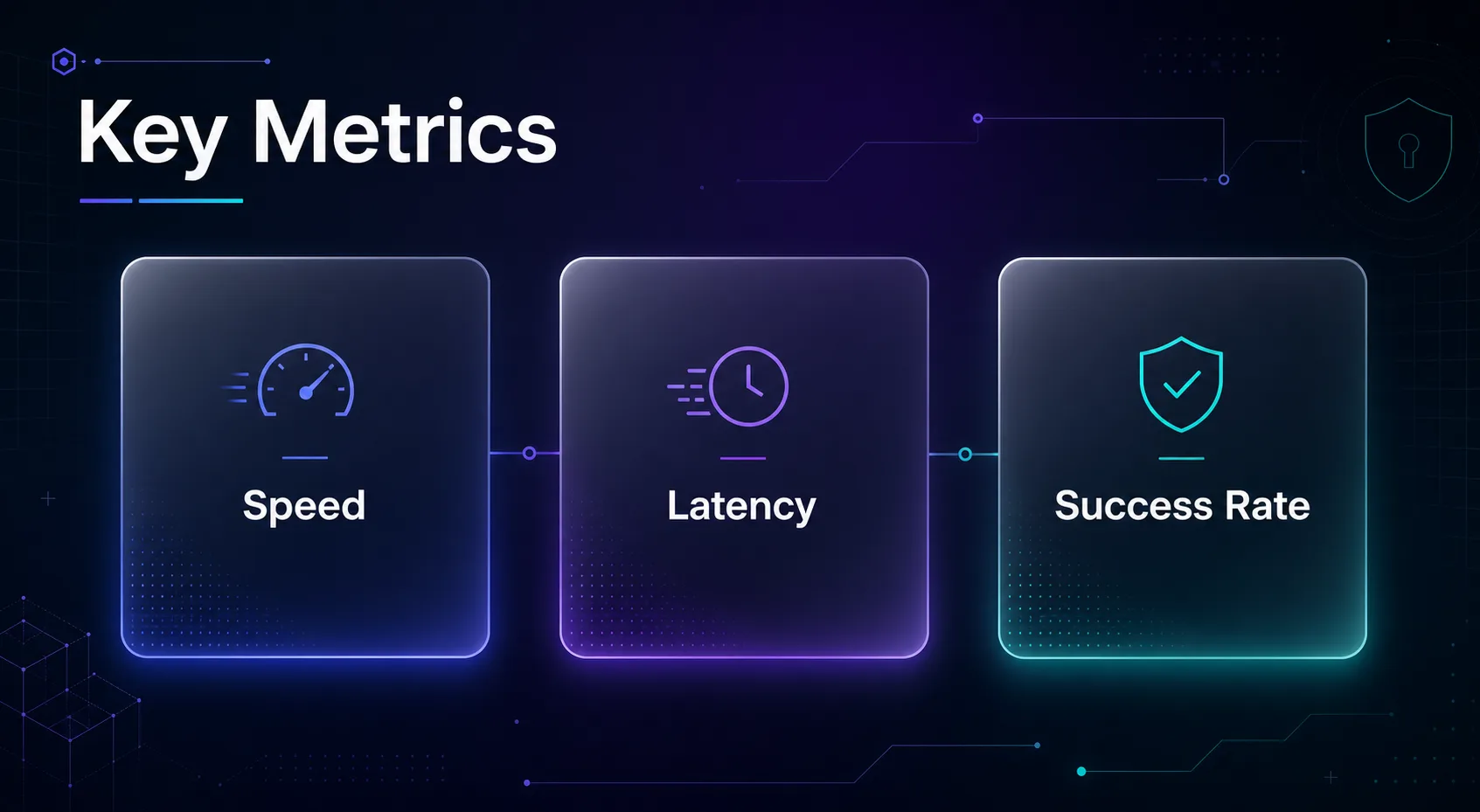
This guide shows you exactly how to benchmark the three metrics that decide whether a proxy is worth paying for: speed (throughput), latency, and success rate. You will learn what each one means, how to measure it reliably, and how to read the results — with copy-paste commands and a Python script you can run today.
Speed, Latency, and Success Rate: What Each One Actually Measures
These three terms get used interchangeably, but they describe very different things. Conflating them is the most common reason teams pick the wrong proxy for the job.
Latency is the delay before data starts arriving — the round trip from your machine, through the proxy, to the target server and back. It is measured in milliseconds and dominated by physical distance and routing quality.
Speed (throughput) is how fast bytes transfer once the connection is established — your effective bandwidth through the proxy, measured in Mbps. A proxy can have low latency but throttled throughput, or vice versa.
Success rate is the percentage of requests that return a valid response (a 200 with the content you expected) rather than a block, CAPTCHA, timeout, or empty body. For real-world scraping, this is the single most important metric.
| Metric | What It Measures | Unit | Good Benchmark |
|---|---|---|---|
| Latency (TTFB) | Delay before first byte arrives | milliseconds | < 700 ms residential, < 200 ms datacenter |
| Throughput | Sustained transfer speed | Mbps | > 10 Mbps per session |
| Success Rate | Valid responses ÷ total requests | percentage | > 95% on the target site |
| Connection Time | Time to establish the tunnel | milliseconds | < 500 ms |
Why You Must Test on Your Own Targets
A proxy that scores brilliantly against example.com can collapse against a Cloudflare-protected store or a Google SERP. Anti-bot systems treat proxy traffic differently depending on the IP's ASN reputation, so generic speed tests rarely predict real performance.
Latency also depends heavily on geography. A US-based proxy hitting a European site adds transatlantic round-trip time that no provider can engineer away. Always benchmark against the specific domains and regions your project targets, not a neutral test endpoint.
Finally, the proxy type changes the rules. Residential proxies are slower but far harder to block; datacenter IPs are blazingly fast but flagged easily. Knowing which trade-off you are testing keeps your expectations honest.
How to Test Proxy Latency
Latency is the quickest metric to measure and the best early warning sign of a poor connection. The cleanest way is to time the time-to-first-byte (TTFB) through the proxy using curl.
Run this command, substituting your credentials and endpoint. The time_starttransfer value is your TTFB in seconds:
curl -x http://user:pass@proxy-host:port -o /dev/null -s -w "Connect: %{time_connect}s | TTFB: %{time_starttransfer}s\n" https://httpbin.org/ip
Run it 10–20 times and average the results — a single sample is noise. Watch for high variance: a proxy that swings between 200 ms and 3,000 ms is unreliable even if its average looks acceptable. Consistency matters as much as raw speed.
Note that classic ping (ICMP) usually will not work through an HTTP proxy and does not reflect application-layer latency anyway. Always measure latency over the actual protocol — HTTP/HTTPS — you intend to scrape with. The choice between HTTP, HTTPS, and SOCKS5 can itself shift your numbers.
How to Test Proxy Speed (Throughput)
Throughput tells you how quickly large payloads move once the connection is open. The simplest test is to download a fixed-size file through the proxy and let curl report the average transfer rate.
curl -x http://user:pass@proxy-host:port -o /dev/null -s -w "Avg speed: %{speed_download} bytes/s | Total: %{time_total}s\n" https://speed.hetzner.de/10MB.bin
Divide speed_download by 125,000 to convert bytes-per-second into Mbps. Test with a payload that resembles your real workload — small JSON responses stress connection overhead, while large HTML or media files stress raw bandwidth.
Run throughput tests concurrently to see how the proxy behaves under load. Many providers look fast with one connection but degrade sharply at 50 or 100 parallel sessions — exactly the condition that matters for large-scale scraping. Single-threaded numbers flatter the provider.
How to Test Proxy Success Rate
Success rate is the truest measure of proxy quality and the hardest to fake. It requires sending a representative batch of requests to your real targets and counting how many return valid data.
The formula is simple: success rate = (valid responses ÷ total requests) × 100. But "valid" must be defined carefully. A 200 status with a CAPTCHA page or an empty body is a failure, even though the HTTP layer reported success.
Send at least 200–500 requests across rotating IPs to get a statistically meaningful number. Log the status code, response size, and a content check (does the HTML contain an expected element?) for each request. The richer your validation, the more trustworthy your success rate.
A Python Script to Benchmark All Three at Once
Command-line one-liners are great for spot checks, but a script lets you measure latency, throughput, and success rate together across hundreds of requests. Here is a minimal, dependency-light example using requests.
import requests, time
proxy = {"http": "http://user:pass@host:port", "https": "http://user:pass@host:port"}
ok, total, latencies = 0, 200, []
for i in range(total):
t0 = time.time()
try:
r = requests.get("https://your-target.com", proxies=proxy, timeout=15)
if r.status_code == 200 and len(r.text) > 500: ok += 1
latencies.append(time.time() - t0)
except Exception: pass
print(f"Success: {ok/total:.1%} | Avg latency: {sum(latencies)/len(latencies):.2f}s")
Swap in your real target URL and content check, and extend the loop to rotate user agents. If you need IP rotation logic, our guide on building a rotating proxy script in Python pairs perfectly with this benchmark harness.
Top Proxy Providers Worth Benchmarking First
Before you write a single line of test code, it helps to start with providers that consistently post strong real-world numbers. These four are reliable baselines to benchmark your needs against — compare more in our full proxy provider directory.
1Decodo

Best for teams that want strong success rates without enterprise pricing, Decodo pairs a 115M+ IP pool with a 99.99% uptime and sub-second average response times. In benchmarks it tends to hold its latency steady even under concurrency.
Its dashboard exposes per-request success metrics, which makes validating your own tests easier. For mixed scraping and automation workloads, it is one of the most balanced options to measure against.
2Oxylabs

Built for large-scale, enterprise scraping, Oxylabs runs a 102M+ residential pool across 195 countries with a 99.99% uptime. Its strength shows in success rate on heavily protected targets where cheaper pools crumble.
Expect a slightly higher cost per gigabyte in exchange for top-tier IP reputation. If your benchmark targets include Cloudflare or DataDome sites, Oxylabs sets a high bar for the others to match.
3IPRoyal

Ideal for budget-conscious projects, IPRoyal offers non-expiring residential traffic that lets you spread testing over weeks without losing unused data. Its 32M+ pool covers 195 countries with solid sub-second latency.
The pay-as-you-go model makes it cheap to run an honest benchmark before committing. For freelancers and small teams validating proxy fit, it is a frequent winner on price-per-success.
4Webshare

Best for developers who want a generous free tier to test with, Webshare lets you benchmark 10 proxies at no cost before scaling. Its 10M+ pool and self-serve API make automated testing painless.
Datacenter speeds here are excellent, though residential coverage is narrower than the giants. For raw throughput tests and quick latency checks, it is the easiest provider to get running.
How to Interpret Your Benchmark Results
Raw numbers mean nothing without context. The table below maps typical readings to a verdict so you can score a provider quickly after a test run.
| Reading | Excellent | Acceptable | Avoid |
|---|---|---|---|
| Avg latency (residential) | < 700 ms | 700 ms – 1.5 s | > 2 s |
| Throughput (per session) | > 15 Mbps | 5 – 15 Mbps | < 3 Mbps |
| Success rate (target site) | > 97% | 90 – 97% | < 85% |
| Latency variance | Low / stable | Moderate | Wild swings |
Weight these by your use case. A price-monitoring crawler can tolerate higher latency if the success rate is excellent; a real-time application needs the opposite. Never reduce a provider to a single average.
Common Mistakes to Avoid When Testing Proxies
Most flawed proxy benchmarks fail for the same handful of reasons. Avoid these and your numbers will actually predict production performance.
1Testing Against the Wrong Endpoint
Benchmarking against httpbin.org or a speed-test server tells you nothing about how the proxy fares on Amazon, Google, or your real targets. Anti-bot defenses, not raw network speed, decide success on protected sites. Always test the domains you will actually scrape.
2Sampling Too Few Requests
A 10-request test cannot produce a reliable success rate. Proxy pools rotate through IPs of wildly varying quality, so you need at least 200–500 requests to average out the good and bad IPs. Small samples produce numbers that look precise but are statistically meaningless.
3Ignoring Concurrency
Single-threaded tests flatter every provider. Real scraping runs dozens or hundreds of parallel sessions, and many proxies throttle or degrade badly under load. Benchmark at the concurrency level you intend to run in production, not one request at a time.
4Treating Every 200 as a Success
A 200 status code can hide a CAPTCHA, a block page, or an empty body. If you count HTTP status alone, your success rate is fiction. Always validate the response content — check for an expected element or a minimum body size before marking a request successful.
5Testing Only Once
Proxy performance fluctuates by time of day, IP pool health, and target-site defenses. A single Tuesday-morning benchmark is a snapshot, not a trend. Re-run your tests across different hours and days before trusting the result enough to sign a contract.
Best Practices for Reliable Proxy Benchmarking
- Average across many samples — run 200+ requests and report medians and percentiles, not just the mean, to catch outliers.
- Test from your production region — latency from your real server location differs from your laptop on home Wi-Fi.
- Match the proxy type to the test — judge residential proxies on success rate, datacenter proxies on speed.
- Log everything — status code, response size, timing, and IP for every request, so you can diagnose failures later.
- Compare under identical conditions — same targets, same concurrency, same time window — then line providers up side by side in our comparison tool.
How Often Should You Re-Benchmark a Proxy?
Proxy performance is not static. IP pools are constantly recycled, target sites tighten their anti-bot defenses, and a provider that excelled last quarter can quietly slip. A benchmark is a snapshot of one moment, not a permanent verdict, so treat it as a recurring check rather than a one-time purchase decision.
For active production scrapers, run a lightweight success-rate probe weekly against your key targets and a full latency-plus-throughput benchmark monthly. Sudden drops in success rate are the earliest signal that a pool has been flagged or that a target has deployed a new defense — catching it early lets you rotate providers before a job fails at scale.
Automate it. A small scheduled script that logs the three core metrics to a dashboard turns proxy quality from a guess into a trend line. When you can see performance decay over weeks, switching providers becomes a data-driven decision instead of a reaction to a broken crawl.
Frequently Asked Questions
Conclusion: Measure, Don’t Trust the Marketing
Proxy marketing pages are written to win the click, not to predict your results. The only way to know whether a proxy delivers is to benchmark latency, throughput, and success rate against your own targets, at your own concurrency, over more than one session.
Start with a few requests via curl to sanity-check latency, then scale up to a 200–500 request Python harness that validates content and reports a real success rate. Weight the results by your use case, and never reduce a provider to a single average.
Ready to put providers head to head? Run your benchmark against the top names in our proxy provider directory, line them up in our side-by-side comparison tool, and read our companion guide on testing proxy speed and anonymity to round out your evaluation.
![The Best Data Extraction APIs to Try in [year]](/_next/image?url=https%3A%2F%2Fproxyhorizon.com%2Fcdn%2Fblog-images%2Fbest-data-extraction-apis-1-mufdevwh.webp&w=3840&q=75)
![Best SERP APIs ([year]): Compared for Accuracy, Pricing & AI](/_next/image?url=https%3A%2F%2Fproxyhorizon.com%2Fcdn%2Fblog-images%2Fbest-serp-apis-1-mufdet7y.webp&w=3840&q=75)
![How to Add an MTProto Proxy to Telegram ([year])](/_next/image?url=https%3A%2F%2Fproxyhorizon.com%2Fcdn%2Fblog-images%2Fhow-to-add-mtproto-proxy-telegram-1-mu9ha99k.webp&w=3840&q=75)