How Browser Automation Traffic Differs From Normal HTTP Requests (2026)
A layer-by-layer breakdown of how browser automation traffic differs from normal HTTP requests, from TCP and TLS fingerprints to HTTP/2 frames, header order, and timing.
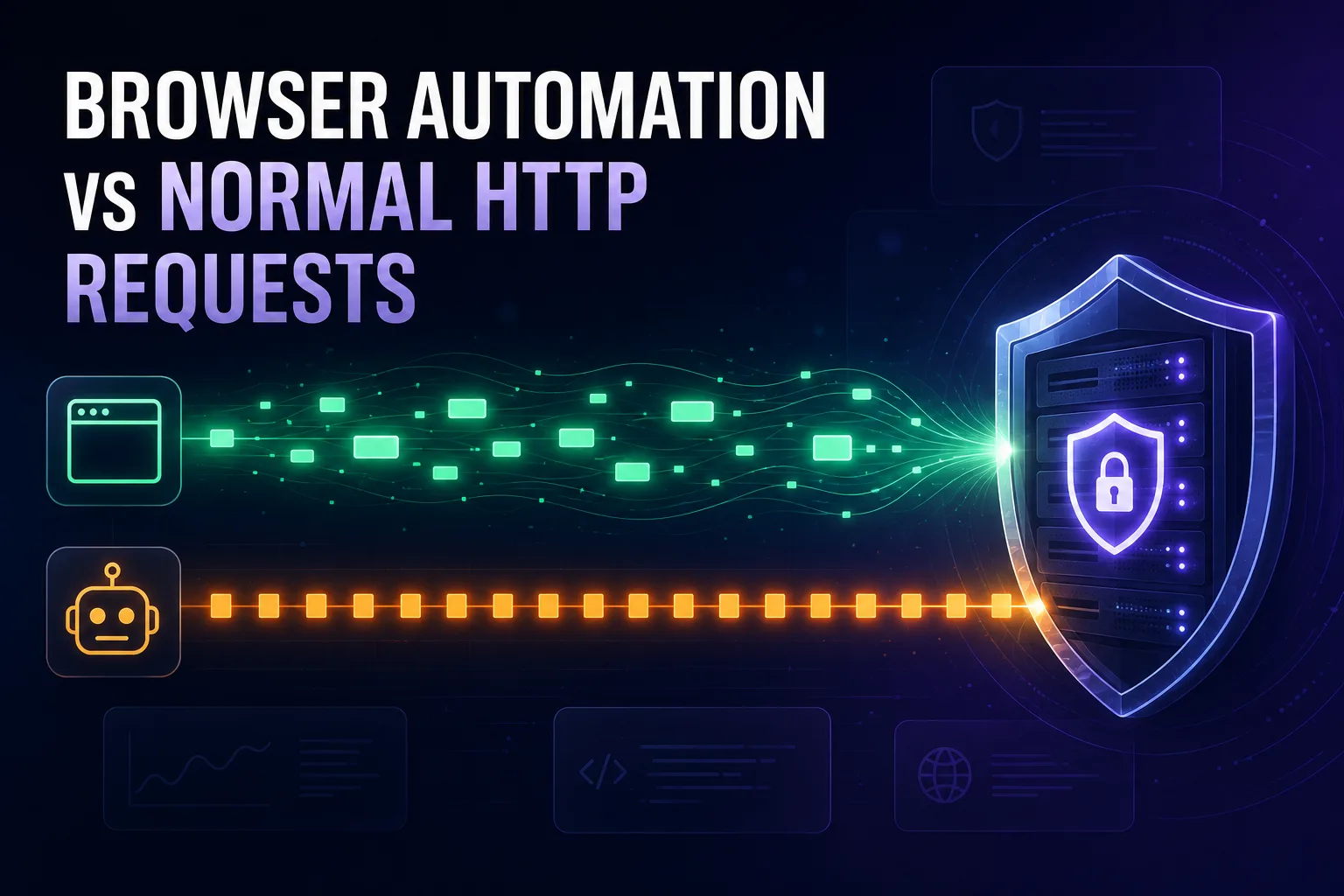
Open a page in Chrome and fetch the same URL with a Python script. To you, both return the same HTML. To the server receiving them, they could hardly look more different. The two requests diverge at the TCP handshake, again during TLS negotiation, again in the HTTP/2 frames, again in the headers, and again in what happens next.
This is why so many scrapers get blocked despite a perfect User-Agent string. Spoofing the one field everybody knows about does nothing when a dozen lower-level signals still announce that you are not a browser. Detection systems do not read your User-Agent and take your word for it, they compare it against everything else you sent.
This guide is a layer-by-layer anatomy of exactly where automated traffic gives itself away, from the TCP fingerprint up to request timing. Understanding these differences is what separates automation that survives from automation that gets a 403 on request one. Let us open up the packets.
- A real browser and an automated client diverge at every layer: TCP/IP, TLS, HTTP/2, headers, and behaviour, not just the User-Agent.
- TLS and HTTP/2 fingerprints (JA3, JA4, and SETTINGS frames) are the biggest giveaway, because HTTP libraries have completely different network stacks from Chrome.
- Header order, casing, and missing Sec-Fetch and Sec-CH-UA headers expose automation even when the User-Agent is spoofed perfectly.
- Real browsers fetch dozens of subresources with human timing; scripts fetch one document at machine speed and stop.
The Core Problem: Consistency, Not Any Single Signal
Before the technical detail, understand the logic detection systems actually apply. They rarely block you because one value looks wrong. They block you because your signals contradict each other.
If your User-Agent claims Chrome 130 on Windows, then your TLS handshake should match what Chrome 130 on Windows produces, your HTTP/2 settings should match, your header order should match, and your TCP fingerprint should look like Windows. When the User-Agent says Chrome but the TLS fingerprint says Python, that mismatch is a far stronger signal than either value alone. It is not just unusual, it is evidence of deliberate spoofing.
This is why partial disguises often perform worse than none at all. A plain script with an honest Python User-Agent looks like a script. A script claiming to be Chrome while handshaking like Python looks like a script that is lying, and many systems treat that far more harshly.
The Five Layers Where Requests Diverge
Every request passes through a stack of layers, and automation can leak at each one. Here is the map before we go through them in order.
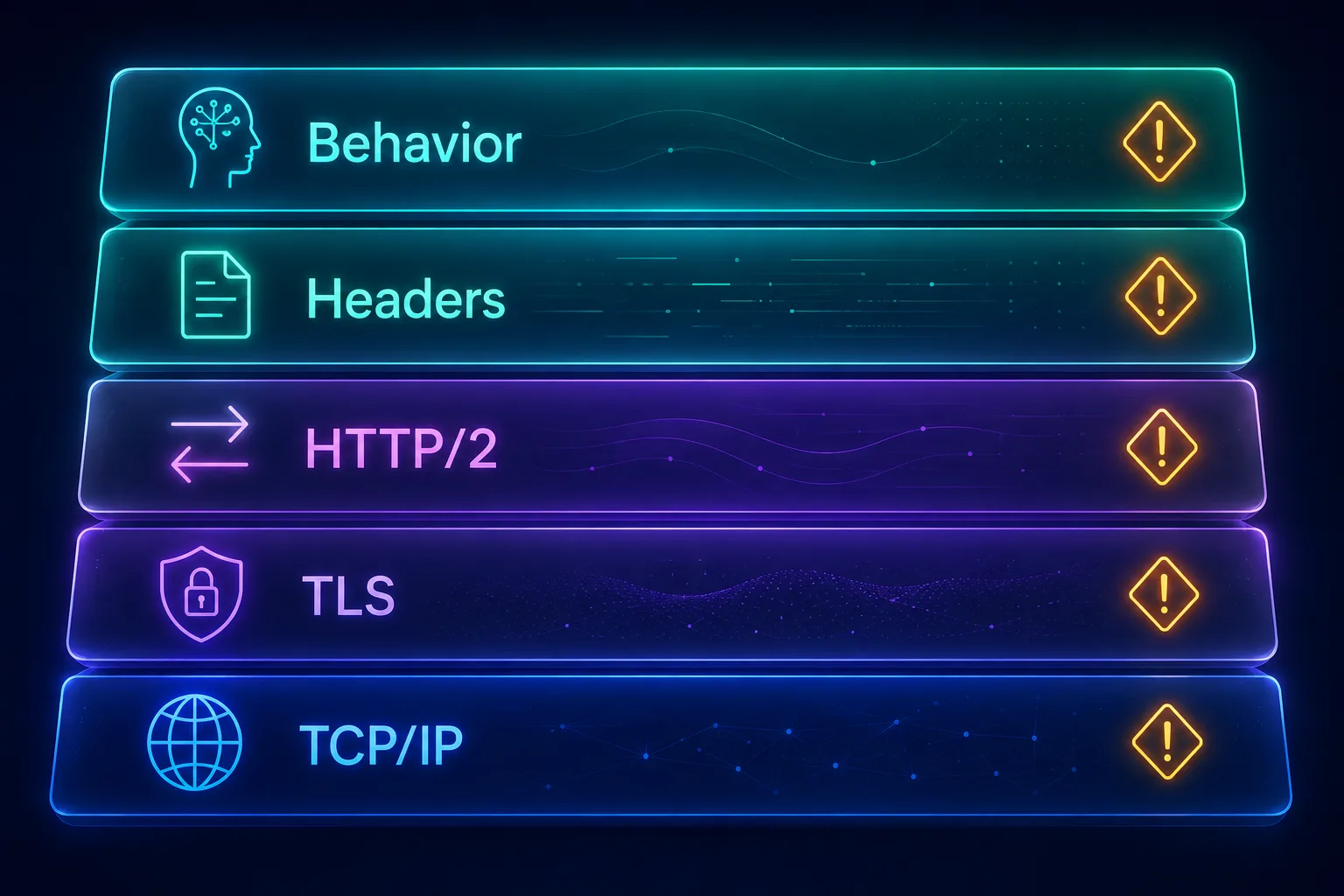
Crucially, the first four layers are all visible before a single line of JavaScript executes. A site can decide you are a bot from the connection alone, which is why many scrapers receive a block on the very first request and never see the page they were trying to load.
Layer 1: The TCP/IP Fingerprint
The giveaways start before any HTTP is exchanged. When your machine opens a TCP connection, the packets carry details that vary by operating system and network stack: the initial window size, the maximum segment size, TTL values, and the exact set and ordering of TCP options.
These combine into a passive OS fingerprint. A server can form a reasonable opinion about whether you are running Windows, macOS, or Linux purely from how your connection opens. The mismatch this creates is obvious: if your User-Agent claims Windows Chrome but your TCP fingerprint says Linux, you have contradicted yourself before sending a byte of HTTP. Scrapers commonly run on Linux servers while claiming to be Windows desktops, and this is one reason cloud-hosted automation gets flagged so readily even before IP-level proxy detection is considered.
Layer 2: The TLS Handshake
This is the big one, and the layer most scrapers lose at.
When a client opens an HTTPS connection, it sends a Client Hello announcing exactly which TLS version, cipher suites, extensions, elliptic curves, and signature algorithms it supports, in a specific order. That combination is remarkably distinctive. Hash it and you get a JA3 or the newer JA4 fingerprint, a compact identifier for the client software.
Here is why it matters: Chrome, Firefox, and Safari each produce a characteristic fingerprint, and every version has its own. Meanwhile Python’s requests, httpx, Node’s axios, Go’s standard library, and plain curl each produce fingerprints that look nothing like any browser, because they use entirely different TLS libraries (OpenSSL, for instance) with different defaults.
Chrome also does things that are hard to imitate accidentally. It injects GREASE values, deliberately random entries designed to keep the ecosystem tolerant of unknown values, and it advertises a specific ALPN list and extension order. An HTTP library sending a tidy, conventional Client Hello with no GREASE and OpenSSL’s default cipher order is instantly identifiable as not-a-browser. You can spoof the User-Agent header freely, but you cannot spoof the TLS fingerprint without changing the network stack itself. Our guide to TLS fingerprinting covers the mechanics in depth.
Layer 3: HTTP/2 Behaviour
Modern browsers negotiate HTTP/2 (and increasingly HTTP/3) for almost every connection. Many automation clients still default to HTTP/1.1, and simply speaking the older protocol to a site that serves HTTP/2 to every real visitor is itself an anomaly.
When a client does speak HTTP/2, it opens with a SETTINGS frame declaring its parameters: header table size, maximum concurrent streams, initial window size, maximum frame size. Browsers use characteristic values and send them in a characteristic order. Clients also differ in their window update behaviour, their use of stream priority and dependency trees, and the order in which pseudo-headers such as :method, :authority, :scheme, and :path appear.
Together these form an HTTP/2 fingerprint that is every bit as identifying as the TLS one, and it catches tools that got their TLS right but not their frame behaviour. Real Chrome also multiplexes many parallel streams over one connection; a script typically opens one stream, requests one resource, and closes. The shape of the conversation is different, not just its contents.
Layer 4: HTTP Headers
Headers are where most people focus, and even here the differences run much deeper than the User-Agent.
1Which Headers Are Present
A real Chrome request carries a substantial set: Accept, Accept-Encoding, Accept-Language, Sec-Fetch-Site, Sec-Fetch-Mode, Sec-Fetch-User, Sec-Fetch-Dest, Sec-CH-UA, Sec-CH-UA-Mobile, Sec-CH-UA-Platform, Upgrade-Insecure-Requests and more. A default HTTP client sends perhaps three or four. Missing Sec-Fetch metadata and client hints is a glaring omission, because every modern Chrome request includes them.
2The Order They Appear In
Browsers emit headers in a consistent, predictable order. HTTP libraries often sort them alphabetically, use insertion order, or randomise them entirely. Even with a perfect set of header values, the wrong sequence reveals the client. This is one of the most overlooked signals in scraping.
3Capitalisation and Formatting
Header names are technically case-insensitive in HTTP/1.1, so clients differ in how they cast them, and HTTP/2 requires lowercase. Subtle differences in casing, spacing, and how multi-value headers are joined all contribute to the fingerprint.
4Values That Do Not Match the Claim
Chrome advertises specific compression support, currently including br and zstd, in a specific order. A client claiming to be Chrome while advertising only gzip, deflate has contradicted itself. The same applies to Accept strings and language lists that do not match the claimed browser and platform.
Layer 5: Request Patterns and Timing
Even a client that gets every byte of the connection right can be exposed by what it does next, because a browser and a script behave completely differently.
1Subresource Loading
When a browser loads a page, it does not stop at the HTML. It parses the document and immediately requests stylesheets, scripts, fonts, images, and usually a favicon, often dozens of requests within a second or two, in a characteristic waterfall. A scraper fetches the HTML and stops. A server seeing an HTML request with no follow-up asset requests from the same connection has a very strong signal.
2Referer Chains
Real navigation produces a trail. A user arrives from a search engine or an internal link, so requests carry a sensible Referer. Scrapers frequently request deep URLs directly with no referer at all, which looks like someone teleporting into the middle of a site.
3Timing and Rhythm
Humans are irregular. They pause, read, scroll, and return at uneven intervals. Automation is metronomic: requests arrive at suspiciously even spacing, or with no delay whatsoever. Perfectly uniform timing is one of the easiest patterns to detect statistically, and even naive rate analysis catches it.
4Cookie and Session Handling
Browsers accumulate cookies and present a coherent session across requests. Many scripts drop cookies entirely or fail to carry them between requests, so every request looks like a brand new visitor with no history, which for a multi-page journey is deeply implausible.
Side-by-Side: What Each Layer Reveals
Here is the whole picture in one table.
| Layer | Real Browser | Typical Automated Client |
|---|---|---|
| TCP/IP | Consistent with claimed OS | Often Linux server stack |
| TLS | Browser JA3/JA4 with GREASE | OpenSSL or library default |
| Protocol | HTTP/2 or HTTP/3, multiplexed | Frequently HTTP/1.1, single stream |
| Headers | Rich set, fixed order, client hints | Sparse, wrong order, no Sec-Fetch |
| Subresources | Dozens of assets in a waterfall | HTML only, nothing follows |
| Timing | Irregular, human-paced | Uniform or instant |
| Cookies | Coherent session state | Often absent or reset |
Why Headless Browsers Still Differ
Running a real browser engine through Playwright, Puppeteer, or Selenium solves most of the lower layers at a stroke. You inherit Chrome’s genuine TLS fingerprint, its HTTP/2 settings, its header set and ordering, and its subresource loading. That is an enormous improvement over an HTTP library.
But it does not make you invisible, because the differences move up the stack rather than disappearing. Automation frameworks historically expose navigator.webdriver, and controlling a browser over the Chrome DevTools Protocol leaves detectable traces. Headless mode has additional tells, and default automation environments often lack the plugins, fonts, media codecs, and permission states a real user profile accumulates.
Behaviour remains the hardest gap to close. A real user moves the mouse in curved, jittery paths, scrolls unevenly, mistypes and corrects, and hesitates before clicking. Scripted interaction is straight-line, instant, and pixel-perfect. Our guide on how anti-bot systems detect automated browsers covers this defender-side analysis in detail, and how antidetect browsers work explains the tooling built to close these gaps. For the browser-side signals specifically, see browser fingerprinting explained.
How to Make Automation Traffic Look Normal
If you have a legitimate reason to automate, the fix is to reduce the contradictions rather than to spoof one field harder.
Use a real browser engine when the target is defended. This is the single highest-impact change, because it fixes TLS, HTTP/2, headers, and subresource loading in one move. Reserve raw HTTP clients for APIs and undefended targets. See our guide to proxies for Playwright for the setup.
If you must use an HTTP client, match its fingerprint. Tools exist specifically to make a client’s TLS and HTTP/2 fingerprint impersonate a real browser. Pairing one of those with a correct, correctly ordered header set closes most of the network-layer gap.
Keep every signal internally consistent. Your User-Agent, client hints, Accept-Language, TLS fingerprint, timezone, and IP geolocation should all describe the same plausible person. One mismatch undoes the rest.
Pace requests like a person. Add randomised delays with realistic variance rather than a fixed sleep. Uniform intervals are a detection signal in their own right.
Use trustworthy IPs. Perfect client emulation from a flagged datacenter range still fails. Match the network layer to the story with quality residential proxies, and understand how proxy IP reputation works.
Preserve cookies and referers. Carry session state across requests and navigate through links rather than jumping straight to deep URLs.
Common Mistakes to Avoid
These are the errors that cause most avoidable blocks.
1Spoofing Only the User-Agent
The most common mistake by far. It is the one field everyone knows about, the easiest to check against other signals, and changing it alone creates a contradiction that is worse than honesty.
2Ignoring TLS Entirely
Teams spend days tuning headers while their JA3 fingerprint still says Python. The handshake happens first, and on well-defended targets it decides the outcome before your headers are even read.
3Using Perfectly Regular Timing
A fixed delay between requests is not human. Neither is no delay. Randomise with realistic variance.
4Claiming Windows From a Linux Server
If your TCP fingerprint and environment say Linux, claiming to be Windows Chrome adds a contradiction. Consider aligning your claim with reality, or use a real browser on a matching platform.
5Fetching Only the HTML
Requesting a page and never loading a single asset is unmistakable. If you are emulating a browser, emulate the waterfall too, or use an engine that does it naturally.
Frequently Asked Questions
The Bottom Line
A browser request and an automated one are not two versions of the same thing with a different User-Agent. They are produced by entirely different software stacks, and they differ at the TCP handshake, in the TLS Client Hello, in HTTP/2 frame behaviour, in which headers appear and in what order, and in everything that happens afterwards.
That is why detection so often succeeds against sophisticated-looking scrapers: the giveaway is not one bad value but the contradiction between a claimed identity and the evidence underneath it. Consistency is the whole game.
If you are automating for legitimate reasons, the practical path is to use a real browser engine where it matters, keep every signal aligned, pace your requests like a person, and put it all behind trustworthy IPs. Start with our guide to why web scraping needs proxies, or compare providers in our proxy directory.
Keep Reading
More articles you might enjoy