Best Proxies for Google Maps Scraping (2026)
The best proxies for Google Maps scraping in 2026. Compare 7 top residential and mobile providers, plus which proxy type works, how to avoid blocks, and the legal position.
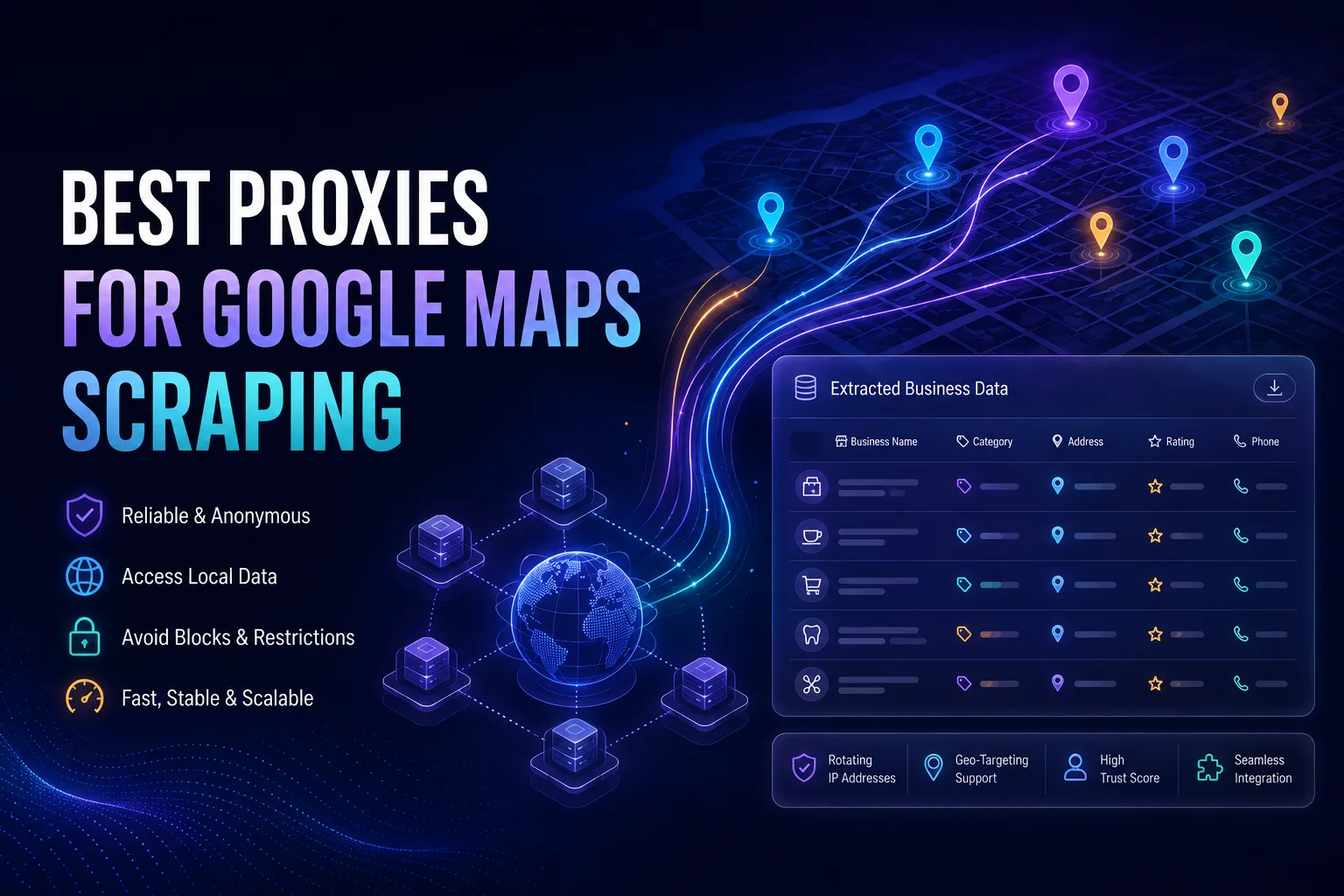
Google Maps is the richest source of local business data on the internet: names, addresses, phone numbers, ratings, review counts, opening hours, and categories for tens of millions of businesses. For lead generation, market research, and competitive analysis, it is a goldmine. The problem is that Google guards it fiercely.
Send more than a handful of automated requests from one IP address and you will hit CAPTCHAs, then rate limits, then an outright block. Google is exceptionally good at spotting automation, and it is especially hostile to datacenter IP ranges. Without the right proxies, a Google Maps scraper stops working within minutes.
This guide ranks the best proxies for Google Maps scraping in 2026, based on IP quality, geo-targeting precision, success rates, and value. We also cover which proxy type actually survives, how to scrape without getting blocked, and where the legal lines sit. Let us get into it.
- Google Maps blocks datacenter IPs almost instantly, so residential (and mobile) proxies are essential for scraping at any real scale.
- Maps results are location-dependent, so city-level geo-targeting matters more here than in almost any other scraping job.
- Top picks: Oxylabs for overall reliability, Decodo for value, BrightData for enterprise scale, and SOAX for precise local targeting.
- Rotate IPs, throttle your request rate, and match each proxy’s location to the area you are searching to avoid blocks.
Best Proxies for Google Maps Scraping: Quick Comparison
Here is an at-a-glance look at our top seven picks before we break each one down.
| Provider | Best For | Proxy Types | Geo-Targeting |
|---|---|---|---|
| Oxylabs | Best overall for Maps | Residential, ISP, Datacenter | City level |
| Decodo | Best value | Residential, Mobile, ISP, DC | City level |
| BrightData | Enterprise scale | Residential, Mobile, ISP, DC | City and ASN |
| SOAX | Precise local targeting | Residential, Mobile | City and ISP |
| IPRoyal | Best budget option | Residential, Mobile, DC | Country and city |
| Geonode | High-volume scraping | Residential, Mobile, DC | Country and city |
| Webshare | Beginners and small jobs | Residential, Datacenter | Country |
Why You Need Proxies for Google Maps Scraping
Google does not want to be scraped, and Maps is one of its most heavily protected surfaces. Three things happen when you try to collect data at volume from a single IP address.
First, you hit rate limits almost immediately. Google counts requests per IP, and a scraper naturally sends far more than a human ever would. Second, you get served CAPTCHAs, which halt an automated pipeline dead. Third, if you push on, the IP gets temporarily or permanently blocked, and on a home or office connection that can disrupt normal browsing for everyone sharing it.
Proxies solve this by spreading your requests across many IP addresses, so no single one looks abusive. Just as importantly for Maps, they let you choose where each request appears to come from, which changes the results you get back. Our guide on why web scraping needs proxies covers the fundamentals, and how websites detect proxy traffic explains what you are up against.
What Data Can You Scrape From Google Maps?
Each business listing holds a surprisingly deep set of structured fields, which is why Maps is so valuable for lead generation and local market research.

The commonly extracted fields include the business name, full address, phone number, website URL, category, star rating, review count, opening hours, and geographic coordinates. Many scrapers also pull individual review text, photos, and price levels.
Put together, that is enough to build a local lead list, map competitor density across a city, track rating changes over time, or enrich an existing CRM. It is the same data that powers a lot of local SEO and market research work.
Which Proxy Type Works Best for Google Maps?
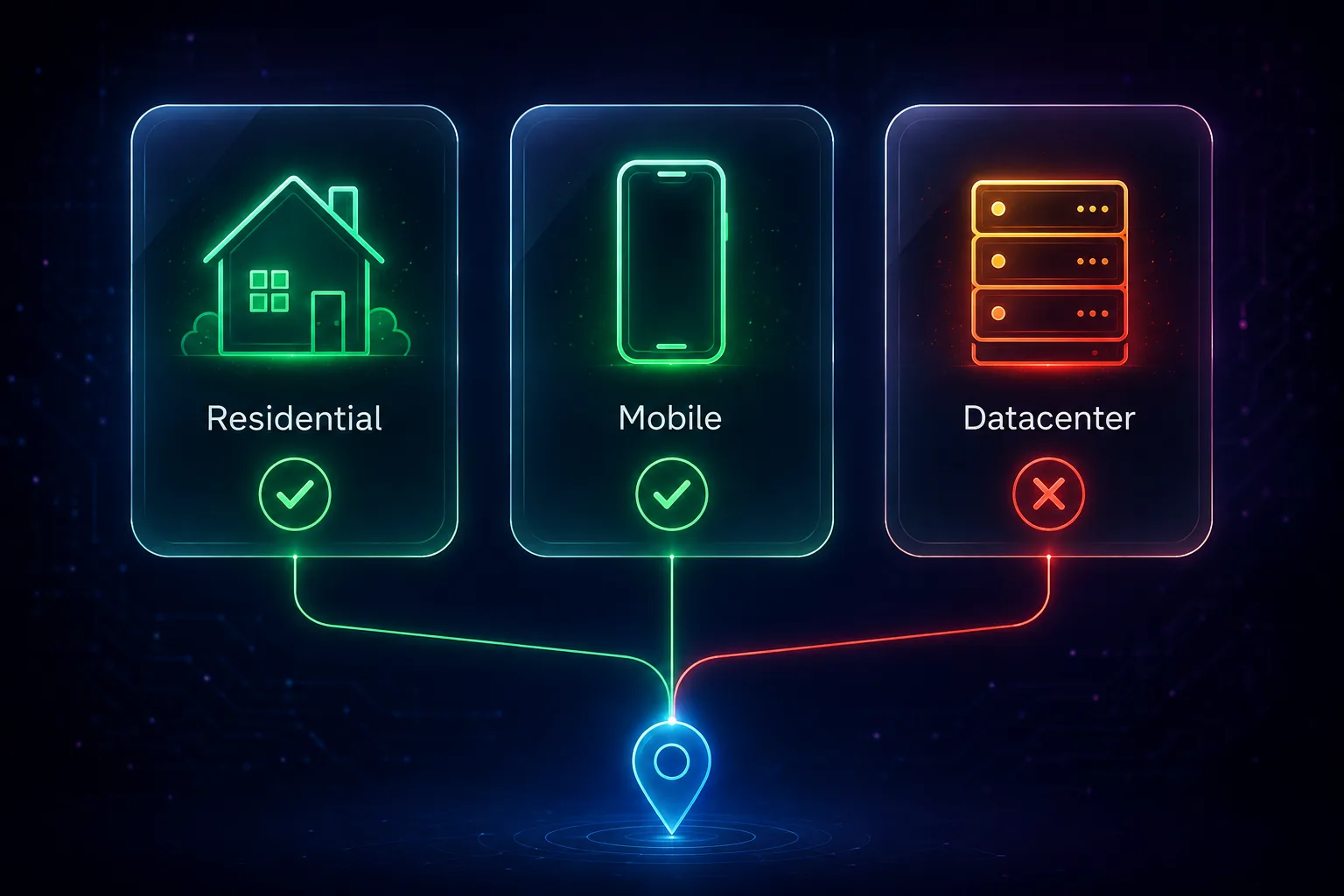
This is the single most important decision, and getting it wrong is why most Google Maps scrapers fail on day one.
1Residential Proxies: The Right Default
Residential proxies use IP addresses from real home internet connections assigned by ISPs, so Google treats them as ordinary users. They deliver by far the best success rates on Maps and support the city-level targeting the job demands. For nearly everyone, this is the correct choice. If the concept is new, read what a residential proxy is.
2Mobile Proxies: Maximum Trust
Mobile proxies route through real 4G and 5G cellular networks. Because carriers share each IP among many genuine users, Google is extremely reluctant to block them, giving the highest success rates of all. They cost more, so they are best reserved for the most stubborn targets or highest-value jobs.
3Datacenter Proxies: Avoid for Maps
Datacenter proxies are cheap and fast, but Google recognises their IP ranges instantly and blocks them almost on contact. They are effectively useless for sustained Google Maps scraping. If you take one thing from this guide, it is this: do not try to scrape Maps on datacenter IPs.
The 7 Best Proxies for Google Maps Scraping in 2026
Every provider below offers the clean residential or mobile IPs and geo-targeting that Google Maps scraping requires.
1Oxylabs, Best Overall for Google Maps

Oxylabs takes the top spot because it attacks the problem from both directions. Its residential network is one of the largest and cleanest available, with city-level targeting that lets you pull genuinely local Maps results, and its success rates against Google targets are among the best measured anywhere.
It also offers managed scraper APIs that handle rotation, retries, and unblocking for Google surfaces on your behalf, which removes most of the engineering pain from a Maps pipeline. It is a premium product, but for reliability at scale it is the strongest option. See our full Oxylabs pricing breakdown for the cost side.
2Decodo, Best Value

Decodo (formerly Smartproxy) delivers most of the premium experience at a noticeably lower price, pairing a large residential pool with precise country and city targeting and a dashboard that is genuinely easy to use. Its consistently high success rates hold up well against Google.
For freelancers, agencies, and small teams building a Maps scraper without an enterprise budget, Decodo hits the best balance of cost and capability. Compare the numbers in our Decodo pricing guide.
3BrightData, Best for Enterprise Scale

BrightData is the heavyweight for very large operations, with an enormous residential and mobile network, targeting down to city and ASN level, and mature scraper APIs and datasets built specifically around Google surfaces.
If you are collecting Maps data across many countries at high volume and need infrastructure that simply will not fall over, BrightData has the depth and tooling to support it. The pricing is enterprise-grade, but so is the reliability.
4SOAX, Best for Precise Local Targeting
SOAX earns its place because Google Maps is fundamentally a local product, and SOAX offers some of the most granular targeting in the industry, down to city and even ISP level, across a rigorously cleaned residential and mobile pool.
That precision matters enormously here: if you need Maps results exactly as a searcher in a specific city would see them, SOAX gives you the control to reproduce that reliably.
5IPRoyal, Best Budget Option

IPRoyal is the value champion for smaller Maps projects. Its pay-as-you-go residential traffic never expires, so you can buy a modest amount and use it across an occasional scraping job without committing to a monthly plan.
The IPs are clean enough for Google work and the pricing is among the lowest for genuine residential proxies, making it the natural starting point if you are testing a Maps scraper before scaling it up.
6Geonode, Best for High-Volume Scraping

Geonode stands out with unlimited-bandwidth residential plans, which changes the economics when you are crawling thousands of Maps listings and paging through results. Instead of watching a per-gigabyte meter, you pay a flat rate.
For large, sustained extraction jobs where bandwidth would otherwise dominate your bill, Geonode is a smart, budget-conscious choice.
7Webshare, Best for Beginners

Webshare is the friendliest on-ramp, with a self-service platform, transparent pricing, and even a free tier to experiment with. Its residential proxies handle light Maps scraping, and the setup is simple enough to get a first scraper running quickly.
It is best suited to small jobs and learning rather than heavy production work, but as a low-cost place to start it is hard to beat. Browse every option in our proxy directory.
How to Choose the Right Google Maps Proxy
The right pick depends on your scale, budget, and how local your data needs to be.
1Geo-Targeting Precision
Maps results change with location, so city-level targeting is close to mandatory. If you need results as seen from specific neighbourhoods or metros, prioritise SOAX, Oxylabs, or BrightData.
2Pool Size and Cleanliness
A larger, actively maintained pool means fewer already-flagged IPs and better success rates against Google. This is where premium providers earn their price.
3Rotation Control
You want fine control over how often IPs change. Good rotation spreads requests naturally, which is the core defence against rate limiting. See our guide to rotating proxies.
4Managed API vs Raw Proxies
If you would rather not build unblocking logic yourself, a managed scraper API from Oxylabs or BrightData handles retries and CAPTCHAs for you at a higher per-request cost. Raw proxies are cheaper but need more engineering. Our roundup of the best web scraping APIs covers that trade-off.
5Pricing Model
Per-gigabyte pricing suits light or occasional jobs, while unlimited-bandwidth plans like Geonode’s win for heavy, sustained crawling. Match the model to your volume.
How to Scrape Google Maps Without Getting Blocked
Good proxies are necessary but not sufficient. These practices keep a Maps scraper alive.
Rotate your IPs sensibly. Do not hammer one address. Spread requests across the pool so each IP carries a human-plausible volume, and use sticky sessions only where a multi-step flow requires continuity.
Throttle and randomise your timing. Add realistic delays between requests and vary them. A perfectly regular request interval is one of the clearest automation signals there is.
Match location to query. If you are searching for restaurants in Berlin, route through a German IP. Mismatched geography produces both suspicious traffic and inaccurate, non-local results.
Render JavaScript properly. Maps is a heavily dynamic interface, so a plain HTTP request often returns nothing useful. Use a headless browser setup, as covered in our guide to proxies for Playwright.
Handle failures gracefully. Build in retries with backoff and rotate to a fresh IP on a block rather than retrying the same one. Our guide on handling proxy timeouts and errors covers the patterns.
Is Scraping Google Maps Legal?
This deserves a straight answer rather than hand-waving. Collecting publicly available information is broadly lawful in many jurisdictions, and courts in the United States have generally supported access to public web data, most notably in the hiQ Labs v. LinkedIn litigation. Business names, addresses, and phone numbers are public facts.
That said, automated scraping does conflict with Google’s Terms of Service, which prohibit automated access without permission. Breaching terms of service is a contractual matter rather than a criminal one, but it can result in blocks or account action. Separately, if you collect personal data, such as reviewer names or profiles, privacy laws like GDPR and CCPA apply and carry real obligations.
The sanctioned alternative is the official Google Places API, which is fully permitted but comes with quotas, per-request costs, and licensing restrictions on storing and redisplaying results. Many teams weigh that against scraping. Whichever route you take, stick to public business data, avoid personal information, scrape at a respectful rate, and take your own legal advice for commercial projects.
Common Mistakes to Avoid
These errors kill Google Maps scrapers faster than anything else.
1Using Datacenter Proxies
Google identifies datacenter ranges instantly. This is the number one reason scrapers fail on the first run. Use residential or mobile IPs, without exception.
2Scraping Too Fast
Even excellent residential proxies get blocked if you fire requests at machine speed. Throttle, randomise, and be patient. Slower and steady collects far more data overall.
3Ignoring Location Matching
Running a search for a London business through a US IP returns different, less accurate results and looks odd to Google. Always align proxy geography with your target area.
4Skipping JavaScript Rendering
Maps loads its content dynamically. Scrapers that only fetch raw HTML come back empty and waste proxy bandwidth. Use a headless browser or a scraper API that renders for you.
5Buying the Cheapest Pool You Can Find
Bargain providers often recycle a small, already-flagged set of IPs among thousands of users, so your requests arrive pre-blocked. Paying slightly more for a clean pool costs less than a scraper that never works.
Frequently Asked Questions
The Bottom Line
Google Maps scraping succeeds or fails on proxy quality. Residential IPs are the baseline, mobile IPs are the premium option for difficult jobs, and datacenter proxies simply do not work. Layer on city-level geo-targeting, sensible rotation, throttled timing, and proper JavaScript rendering, and a Maps pipeline becomes genuinely reliable.
For most people, Oxylabs is the best overall choice thanks to its clean pool, precise targeting, and managed scraper APIs. Pick Decodo for the best value, BrightData for enterprise scale, SOAX for the most precise local targeting, and IPRoyal if you are starting small. Compare them all in our proxy directory, or see our related guides to the best proxies for scraping Google Search and the best SEO proxies for SERP scraping.
Keep Reading
More articles you might enjoy