How VPN Protocols Work: WireGuard, OpenVPN & IKEv2 Explained (2026)
How VPN protocols work explained: the three phases of every connection, and how WireGuard, OpenVPN, and IKEv2 differ in cryptography, speed, and design.
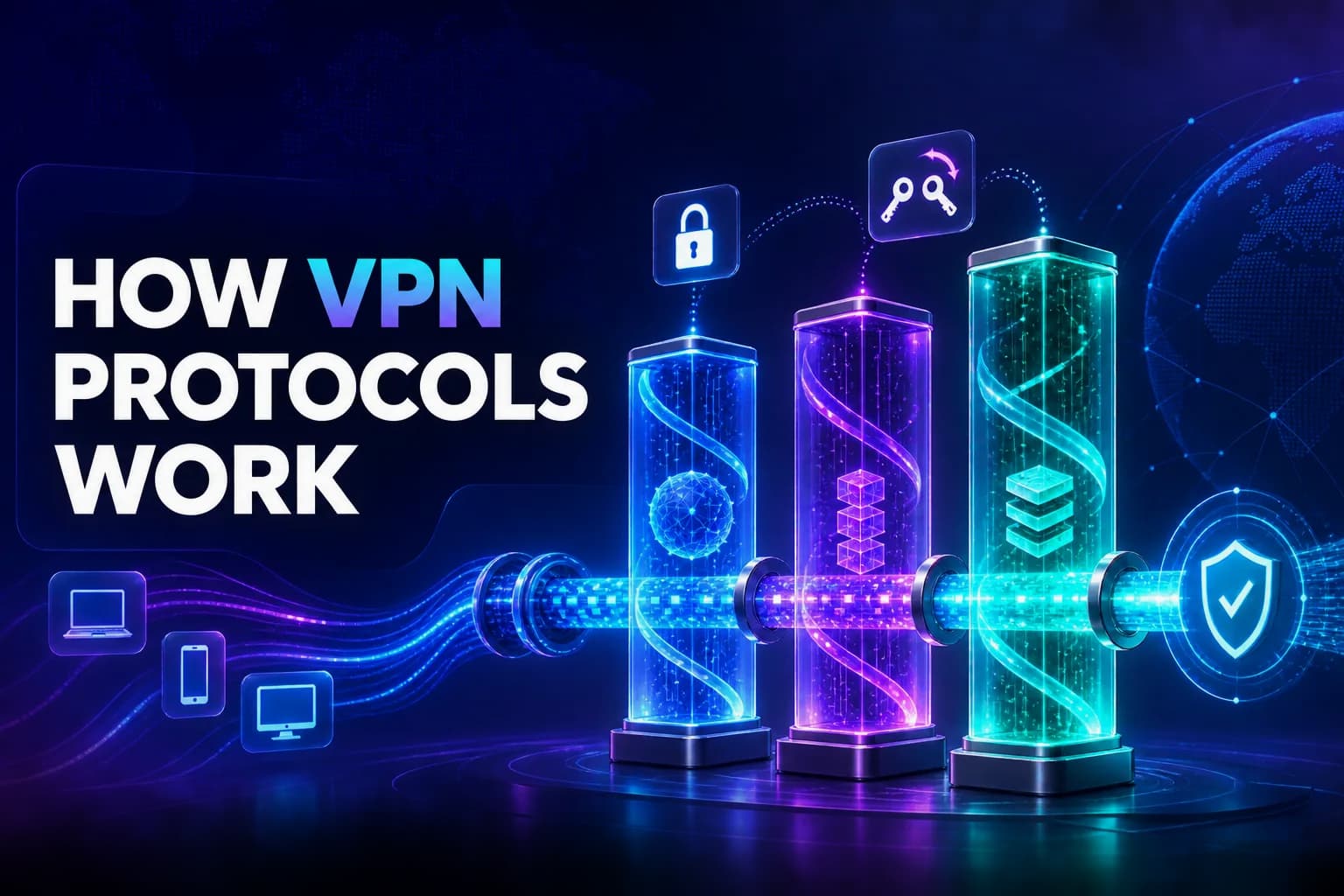
Every VPN app has a protocol dropdown, and most people never touch it. Yet that setting does more to determine your speed, security, and battery life than the provider’s marketing ever will. The protocol is the engine underneath the tunnel, and the engines are genuinely different machines.
WireGuard is roughly 4,000 lines of code running inside the kernel. OpenVPN is a userspace application built on TLS that runs to hundreds of thousands of lines. IKEv2 is a key-exchange protocol paired with a separate encryption layer. They solve the same problem with completely different designs, and those designs explain every practical difference you feel.
This guide explains how VPN protocols actually work: the three phases every VPN connection goes through, what happens inside WireGuard, OpenVPN, and IKEv2 specifically, why WireGuard is so much faster, the privacy caveat it creates, and how to choose. If you want the wider context first, start with what a VPN tunnel is.
- Every VPN protocol does three jobs: authenticate the peers, agree on encryption keys, and then encapsulate and encrypt your traffic.
- WireGuard is fast because it uses fixed modern cryptography, runs in the kernel, and is about 4,000 lines of code with no cipher negotiation.
- OpenVPN is slower but extremely configurable, runs over TCP or UDP, and can disguise itself as ordinary HTTPS traffic.
- IKEv2 excels on mobile because MOBIKE lets a tunnel survive switching between Wi-Fi and cellular without reconnecting.
What a VPN Protocol Actually Does
A VPN protocol is the rulebook governing how your device and the VPN server build and maintain a secure tunnel. Strip away the branding and every protocol has to solve the same three problems.
Authentication proves each side is who it claims to be, so you are not handing your traffic to an impostor. Key exchange lets both ends agree on secret encryption keys over an untrusted network, without ever transmitting the keys themselves. Encapsulation and encryption then wrap and scramble your actual data for the journey.
Protocols differ in which cryptographic algorithms they use, how much they negotiate versus fix in advance, whether they run in kernel or userspace, and which transport they sit on. Those four choices produce all the practical differences in speed, security, and reliability.
The Three Phases of Every VPN Connection
Watching a connection form makes the differences much easier to understand, because all protocols follow the same arc.
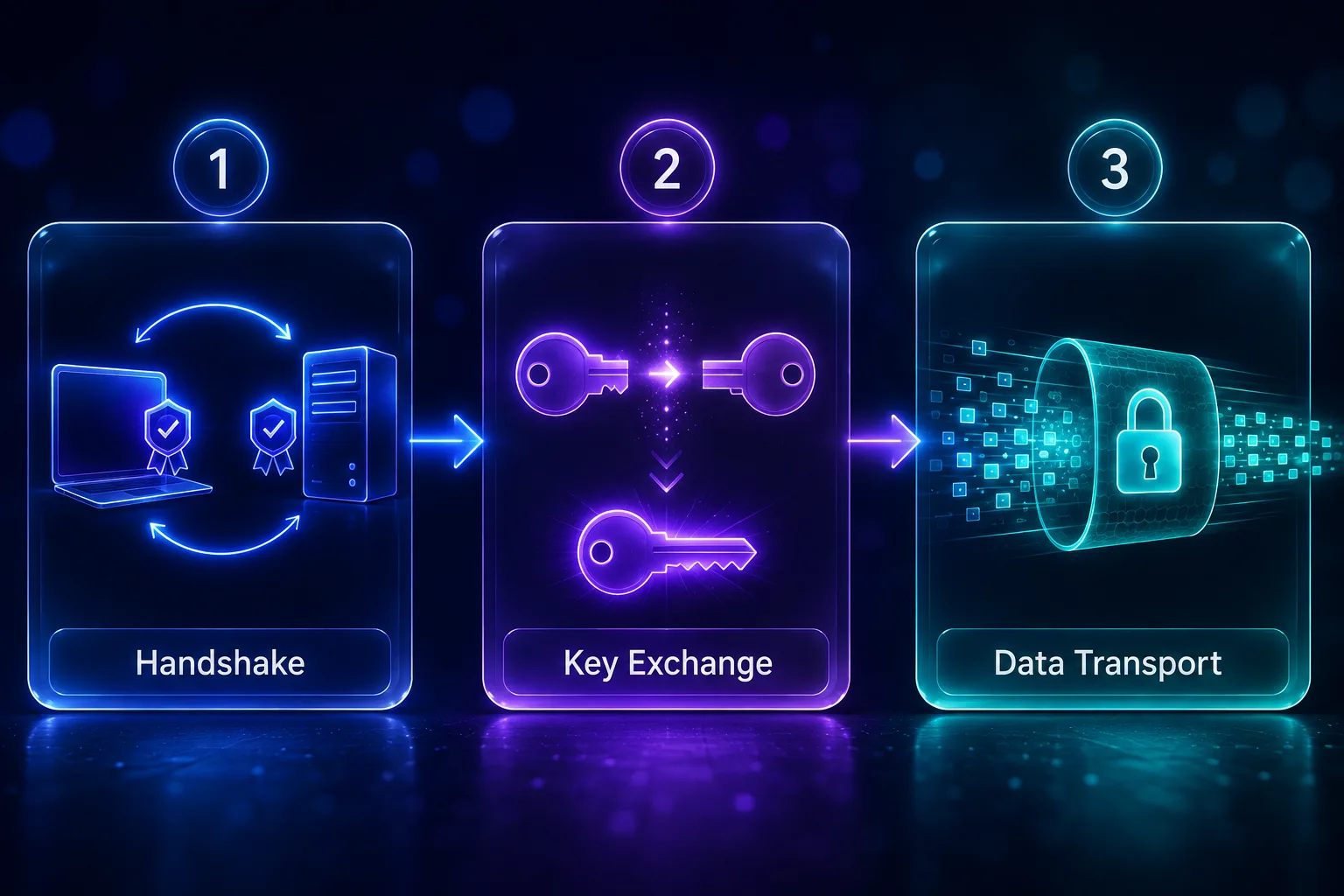
1Phase 1: The Handshake
Your client contacts the server and both sides prove their identity, using certificates, pre-shared keys, or public keys depending on the protocol. This phase also establishes that both ends are speaking a compatible protocol version.
2Phase 2: Key Exchange
Both sides derive shared session keys, almost always using some form of Diffie-Hellman exchange, typically over elliptic curves in modern protocols. The clever part is that the keys are never transmitted; each side computes the same secret independently from public values. Good protocols also provide perfect forward secrecy, rotating keys so that compromising one key does not expose past sessions.
3Phase 3: Data Transport
With keys agreed, your traffic flows. Each packet is encrypted with a symmetric cipher and wrapped in an outer packet addressed to the VPN server. Symmetric encryption is used here because it is far faster than the public-key cryptography of the handshake, which is why the handshake happens once and transport continues cheaply.
The number of round trips in phases one and two determines how quickly you connect. WireGuard needs a single round trip. OpenVPN’s TLS handshake needs several, which is why it visibly takes longer to establish.
WireGuard: Minimalism as a Security Strategy
WireGuard is the modern default at nearly every serious provider, and its design philosophy is the opposite of its predecessors.
1Fixed Cryptography, No Negotiation
Most protocols negotiate: the client offers a list of ciphers, the server picks one. WireGuard refuses to. It hard-codes a single modern suite, ChaCha20 for encryption, Poly1305 for authentication, Curve25519 for key exchange, and BLAKE2s for hashing, built on the Noise protocol framework.
This eliminates an entire class of attack. There is no cipher list to manipulate, so downgrade attacks, where an attacker tricks both sides into using weak encryption, are structurally impossible. The trade-off is that upgrading cryptography means upgrading WireGuard itself, which its authors consider the correct trade.
2A Codebase You Can Actually Audit
WireGuard is roughly 4,000 lines of code. OpenVPN plus its OpenSSL dependency runs into the hundreds of thousands. That difference is a security property, not a vanity metric: a small codebase can be meaningfully audited by a handful of experts, while a large one cannot, and fewer lines mean a smaller attack surface.
3Kernel Execution and Cryptokey Routing
WireGuard runs inside the operating system kernel rather than in userspace. Packets are encrypted without repeatedly crossing the boundary between kernel and user space, and that saved overhead is a large part of its throughput advantage.
It also uses cryptokey routing, a neat simplification where each public key is directly associated with a set of allowed IP addresses. The routing table and the identity system are the same thing, which removes a lot of the machinery other protocols need.
4Roaming and UDP-Only Transport
WireGuard is essentially connectionless and stateless between packets, so if your IP changes the tunnel continues once a valid encrypted packet arrives from the new address. It runs only over UDP, which keeps it fast but means it cannot masquerade as web traffic on port 443 the way OpenVPN can, so restrictive networks block it more easily.
The WireGuard Privacy Caveat and How Providers Fix It
WireGuard has one genuine weakness for commercial VPNs, and it is worth understanding because it explains several branded protocols.
In its standard design, WireGuard assigns each connected peer a static internal IP address and the server must retain that mapping while the peer is connected. For a company running a private network that is fine. For a no-logs consumer VPN it is a problem, because the server is holding a record linking a user to an address.
Providers solve this in different ways. NordVPN’s NordLynx wraps WireGuard in a double network address translation system so no static user-to-IP mapping is stored. Mullvad and others rotate keys aggressively and purge state. The important point is that the caveat is well understood and addressed, but it is why you see branded WireGuard variants rather than plain WireGuard everywhere.
OpenVPN: The Configurable Veteran
OpenVPN has been the industry workhorse for two decades, and its strength is precisely what WireGuard rejected: flexibility.
1Two Channels, Built on TLS
OpenVPN splits the connection into a control channel and a data channel. The control channel uses TLS, the same protocol securing HTTPS, to authenticate with certificates and negotiate keys. The data channel then carries your encrypted traffic, typically using AES-256-GCM. Because it leans on OpenSSL, it inherits a huge catalogue of supported ciphers.
2TCP or UDP, and Why That Matters
Uniquely among the major protocols, OpenVPN runs over either transport. UDP is faster and the sensible default. TCP is slower, because you get retransmission and ordering guarantees you do not need on top of a protocol that already has them, but it is far more likely to get through restrictive firewalls.
Running OpenVPN over TCP on port 443 makes the traffic resemble ordinary HTTPS, which is why it remains valuable on networks that block VPNs outright. WireGuard simply cannot do this, and it is the main reason OpenVPN has not been retired.
3The Cost of Flexibility
OpenVPN runs in userspace, so every packet crosses the kernel boundary, and its configurability means more negotiation and more code. The result is slower connection setup and lower throughput than WireGuard on the same hardware. For a detailed head-to-head, see our OpenVPN vs WireGuard performance comparison.
IKEv2/IPsec: The Mobile Specialist
IKEv2 is often misunderstood because it is really two things working together. IKEv2 (Internet Key Exchange version 2) handles authentication and key negotiation, while IPsec, specifically the Encapsulating Security Payload, does the actual encryption and encapsulation of your data.
The handshake is efficient, completing in two exchanges: IKE_SA_INIT negotiates cryptography and performs the Diffie-Hellman exchange, then IKE_AUTH authenticates both parties and establishes the tunnel.
1MOBIKE: Why It Wins on Phones
The feature that makes IKEv2 the default in most mobile VPN apps is MOBIKE, the mobility and multihoming extension. It lets an established tunnel survive a change of network. Walk out of your house and your phone switches from Wi-Fi to cellular; with MOBIKE the tunnel updates its endpoint address and keeps running rather than dropping and reconnecting.
Combined with fast reconnection and a kernel-level IPsec implementation on most platforms, this makes IKEv2 exceptionally well suited to devices that move between networks constantly. Its weakness is that it uses fixed UDP ports (500 and 4500) that are trivial for a firewall to block.
Legacy Protocols You Should Avoid
Some protocols persist in dropdowns and router settings long after they should have been retired.
PPTP is comprehensively broken. Its MS-CHAPv2 authentication can be cracked in hours, and it offers no meaningful protection today. Never use it, and note that this is why the PPTP toggle in your router’s VPN passthrough settings protects a protocol you should not enable.
L2TP/IPsec is more defensible, since L2TP provides no encryption itself and is always paired with IPsec, but it is slower than modern options due to double encapsulation and offers no advantage over IKEv2. SSTP tunnels over TLS on port 443, which helps it evade blocks, but it is proprietary to Microsoft and cannot be independently audited to the same degree.
Proprietary and Obfuscated Protocols
Several providers ship their own protocols, and they generally fall into two camps.
Optimised variants take an existing protocol and tune it. NordLynx is WireGuard with the privacy fix described above. ExpressVPN’s Lightway is a lightweight protocol built on wolfSSL, designed for very fast connection and seamless network switching, with an open-sourced core.
Obfuscation layers solve a different problem. A standard VPN tunnel produces a recognisable traffic pattern, so deep-packet inspection can identify and block it even without decrypting anything. Stealth or camouflage modes wrap the tunnel so it resembles ordinary HTTPS, letting it pass filters on restrictive networks. This costs some speed but is the difference between connecting and being blocked in censored environments.
VPN Protocols Compared
Here is the practical summary.
| Protocol | Speed | Security | Transport | Best For |
|---|---|---|---|---|
| WireGuard | Fastest | Excellent, modern fixed suite | UDP only | Almost everything |
| OpenVPN (UDP) | Good | Excellent, heavily audited | UDP | Compatibility, older devices |
| OpenVPN (TCP) | Slower | Excellent | TCP, often port 443 | Restrictive networks |
| IKEv2/IPsec | Fast | Strong | UDP 500/4500 | Mobile and network switching |
| L2TP/IPsec | Slower | Adequate | UDP | Legacy compatibility only |
| PPTP | Fast | Broken | TCP + GRE | Nothing, avoid entirely |
Which Protocol Should You Actually Use?
For the overwhelming majority of people the answer is simple: leave it on WireGuard, or the provider’s WireGuard-based variant such as NordLynx or Lightway. It is the fastest option and its security model is the most modern, so it is the right default for browsing, streaming, and gaming alike.
Switch to IKEv2 on a phone that moves between Wi-Fi and cellular constantly, where MOBIKE keeps the tunnel alive through handovers. Switch to OpenVPN over TCP on port 443, or your provider’s obfuscated mode, when a network actively blocks VPN traffic, since that is the configuration most likely to look like ordinary HTTPS and get through.
Whatever you choose, keep a kill switch enabled so a protocol failure cannot leak your real address, and understand that the protocol secures the tunnel but does not make you anonymous, as we cover in can you be tracked with a VPN.
Frequently Asked Questions
The Bottom Line
VPN protocols look like a technical footnote but they are the engine of the entire product. WireGuard achieves its speed through radical minimalism: fixed modern cryptography, no negotiation, kernel execution, and a codebase small enough to audit. OpenVPN trades speed for flexibility and the invaluable ability to hide inside HTTPS. IKEv2 pairs an efficient key exchange with IPsec and wins on mobile thanks to MOBIKE.
For nearly everyone, WireGuard or a provider variant like NordLynx is the correct default. Reach for IKEv2 on a device that roams, and OpenVPN over TCP when something is blocking you. Avoid PPTP entirely, and keep a kill switch on regardless of which you pick.
To go deeper on the mechanics around the protocol, read what a VPN is and how it works, or compare providers and their protocol support in our VPN directory.
Keep Reading
More articles you might enjoy