Can You Be Tracked With a VPN? (2026)
Can you be tracked with a VPN? Yes, a VPN stops IP and ISP tracking but not cookies, fingerprinting, or logins. Here is what a VPN protects and how to avoid tracking.
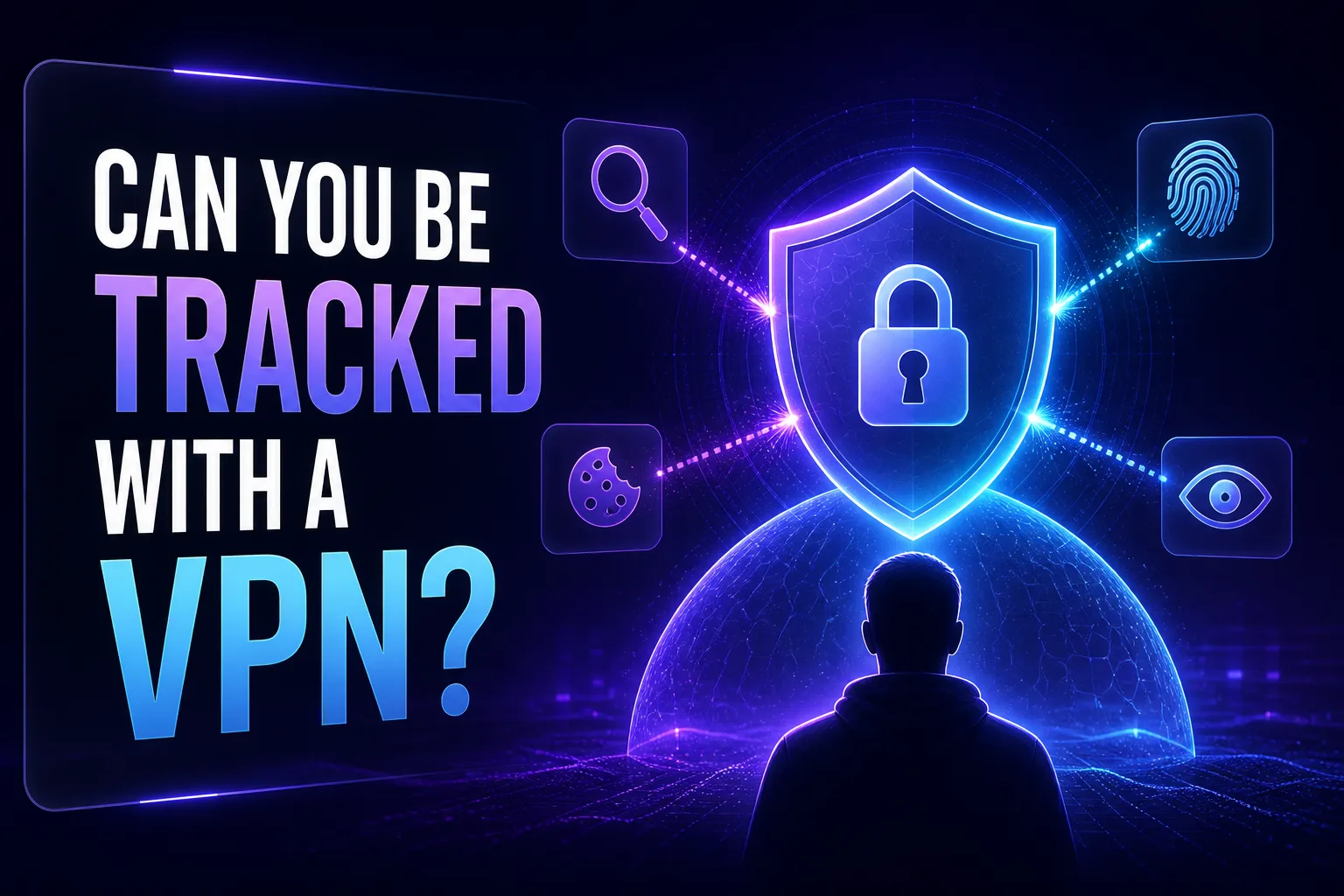
People install a VPN expecting to become invisible online. It’s an understandable assumption, since a VPN hides your IP address and encrypts your traffic, which sounds like total anonymity. So it comes as a surprise to learn that yes, you can still be tracked while using a VPN, sometimes quite easily. A VPN is a powerful privacy tool, but it isn’t a magic cloak.
The reason is simple: modern tracking mostly doesn’t rely on your IP address at all. Cookies, browser fingerprinting, and the accounts you’re logged into follow you across the web regardless of which server you connect through. A VPN blocks one category of tracking very effectively while leaving several others wide open.
This guide explains exactly what a VPN protects you from, the many ways you can still be tracked with one running, whether governments and ISPs can follow you, and how to actually minimize tracking. Let’s separate the myth from the reality.
The Short Answer
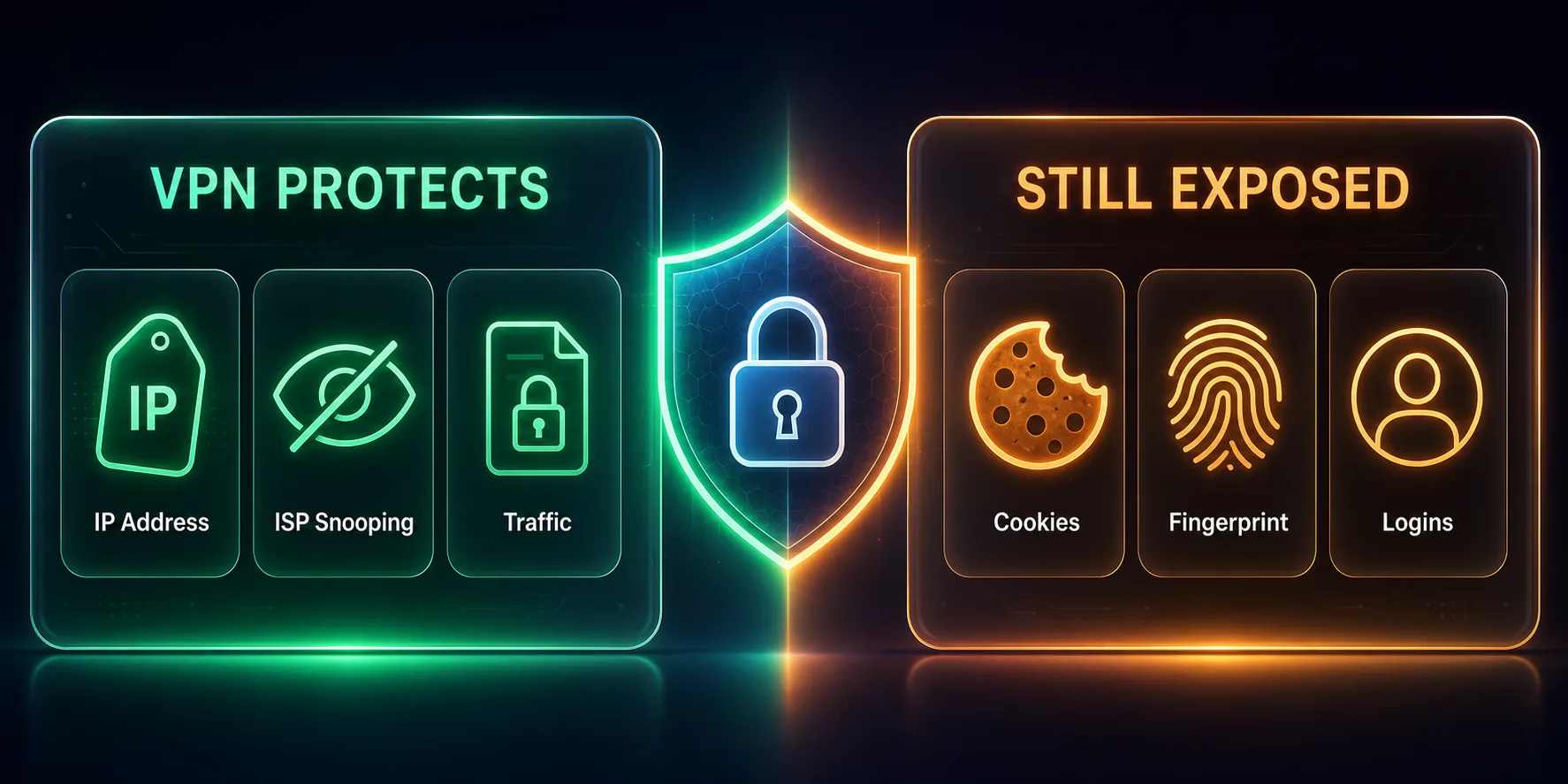
Yes, you can still be tracked with a VPN. A VPN hides your IP address and encrypts your traffic, which stops IP-based tracking, ISP monitoring, and network snooping. But it does nothing about cookies, browser fingerprinting, or the accounts you’re logged into, which are how most tracking actually happens today. So a VPN meaningfully reduces tracking, but it’s only one layer. True privacy requires combining it with other tools and habits.
Does a VPN Make You Anonymous?
It helps, but it doesn’t make you truly anonymous, and understanding the difference between privacy and anonymity matters. A VPN gives you privacy: it hides your traffic and IP from your ISP, networks, and casual observers. Anonymity, meaning your activity can never be linked back to you at all, is far harder, because so many other signals can still identify you.
Think of a VPN as putting your traffic in a sealed envelope. Nobody along the way can read it, but the moment you sign the letter by logging into an account, or your browser fingerprint gives you away, your identity is exposed anyway. A VPN is a strong privacy tool; genuine anonymity requires layering it with many other precautions, and even then it’s never absolute.
What a VPN Protects You From
Let’s start with the good news, because a VPN genuinely defends against an important set of threats. It’s just important to know their limits.
1IP-Based Tracking
Your IP address reveals your approximate location and can be used to identify your connection. A VPN replaces it with the server’s IP, so anyone tracking you by IP sees the VPN instead of you. This also changes your apparent location, as we explain in does a VPN hide your location.
2ISP Monitoring
Without a VPN, your internet provider can see every site you connect to. A VPN encrypts your traffic, so your ISP sees only that you’re connected to a VPN, not which websites you visit or what you do there.
3Network and Wi-Fi Snooping
On public or shared Wi-Fi, others on the network (or the owner) could otherwise observe your activity. A VPN encrypts everything, keeping it private even on untrusted networks, a topic we cover in can Wi-Fi owners see your browsing history.
How You Can Still Be Tracked With a VPN
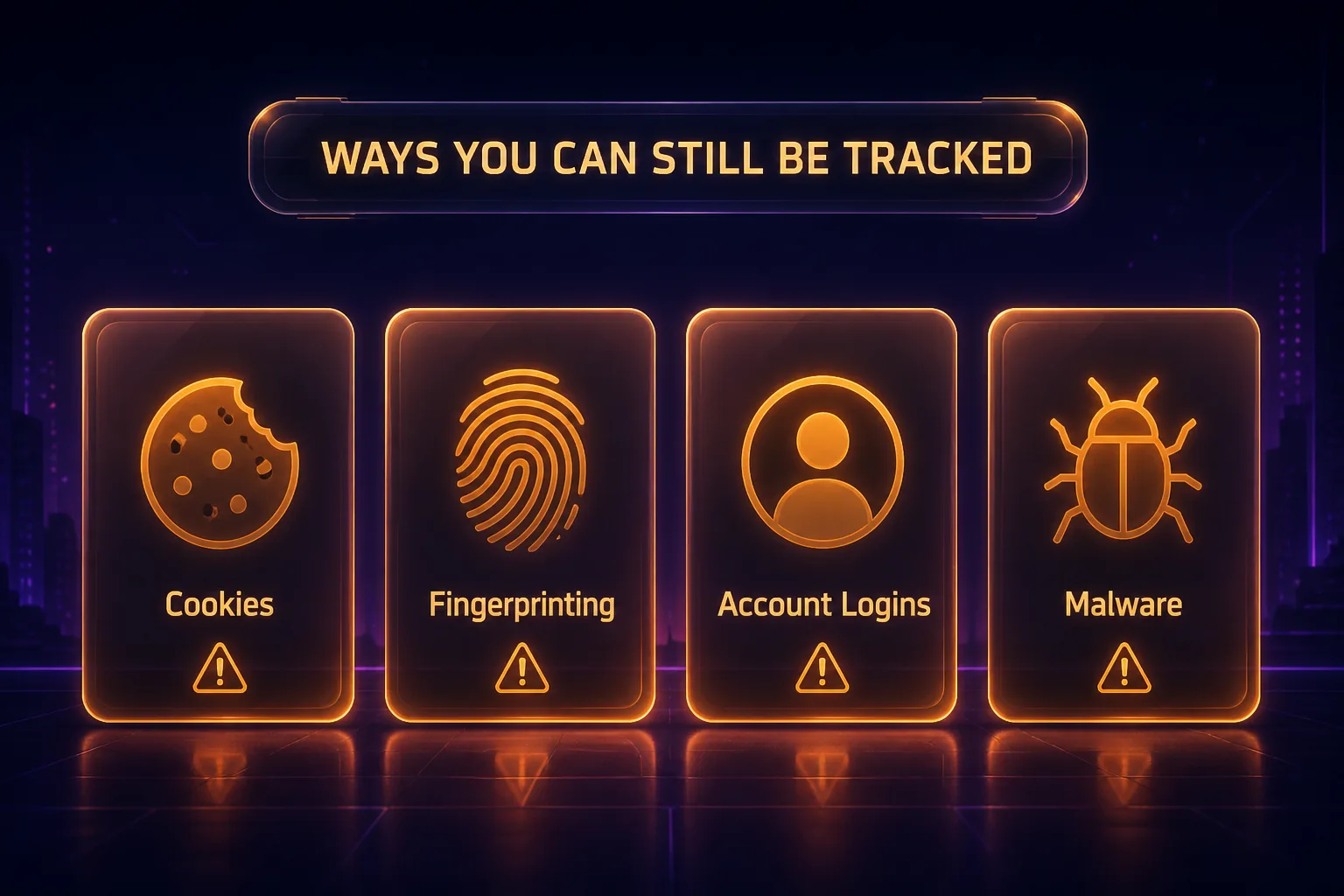
Here’s the reality check. These tracking methods work perfectly well no matter what your IP address is, so a VPN does nothing to stop them.
1Cookies
Websites store cookies in your browser to recognize you on return visits. These identifiers stick with you whether or not your IP changes, so advertisers and sites keep tracking you across sessions. Clearing cookies or using private browsing helps. Learn more in should you accept cookies on websites.
2Browser Fingerprinting
Your browser reveals dozens of details, screen size, fonts, operating system, extensions, and more, that together form a nearly unique "fingerprint." Sites use it to identify you without any cookies or IP. A VPN doesn’t change your fingerprint at all. See browser fingerprinting explained for the full picture.
3Logged-In Accounts
The moment you log into Google, Facebook, or any account, you identify yourself directly. These platforms then track your activity across their services and partner sites regardless of your IP or VPN. Your own logins are often the single biggest tracking giveaway.
4Malware and Spyware
If your device is infected with spyware or a keylogger, it can see everything you do before it’s ever encrypted by the VPN. A VPN protects data in transit, not a compromised device, which is why antivirus and safe habits matter alongside it.
5Connection Leaks
WebRTC, DNS, or IPv6 leaks can expose your real IP even with a VPN active, and if the VPN drops without a kill switch, your true IP is briefly revealed. Quality VPNs include leak protection and a kill switch to prevent this.
The Biggest Tracker Is Often You
It’s worth emphasizing: the most common way people get "tracked" despite a VPN is by identifying themselves. Logging into your everyday accounts, using the same browser profile, or letting cookies persist all tie your activity back to you no matter how well your IP is hidden. A VPN can make you anonymous at the network level, but if you then sign into your personal Google account, you’ve handed over your identity directly. Real privacy is as much about behavior as it is about tools. Our guide on how websites track you online breaks down every method in detail.
Can the Government or Police Track You With a VPN?
This depends heavily on the situation. For everyday privacy, a reputable no-logs VPN makes casual tracking and mass surveillance far harder, because there’s no stored record of your activity to request. If a VPN genuinely keeps no logs, it has nothing to hand over when asked.
However, a VPN is not absolute protection against a determined, targeted investigation. Authorities can potentially deanonymize a specific target through methods like traffic correlation, compromising the device directly, or leaning on a VPN that secretly keeps logs. The key protections are choosing an independently audited no-logs provider in a privacy-friendly jurisdiction, and understanding that no single tool guarantees anonymity against a focused adversary. Our guide on whether governments can track VPN users goes deeper, and VPN vs Tor for privacy covers stronger anonymity options.
Can Your ISP Track You With a VPN?
Not in the way it can without one. With a VPN, your ISP can see that you’re connected to a VPN server and how much data you’re transferring, but not which websites you visit or the content of your traffic, because it’s all encrypted. So your ISP knows you’re using a VPN, but not what you’re doing through it. For most people, that’s exactly the protection they want from their provider.
Can a VPN Provider Track You?
This is the trade-off people overlook: a VPN shifts your trust from your ISP to the VPN company. Because your traffic passes through their servers, the provider could in principle see your activity. This is why a strict, independently audited no-logs policy is the most important thing to look for. A trustworthy VPN doesn’t record what you do, so there’s nothing to track or leak, while a shady free VPN might log and even sell your data. Choose your provider carefully, since you’re trusting them with everything your ISP used to see.
Can Apps Track You With a VPN?
Yes, and mobile apps are often better at it than websites. Many apps identify you through your account login, a device advertising ID, and permissions you’ve granted, such as location, contacts, or storage. None of that depends on your IP address, so a VPN running on your phone doesn’t stop it. An app you’re logged into knows exactly who you are regardless of the VPN.
To limit app tracking, reset or disable your device’s advertising ID, review and revoke unnecessary app permissions, and avoid signing into apps you don’t need. A VPN still helps by hiding your IP and encrypting the app’s network traffic, but on mobile, permissions and logins are the bigger tracking story.
Can a Free VPN Track You Instead?
Ironically, a poor-quality free VPN can make tracking worse, not better. Running a VPN network is expensive, so many free providers monetize the only asset they have: your data. Some log your browsing and sell it to advertisers, inject their own tracking cookies or ads, or use weak encryption that leaks. A few have even been caught bundling malware.
In other words, a shady free VPN can become a tracker itself, defeating the entire purpose. There are trustworthy exceptions, Proton VPN’s free tier is a well-regarded one, but as a rule, if you can’t see how a VPN makes money, assume you’re the product. For real privacy, a reputable provider with an audited no-logs policy is worth the modest cost.
How to Avoid Being Tracked, Even With a VPN
To genuinely minimize tracking, layer these steps on top of your VPN. Together they close the gaps a VPN leaves open.
1Use a No-Logs VPN With Leak Protection
Start with an audited no-logs VPN that includes DNS and WebRTC leak protection plus a kill switch, so your IP and traffic stay hidden and never leak.
2Clear Cookies and Use Private Browsing
Regularly clear cookies or browse in private mode to stop persistent identifiers from following you between sessions.
3Fight Fingerprinting
Use a privacy-focused or anti-fingerprinting browser, and consider extensions that limit tracking. See our roundup of the best browsers for blocking trackers.
4Log Out and Separate Identities
Sign out of accounts you don’t need, and keep sensitive browsing in a separate browser profile from your logged-in personal accounts.
5Keep Your Device Clean
Run reputable antivirus and keep software updated so spyware can’t track you from inside your own device, where a VPN can’t help. For a full checklist, read how to stop apps and websites from tracking you.
Best VPNs for Privacy and Minimal Tracking
A trustworthy, audited no-logs VPN is the foundation of reducing tracking. These three lead on verified privacy and leak protection.

NordVPN is the best all-round choice, with an independently audited no-logs policy, strong DNS and leak protection, a reliable kill switch, and built-in Threat Protection that blocks trackers and malicious sites. Its fast NordLynx protocol means you get serious privacy without sacrificing speed, making it ideal for reducing tracking day to day.

Proton VPN is the privacy purist’s pick, based in Switzerland with open-source, independently audited apps and a strict no-logs policy. It even offers a genuinely usable free tier. If verifiable, transparent privacy is your top priority for avoiding tracking, Proton VPN is the most trustworthy option on this list.
Surfshark delivers audited no-logs privacy at a budget price, with unlimited simultaneous connections so you can protect every device. It includes leak protection, a kill switch, and CleanWeb to block trackers and ads, making it a strong value choice for keeping tracking to a minimum. Compare more in our best VPN services for privacy guide or the full VPN directory.
Frequently Asked Questions
The Bottom Line
So, can you be tracked with a VPN? Yes, you can, because a VPN only hides your IP address and encrypts your traffic. That stops IP-based tracking, ISP monitoring, and network snooping, which is genuinely valuable, but it does nothing about the cookies, browser fingerprinting, and account logins that power most modern tracking. Often the biggest giveaway is simply signing into your own accounts.
To actually minimize tracking, treat a VPN as the foundation and build on it: pair an audited no-logs VPN with private browsing, anti-fingerprinting tools, and logging out of accounts you don’t need. For most people, NordVPN is the best all-round choice, with Proton VPN for verifiable privacy and Surfshark for value. To go further, read how websites track you online, or compare providers in our full VPN directory.