How to Run Multiple Instagram Accounts 2026
Learn how to run multiple Instagram accounts safely — why Instagram links and bans them, and the antidetect browser + proxy setup that keeps every account separate.

Here is the thing nobody tells you upfront: Instagram does not actually ban you for having multiple accounts. It bans you for making several accounts look like the same person, from the same device, on the same IP. Get the isolation wrong and you can lose all of them at once — even the ones that did nothing wrong.
That matters because running multiple accounts is completely normal. With Instagram now serving around 2 billion monthly users, huge numbers of people juggle a personal profile, a business page, a side project, and client accounts. Instagram itself officially supports switching between accounts — the trouble only starts when you scale past a handful and its systems connect the dots.
So this guide covers both sides honestly: the simple built-in way for a few accounts, and the professional isolation method — antidetect browsers plus proxies — for running many safely. You will learn exactly why Instagram links accounts and the setup that keeps them separate. If you are curious how platforms spot this in the first place, our deep dive on how social platforms detect multiple accounts is a great companion.
The Quick Answer
Our take: for up to about five accounts, Instagram's built-in account switcher is fine. To run more than that safely — for an agency, dropshipping, or growth — you need isolation: an antidetect browser gives each account its own unique browser fingerprint, and a proxy gives each one its own IP address. Together they make every account look like a separate person on a separate device, which is exactly what keeps them from being linked and banned.
Is It Allowed to Have Multiple Instagram Accounts?
Yes. Instagram officially lets you add and switch between multiple accounts in the app — it is a built-in feature, and having a personal and a business account is encouraged. So multiple accounts are not against the rules by default.
What does break the rules is inauthentic behavior: fake engagement, aggressive automation, spam, and using bots to mass-follow or comment. That is the real line. You can run many legitimate accounts safely; you cannot run a bot farm. Keep your usage genuine and the number of accounts is rarely the problem on its own.
Why Instagram Links and Flags Multiple Accounts
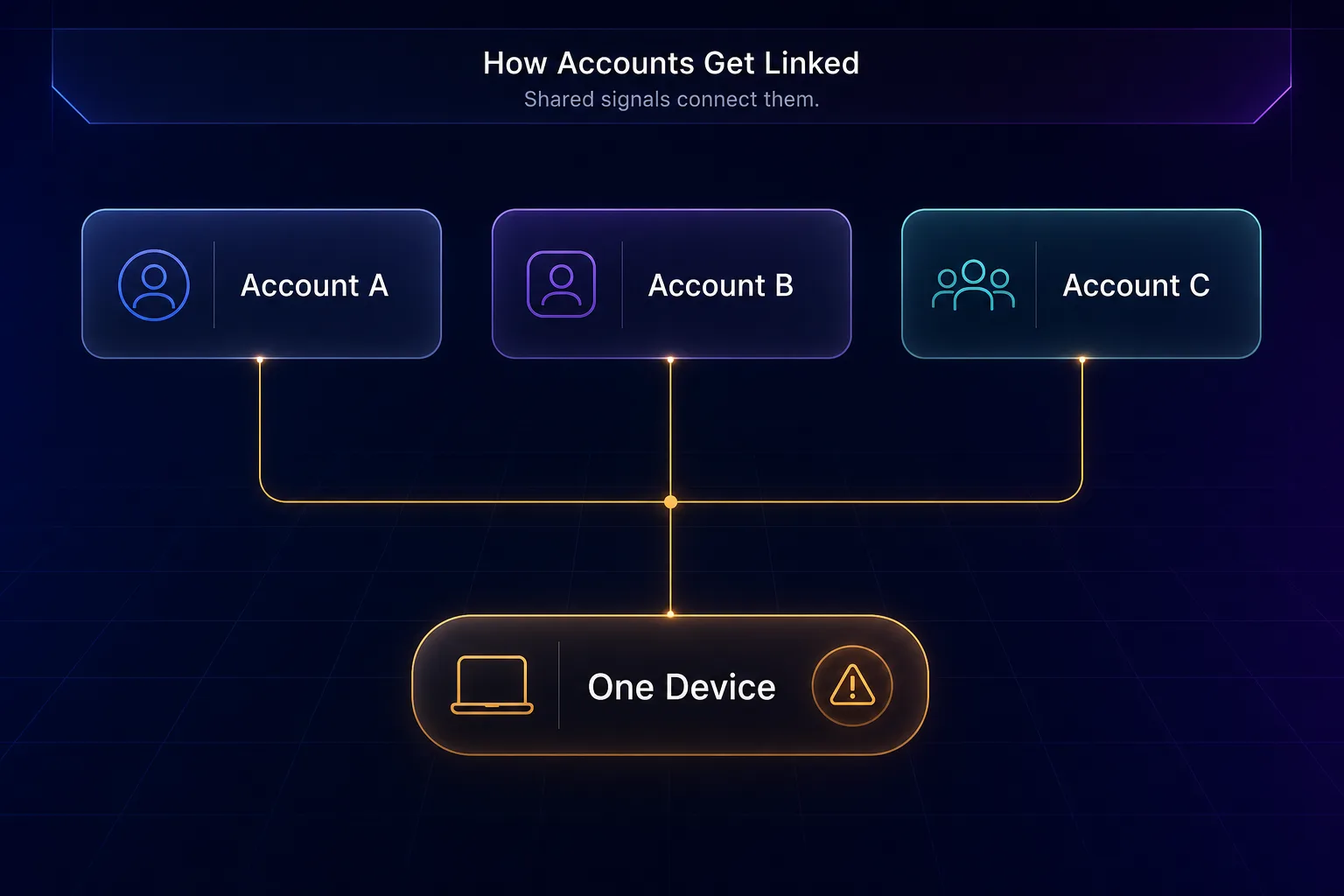
To run accounts safely, you have to understand how Instagram connects them. It is not magic — it is a handful of signals that, together, say "these accounts are the same person."
The big ones are your IP address (five accounts posting from one home IP is a giveaway), your device and browser fingerprint (the unique combination of your screen, fonts, and settings — see how browser fingerprinting works), and cookies that tie sessions together. Add behavioral patterns — logging into ten accounts from one phone in an hour — and Instagram's systems flag the cluster. Ban one and the linked ones often follow.
Methods to Run Multiple Instagram Accounts
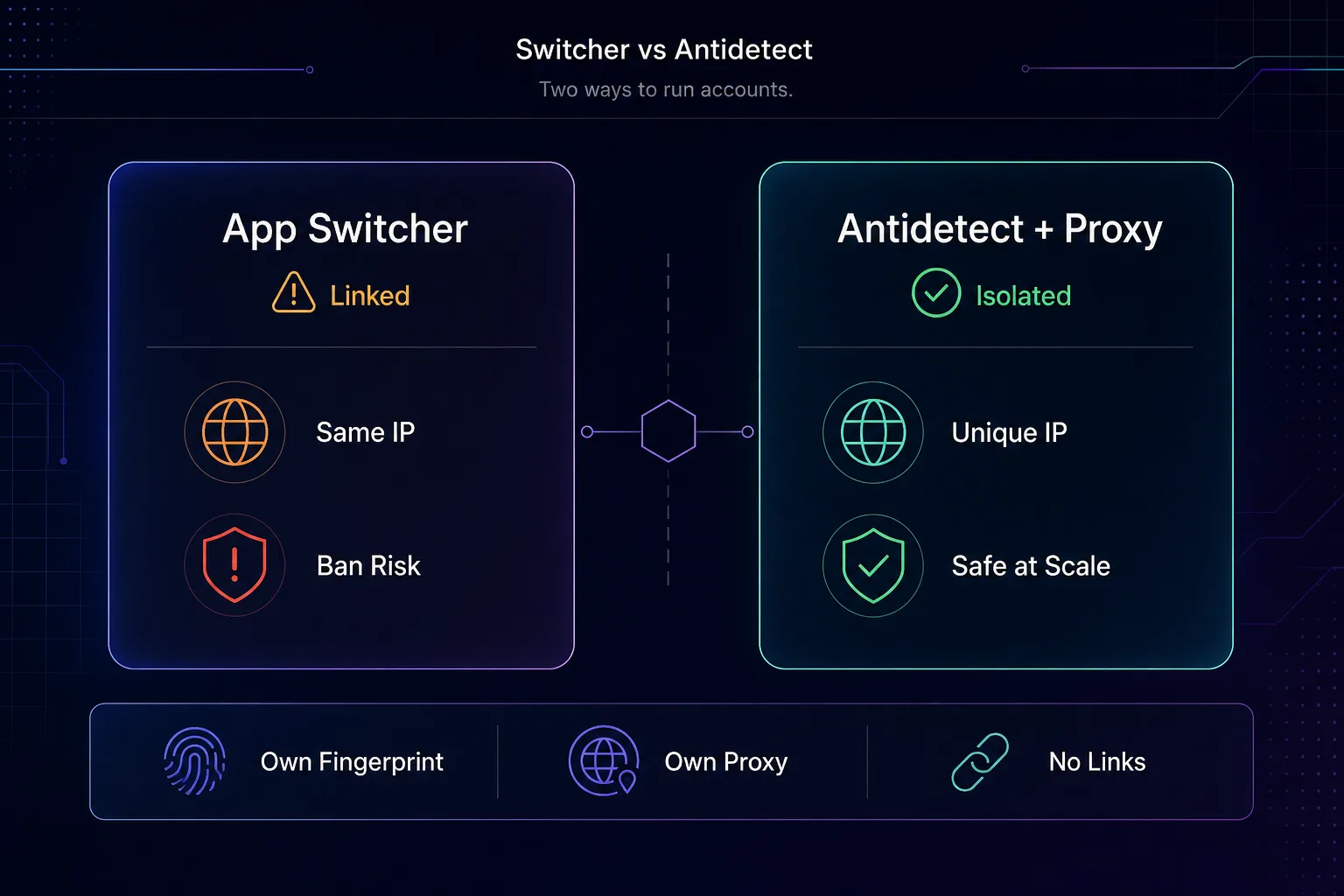
There are three real approaches, and the right one depends entirely on how many accounts you need.
| Method | Best for | Ban risk at scale | Cost |
|---|---|---|---|
| In-app account switcher | 1–5 accounts | Medium | Free |
| Multiple physical devices | A few accounts | Low | High (hardware) |
| Antidetect browser + proxies | Many (10s–100s) | Low (done right) | Moderate |
Method 1: Instagram's Built-in Account Switcher
The simplest option is baked into the app. Go to your profile, tap your username at the top (or Settings → Add account), and you can add and switch between up to five accounts without logging out each time.
This is perfect for a person running a personal plus a business account, or a small handful. The catch is that all those accounts share one device and one IP, so Instagram knows they are connected. That is fine for a few legitimate accounts, but it does not scale — and if one gets flagged for bad behavior, the others are exposed too.
Method 2: Antidetect Browser + Proxies (the pro method)
Agencies often combine residential proxies with MoreLogin Cloud Phone for Instagram account management to isolate the device environment for each account, not just its IP address.
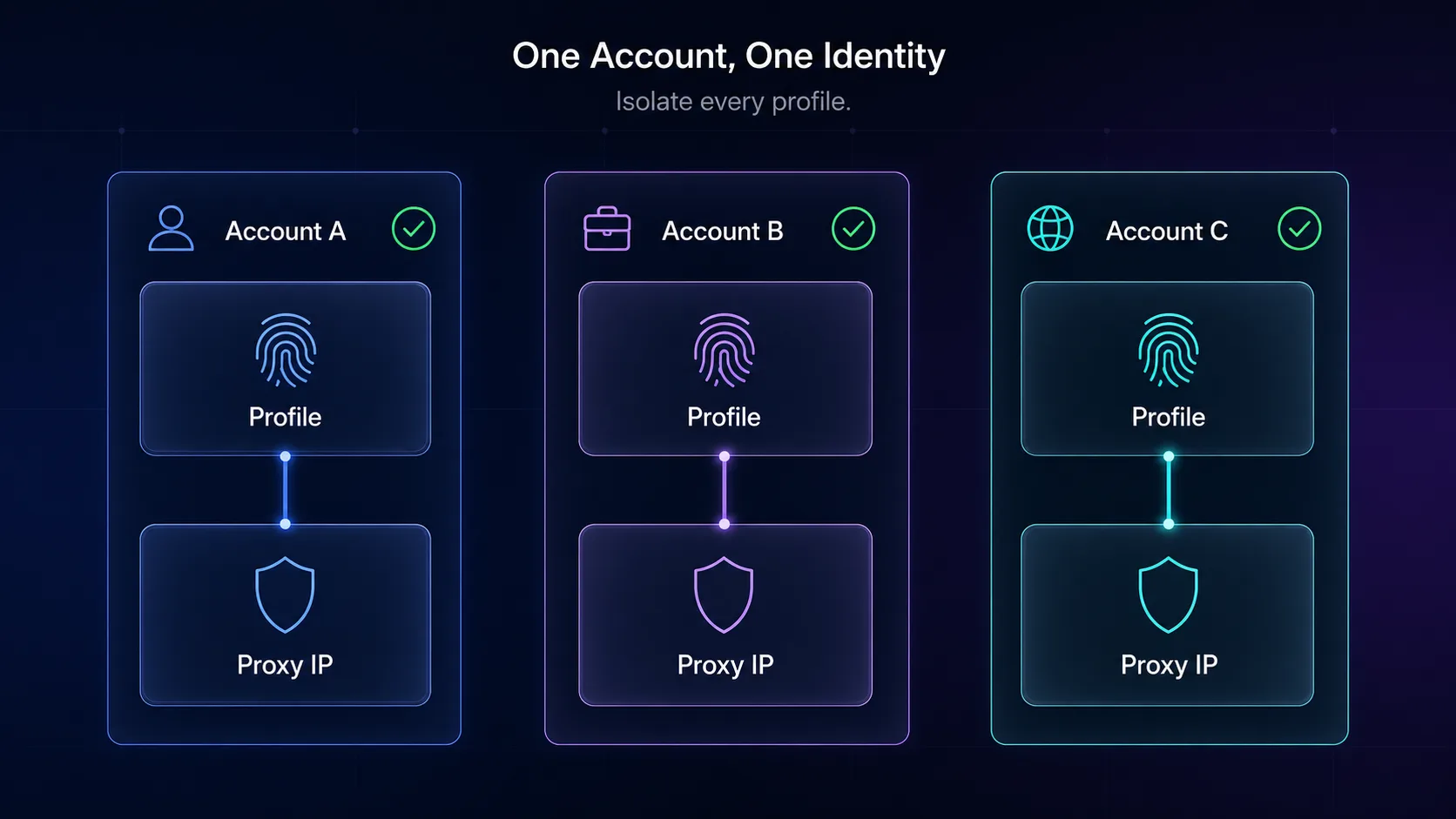
This is how agencies and serious operators run dozens or hundreds of accounts. The principle is isolation: make each account look like a completely separate person on a separate device. It takes two tools working together.
An antidetect browser creates a separate profile for each account, each with its own unique fingerprint — different canvas, fonts, timezone, and user-agent — so no two profiles look alike. A proxy then assigns each profile its own IP address, ideally a mobile or residential one that looks like a real user. The result: Account A runs in Profile A on IP A, Account B in Profile B on IP B, and Instagram has no shared signals to link them. Here is the setup in practice:
- Step 1: Choose an antidetect browser and create one profile per Instagram account.
- Step 2: Buy proxies — one dedicated mobile or residential IP per account — and assign each proxy to its matching profile.
- Step 3: Always open each account only in its own profile with its own proxy. Never mix them.
- Step 4: Warm up new accounts slowly and behave like a human in each.
For a deeper look at the tooling, see our guide on how antidetect browsers work and the top antidetect browsers for multi-account management.
Best Antidetect Browsers for Instagram
The browser is the heart of the setup — it manages the profiles and fingerprints. These are the ones we rate most highly; compare more in our antidetect browser directory.
1Multilogin

Multilogin is the enterprise standard, with the most mature fingerprint-management engine and rock-solid profile isolation. It is the go-to for agencies running large, high-value account portfolios where a ban is expensive. Its browser profiles closely mimic real devices, which is precisely what a mobile-first platform like Instagram scrutinizes most heavily.
It is the priciest option here, but the reliability and support justify it for serious operators. See how it stacks up in our Multilogin vs GoLogin comparison.
2GoLogin

GoLogin is the best balance of power and price, with strong fingerprint control, cloud profiles, and a friendlier learning curve. It suits freelancers and growing teams who need scale without enterprise cost.
Its cloud storage means you can access profiles from anywhere, which is handy for distributed teams managing shared accounts. Its fingerprint engine is well-regarded for Instagram specifically, reliably passing the mobile-oriented checks the platform runs.
3AdsPower

AdsPower is the value pick, popular with dropshippers and e-commerce sellers for its generous free tier and built-in automation features. It is a great, affordable entry point into serious multi-accounting.
Its automation tools can streamline repetitive tasks, though for Instagram specifically you should keep automation gentle to stay under the radar. Compare it in our AdsPower vs Multilogin breakdown.
Best Proxies for Instagram Accounts
The browser hides your fingerprint; the proxy hides your IP — you need both. For Instagram specifically, IP quality is critical, and the type matters as much as the provider.
| Proxy type | Suitability for Instagram | Note |
|---|---|---|
| Mobile | Best | Highest trust — Instagram is a mobile-first app |
| Residential | Great | Looks like a real home user |
| Datacenter | Risky | Easily flagged — avoid for Instagram |
Use one dedicated mobile or residential IP per account. These are the providers we recommend; see the full list in our proxy directory.
1Decodo

Decodo is our all-round default for social accounts, with a large residential and mobile pool and easy per-profile assignment. Its sticky sessions let each account hold a consistent IP, which is exactly what Instagram wants to see. The dashboard also makes it simple to organize a separate endpoint for every profile, so keeping accounts cleanly isolated takes minutes rather than manual juggling.
2IPRoyal

IPRoyal is the value champion, offering both residential and mobile proxies at approachable prices with non-expiring traffic — ideal for smaller account portfolios that do not need huge volume. The non-expiring traffic model is a genuine advantage for account management, where you use IPs steadily over months rather than burning through gigabytes in a scraping burst.
How Many Accounts Can You Run Safely?
There is no fixed number, but the honest answer is: as many as you can properly isolate. With the app switcher, stay at five or fewer. With an antidetect browser and one dedicated proxy per account, people run anywhere from ten to hundreds — the ceiling is your discipline, not a hard limit.
Our take: the failure point is almost never the count; it is cutting corners — sharing a proxy across accounts, reusing a fingerprint, or automating aggressively. Isolate properly and behave like a human, and scale takes care of itself.
Tips to Avoid Instagram Bans
- One account, one profile, one proxy — never share an IP or fingerprint across accounts.
- Keep the same proxy per account — jumping IPs looks like a hijacked login. Use sticky sessions.
- Warm up new accounts slowly — browse and engage lightly for days before posting or following at volume.
- Use unique details — different emails, names, and profile photos for each account.
- Go easy on automation — aggressive bots and mass-following are the fastest route to a ban.
What Happens If Instagram Detects Your Accounts?
Understanding the penalties helps you gauge the risk. Instagram rarely goes straight to a permanent ban — it escalates. First you might see a shadowban, where your reach quietly drops and your posts stop appearing in hashtags and the explore feed. Next come action blocks that temporarily stop you following, liking, or commenting.
Push further and accounts get temporarily suspended or asked to verify by phone. In the worst case — clearly coordinated, inauthentic clusters — Instagram issues permanent bans across every linked account at once. That last scenario is exactly why isolation matters: it ensures a problem with one account cannot cascade to the rest.
Common Mistakes to Avoid
Almost every multi-account ban traces back to one of these avoidable errors.
1Sharing one proxy across accounts
The single most common mistake. If several accounts use the same IP, you have recreated the exact signal you were trying to hide. Give every account its own dedicated proxy — no sharing, ever.
2Using datacenter proxies
Datacenter IPs are cheap but easily flagged, and Instagram is especially harsh on them. For social accounts, always use mobile or residential proxies that look like real users — see the types of proxies to understand the difference.
3Reusing the same browser profile
Opening two accounts in the same antidetect profile links them by fingerprint, proxy and all. One account equals one profile, always. Never log a second account into a profile that already holds another.
4Jumping IPs mid-session
If an account suddenly switches location or IP, Instagram reads it as a possible hijack and demands verification. Use sticky sessions so each account keeps a consistent IP over time, just like a real person on their home or phone network.
5Scaling and automating too fast
Creating ten accounts in an hour, or blasting follows on day one, screams bot. Warm each account up slowly with light, human activity for several days before ramping up, and keep any automation gentle and realistic. For more on how detection works, see residential proxies and why IP trust matters.
Frequently Asked Questions
The Bottom Line
Running multiple Instagram accounts is completely doable — the key is understanding that Instagram links accounts by device, IP, and fingerprint, then breaking those links. For a few accounts, the built-in switcher is all you need. To scale safely, isolation is everything: an antidetect browser for unique fingerprints, and a dedicated mobile or residential proxy for each account's IP.
Set it up as one account, one profile, one proxy, behave like a real human in each, and go easy on automation. Do that and you can run as many accounts as you can properly manage. Ready to build the stack? Compare tools in our antidetect browser directory and grab quality IPs from the proxy directory — and read how to choose an antidetect browser if you are not sure where to start. For the official rules, Instagram's own Help Center is the authoritative source.