How to Stay Safe on Hotel Wi-Fi 2026: Full Guide
Hotel Wi-Fi is one of the least secure networks you'll use. Learn the real threats — evil twins, sniffing, MITM — and the exact steps to stay safe, in priority order.
That "Hotel_Guest_WiFi" network you just joined is one of the least secure connections you will use all year. It is shared with strangers, rarely encrypted properly, and trivially easy to impersonate — which is exactly why hotels are a favorite hunting ground for opportunistic attackers.
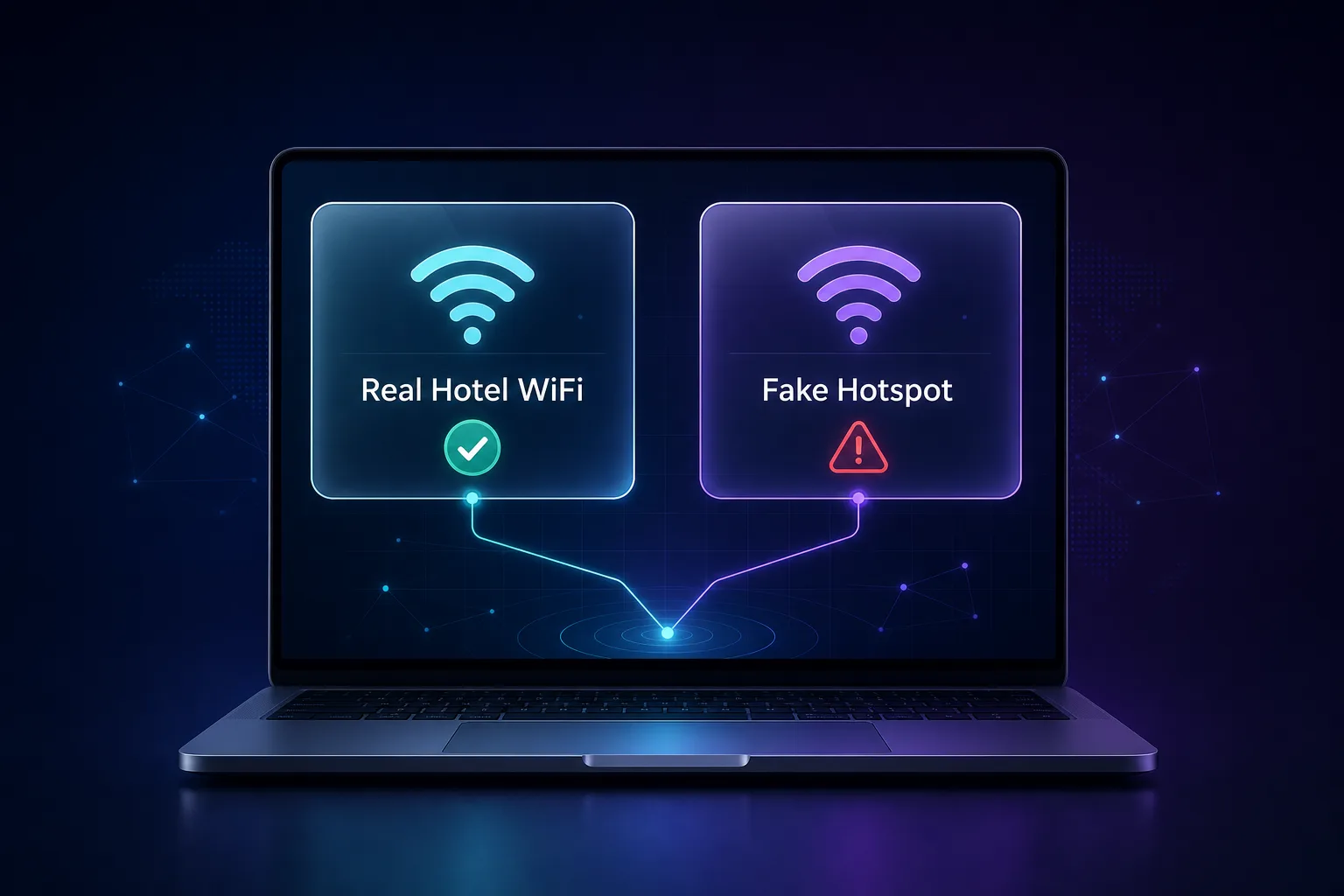
This is not paranoia. The U.S. Federal Trade Commission plainly warns that public Wi-Fi networks are not secure, and security researchers have repeatedly demonstrated "evil twin" attacks in hotels, where a laptop broadcasts a fake network that looks identical to the real one. Connect to the wrong access point and someone can sit quietly between you and the internet, watching.
The good news: staying safe is straightforward once you know the actual threats and the defenses that matter, in the right order. This guide covers exactly what puts you at risk on hotel Wi-Fi and the concrete steps — from the one that matters most to the small habits that add up — to browse, bank, and work without handing your data to a stranger. If you are unclear on why a VPN matters here, our VPN vs incognito guide is a useful primer.
The Quick Answer
Our take: the single most effective thing you can do on hotel Wi-Fi is turn on a VPN — it encrypts everything, so even a compromised network sees only scrambled traffic. Beyond that: confirm the exact network name with staff, stick to HTTPS sites, enable two-factor authentication, and use your phone's mobile data for anything truly sensitive. Do those five things and hotel Wi-Fi becomes a non-issue.
Why Hotel Wi-Fi Is So Risky
Home Wi-Fi has one password and a handful of trusted devices. Hotel Wi-Fi is the opposite: a large, open network shared by hundreds of strangers, often with weak or no encryption between your device and the router. That combination creates real, well-documented risks.
The core problem is that you cannot trust the network or who else is on it. An attacker on the same Wi-Fi can attempt to intercept traffic, and a determined one can stand up a lookalike network to lure you onto their equipment entirely. Here are the specific threats worth understanding.
1Evil twin hotspots
An attacker broadcasts a network with a name identical (or nearly identical) to the hotel's — "Hotel Guest" vs "Hotel_Guest_WiFi". Connect to theirs and every request routes through their machine. This is the most dangerous hotel Wi-Fi attack because it is invisible: nothing looks wrong.
2Man-in-the-middle attacks
Once between you and the internet, an attacker can read, log, or even alter your traffic. Unencrypted connections are wide open, and clever attacks can try to strip security from otherwise-protected sites.
3Packet sniffing
On a poorly secured network, anyone with free software can capture the data flying over the air. Anything not encrypted — old sites, some apps, background services — can be scooped up and read.
4Malicious captive portals
That "sign in to Wi-Fi" page is a captive portal. A fake one can push a bogus software update or phishing form. If a hotel page ever asks you to download something to connect, treat it as a red flag.
Hotel Wi-Fi Threats at a Glance
The quick map of what you are defending against — and the single best counter to each.
| Threat | What it does | Best defense |
|---|---|---|
| Evil twin hotspot | Fake network impersonates the hotel's | Verify exact name + VPN |
| Man-in-the-middle | Intercepts or alters your traffic | VPN encryption |
| Packet sniffing | Captures unencrypted data over the air | VPN + HTTPS only |
| Malicious captive portal | Pushes malware or phishing at login | Never download to connect |
| Malware spread | Infections hop across the shared network | Firewall + updates, no file sharing |
How to Stay Safe on Hotel Wi-Fi: The Essential Steps
These are ordered by impact. The first one does most of the work; the rest close the remaining gaps.
1Use a VPN (the single best step)
A VPN encrypts all your traffic before it leaves your device, so even if the network is hostile or you connected to an evil twin, an attacker sees only unreadable data. This is the one measure that neutralizes almost every hotel Wi-Fi threat at once. Turn it on before you do anything else, and pick one with a kill switch so a dropped connection never exposes you.
2Confirm the exact network name with staff
Before connecting, ask the front desk for the precise Wi-Fi name. Evil twins rely on you guessing. If you see two similar networks, that is a warning sign — connect only to the confirmed one.
3Stick to HTTPS sites
Look for the padlock and "https://" in the address bar. HTTPS encrypts the connection between you and that specific site, which is a meaningful second layer. Avoid entering anything sensitive on a plain "http://" page.
4Turn off auto-connect and file sharing
Disable "connect automatically" so your device does not silently rejoin a spoofed network later. Turn off file and printer sharing and enable your firewall, so nothing on the shared network can reach into your device.
5Enable two-factor authentication
2FA means that even if a password is captured, an attacker cannot log in without your second factor. Turn it on for email, banking, and social accounts before you travel — it is the safety net if something slips through.
6Keep your software updated
Run the latest OS, browser, and app versions. Updates patch the exact vulnerabilities that man-in-the-middle and malware attacks exploit. Do updates on a trusted network before your trip, not on the hotel Wi-Fi.
7Use mobile data for sensitive tasks
For online banking or anything high-stakes, skip the hotel Wi-Fi entirely and use your phone's mobile data or personal hotspot. Cellular connections are far harder to intercept than shared Wi-Fi.
8Forget the network when you leave
Tell your device to forget the hotel network on checkout. This stops it from auto-reconnecting to that name — or an impostor using it — the next time you are in range.
Best VPNs for Hotel Wi-Fi and Travel
Since a VPN is the top defense, quality matters — you are trusting it with the traffic the hotel network would otherwise see. These are the travel-friendly VPNs we rate most highly; see the full list in our VPN directory.
1NordVPN

NordVPN is our best overall pick for travel: fast NordLynx speeds, an audited no-logs policy, and a reliable auto-connect that shields you the moment you join an untrusted network. Its Threat Protection also blocks malicious sites you might hit on a sketchy portal.
2Surfshark

Surfshark is the best value for travelers, with unlimited device connections — so your phone, laptop, and tablet are all covered under one plan while you are on the road. Its speeds and security are excellent for the price.
3ExpressVPN

ExpressVPN is the premium, consistency-first choice, with polished apps for every device and servers in a huge range of countries — handy when you are hopping between hotels abroad. It is the priciest here, but reliably fast and simple.
What Is Safe to Do on Hotel Wi-Fi?
A quick reference for what is reasonable with and without protection.
| Activity | Without a VPN | With a VPN |
|---|---|---|
| Casual browsing (HTTPS) | Mostly OK | Safe |
| Checking email | Risky | Safe |
| Logging into accounts | Risky | Safe |
| Online banking | Avoid — use mobile data | Safe |
| Downloading files | Avoid | Safe (still vet the source) |
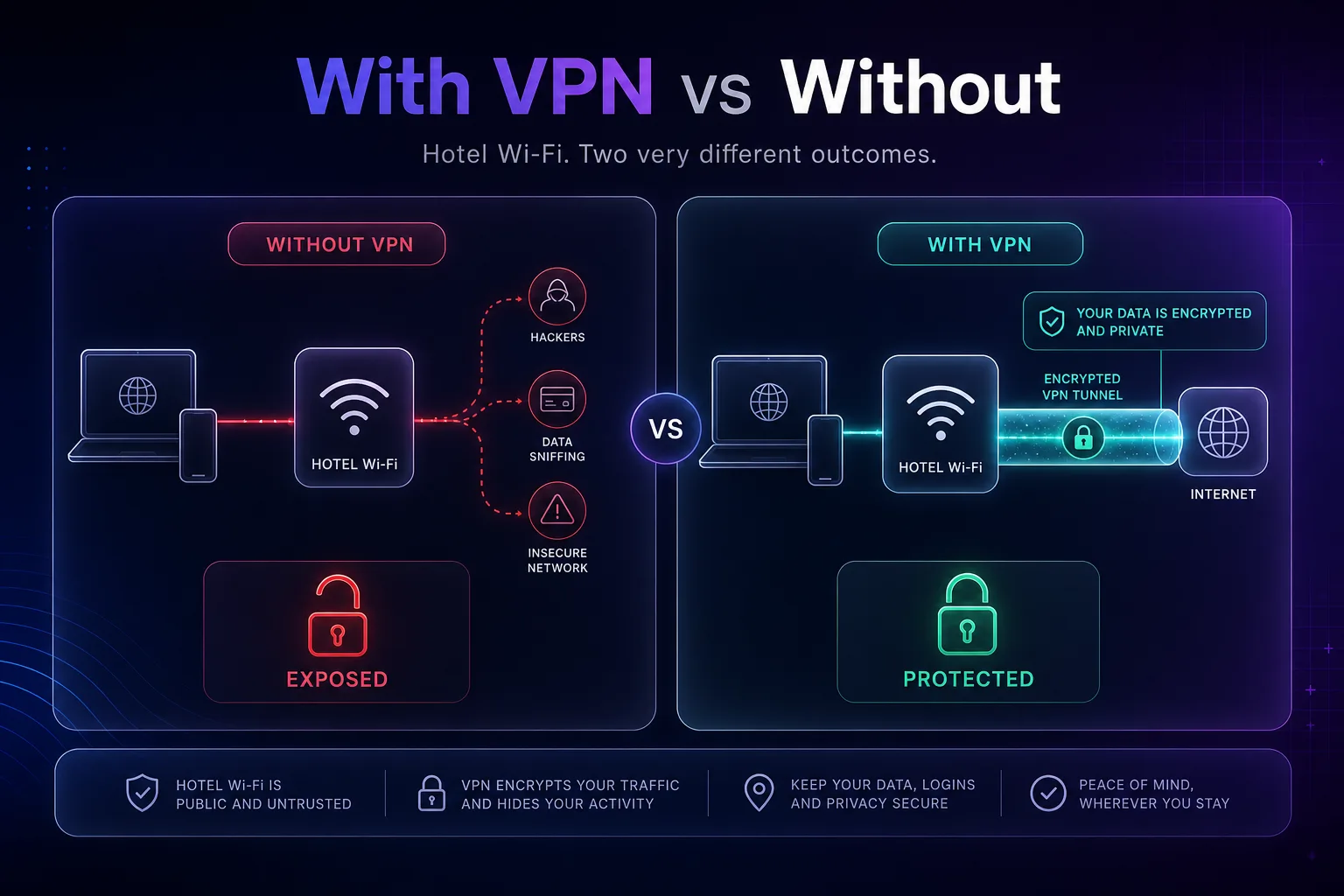
Is HTTPS Enough on Its Own?
Here is the nuance most travel guides skip. It is true that most of the web now uses HTTPS, and that encrypts the content between you and each site — so a snooper cannot read your bank password on a padlocked page even without a VPN. That is real protection, and it is why the internet is safer than it was a decade ago.
But HTTPS is not the whole story. It does not hide which sites you visit (an observer still sees the domains and your DNS lookups), it does nothing against an evil twin that phishes you with a convincing fake page, and it cannot help apps or services that fall back to unencrypted connections. HTTPS is a strong seatbelt; a VPN is the airbag. On a network you fundamentally cannot trust, you want both. That is the honest answer competitors gloss over.
What If You Cannot Use a VPN?
Sometimes a VPN is blocked or unavailable. If so, tighten everything else: use your phone's mobile data or hotspot for anything sensitive, stick strictly to HTTPS sites, avoid logging into banking or work accounts, rely on 2FA, and keep the session short. It is not as good as a VPN, but layered carefully it keeps the real risks low. For everyday privacy habits beyond travel, see our guide on how to stop apps and websites tracking you.
Common Mistakes to Avoid
The slip-ups that undo everything else.
1Connecting before turning on your VPN
The riskiest window is the moment you join the network before the VPN connects. Use a VPN with auto-connect or a kill switch so there is no unprotected gap.
2Trusting the network name blindly
"Marriott_Guest" could be the hotel — or an attacker's laptop. Always confirm the exact name with staff rather than picking whichever looks official.
3Downloading "required" software to connect
Legitimate hotel Wi-Fi never needs you to install an app or update to get online. Any page demanding that is a trap — close it.
4Doing banking on the open network
Even with HTTPS, high-stakes tasks belong on mobile data or behind a VPN. Do not risk your bank login on shared Wi-Fi to save a little cellular data.
5Leaving sharing and auto-connect on
File sharing exposes your device to the network, and auto-connect can silently reconnect you to a spoofed hotspot later. Turn both off before you travel.
Your Hotel Wi-Fi Safety Checklist
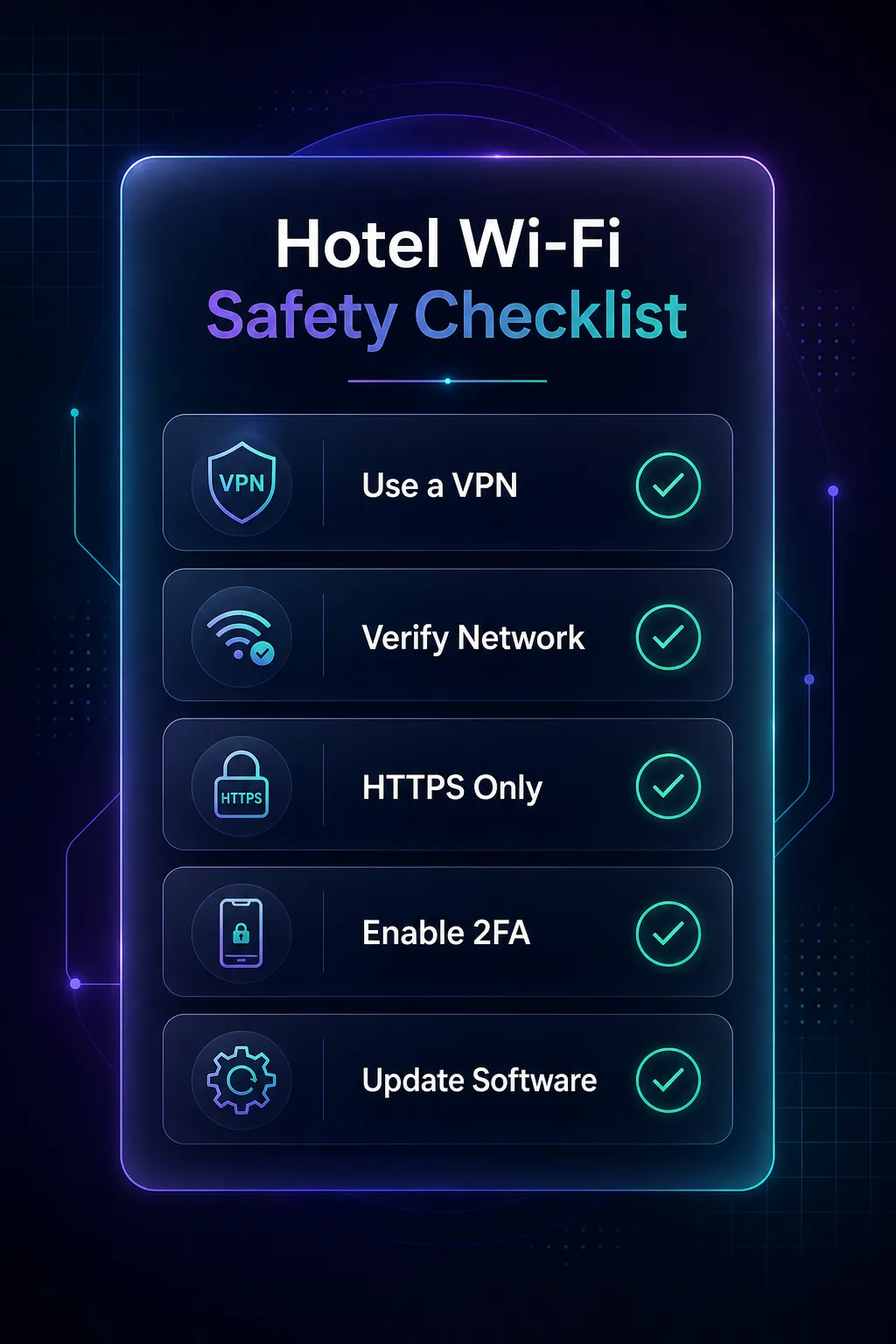
- Turn on your VPN before joining — the single biggest protection.
- Confirm the exact network name with the front desk.
- Check for HTTPS on every site handling your data.
- Disable auto-connect and file sharing, and enable your firewall.
- Use mobile data for banking and other sensitive tasks.
- Forget the network when you check out.
Do These Rules Apply to Airport and Cafe Wi-Fi Too?
Yes — hotel Wi-Fi is just the network you spend the most time on while travelling, but every one of these steps applies to airport, cafe, mall, and conference Wi-Fi. They are all open, shared, public networks with the same evil-twin and interception risks. Airports in particular are prime evil-twin territory because travelers connect quickly and rarely check the exact name. The habit is the same everywhere: VPN on, confirm the network, HTTPS only, sensitive tasks on mobile data. Build the routine once and it protects you on any public network you touch.
Don't Forget the Hotel Room Smart TV
Here is a risk almost no guide mentions: the smart TV in your room. Travelers routinely log into Netflix, Prime Video, or their Google account on hotel TVs to stream — and then check out without signing off, leaving their credentials sitting on a device the next guest will use.
Treat the hotel TV like the public device it is. Avoid logging into personal accounts on it; if you must, sign out completely and clear the app before you leave, or use the TV's own guest/incognito mode where available. Better still, cast from your own phone or laptop (with your VPN running) rather than typing passwords into a shared TV. If streaming on the road is your goal, our guide to the best VPNs for Netflix covers doing it safely from your own device.
Frequently Asked Questions
The Bottom Line
Hotel Wi-Fi is convenient and genuinely risky — but not something to fear once you have a plan. The network is shared and easy to impersonate, so the goal is simple: make your traffic unreadable and your habits careful. A VPN does the heavy lifting by encrypting everything, and a few smart habits close the rest of the gaps.
Turn on a VPN before you connect, confirm the real network name, stick to HTTPS, and keep banking on mobile data. That routine takes seconds and turns the hotel's open network into a safe one. Ready to gear up before your next trip? Compare travel-ready options in our VPN directory, check the best free VPNs if you are on a budget, and if you are weighing tools, our proxy vs VPN guide will help. Authoritative safety guidance is also available from the U.S. Federal Trade Commission.