How to Avoid Instagram Account Bans Using Proxies
How to avoid Instagram account bans using proxies in 2026: why bans happen, how proxies prevent them, the right proxy type, and the habits that keep accounts alive.

Instagram bans accounts fast, and it rarely explains why. One day your account works, the next it's action-blocked, shadowbanned, or gone. If you manage more than one account, the risk multiplies, because Instagram is very good at spotting when several profiles trace back to a single person.
Proxies are the core defense. Used correctly, they make each account look like a separate person on a separate connection, which removes the shared-IP signal that gets accounts linked and banned together. Used carelessly, they do nothing. The difference is in the setup.
This guide covers why Instagram bans accounts, exactly how proxies prevent it, the proxy type you actually need, and the habits that keep accounts alive. Let's start with what triggers a ban in the first place.
Why Instagram Bans Accounts
Bans are triggered, not random. Instagram watches a handful of signals and acts when they look automated or coordinated.
The big ones are IP-based: logging several accounts in from the same address links them instantly, and sudden location jumps look like a hijacked account. Then there's behaviour: mass following, rapid liking, or bursts of DMs from a fresh account scream bot. And there's device and fingerprint data, which ties accounts together even across different IPs. Our guide on how platforms detect multiple accounts breaks the mechanics down.
Restriction | What It Means | Usually Reversible? |
|---|---|---|
Action Block | Temporary limit on follows, likes, or comments | Yes, wait it out |
Shadowban | Reach quietly reduced, no notice | Yes, over time |
Disabled Account | Account removed for violations | Appeal only |
How Proxies Prevent Instagram Bans
A proxy routes each account's traffic through a different IP address, so Instagram sees separate connections instead of ten profiles on one home line. That's the single most important thing you can do to keep multiple accounts unlinked.
The catch, and it's an honest one: a proxy only fixes the IP layer. If your accounts share a device fingerprint or behave like bots, they can still be caught. Proxies are necessary, but they work best paired with good behaviour and, for serious multi-accounting, separate browser profiles. Think of the proxy as removing the strongest link, not as a magic shield.
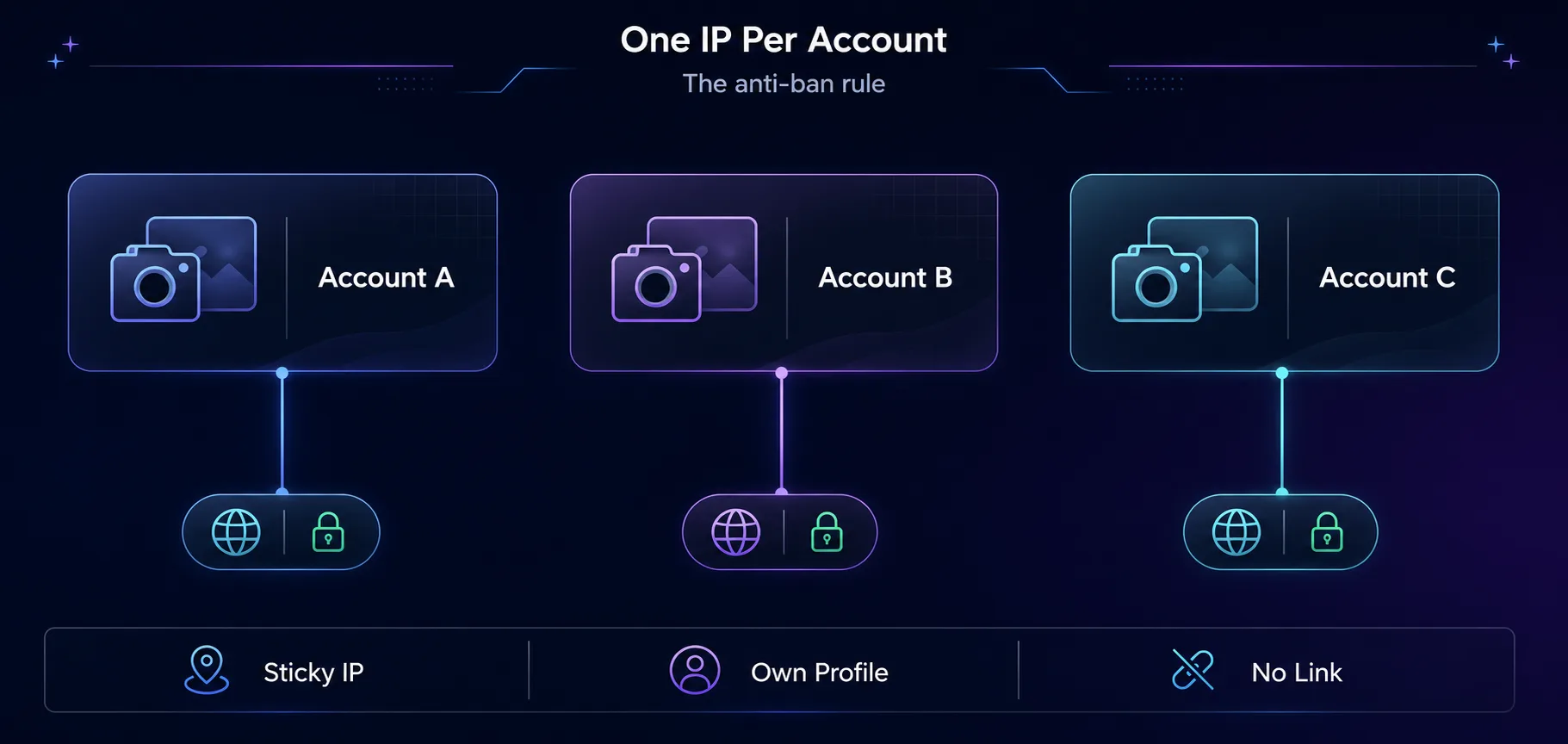
The anti-ban rule: give every account its own sticky IP and profile.
Which Proxy Type Instagram Needs
Not all proxies are equal here. Instagram is mobile-first and aggressive, so IP quality matters more than on almost any other platform.
Proxy Type | Instagram Trust | Best For |
|---|---|---|
Mobile (4G/5G) | Highest | Heavy automation, many accounts |
Residential | High | A few accounts, lighter use |
Datacenter | Low | Avoid for account work |
Our take: use mobile proxies for aggressive growth or many accounts, since carrier IPs are shared by thousands of real users and are the hardest to ban. Residential proxies are a solid, cheaper choice for one or two accounts. Never use datacenter IPs for anything you log into.
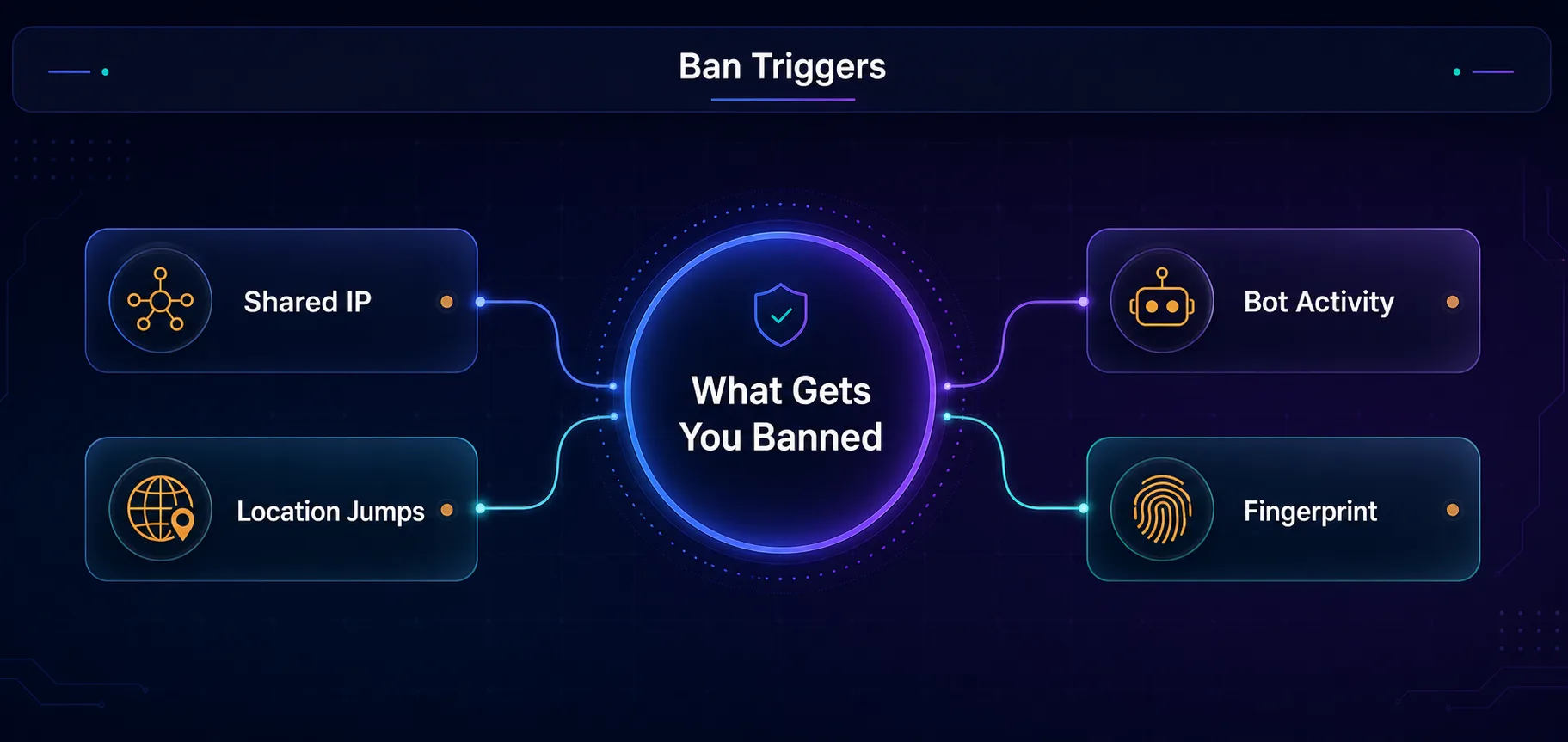
What gets accounts banned: shared IPs, location jumps, bot activity, and fingerprints.
How to Set Proxies Up Correctly
1One Proxy Per Account, Always
Assign each account its own dedicated IP and keep it consistent. Sharing an IP across accounts defeats the entire purpose and links them instantly.
2Keep the IP Stable
Use a sticky session or a dedicated mobile IP so the address doesn't change mid-session. An IP that jumps around looks like a compromised account.
3Match the Location
Pick a proxy in the country your account claims to be in. An account that says one place but connects from another is an easy inconsistency for Instagram to flag.
4Pair with Separate Profiles
For several accounts, combine proxies with separate browser or device profiles so the fingerprints differ too. This closes the second link Instagram uses.
Best Practices to Keep Accounts Alive
Besides using high-quality residential proxies, many teams also rely on MoreLogin Cloud Phone so that every Instagram account operates from its own dedicated Android device, isolating the device environment as well as the IP.
Warm accounts up slowly. Don't mass-follow or spam DMs from a new account. Build activity gradually, like a real person.
Respect action limits. Instagram caps follows, likes, and comments per hour. Stay well under them.
Add human-like delays. Randomized pauses between actions look far more natural than rapid-fire automation.
Keep one identity per account. Same proxy, same profile, same behaviour, every time.
Avoid banned-looking activity. Repetitive comments, aggressive follow/unfollow, and link spam are classic triggers.
Best Proxies to Avoid Instagram Bans
The proxy is only as good as the network behind it. These three are the ones we'd trust for Instagram account safety. For the full ranking, see our best Instagram proxies guide.
1SOAX

A 191M+ pool of clean residential and mobile IPs with granular country, city, and ISP targeting. Mobile IPs carry the highest trust on Instagram, and SOAX's filtered, whitelisted addresses keep each account on a stable, trusted IP for heavy multi-accounting.
2Decodo

Clean residential and mobile IPs with sticky sessions and easy geo-targeting. A great all-round pick that keeps each account on a stable, consistent location without a steep learning curve.
3IPRoyal

Budget-friendly residential and mobile options with non-expiring traffic, ideal if you run accounts occasionally. Compare all options in our proxy directory.
Common Mistakes That Get Accounts Banned
1Skipping Proxies Entirely
Running several accounts from your home IP is the fastest way to link and lose them all. The proxy isn't optional for multi-accounting.
2Sharing One Proxy Across Accounts
Reusing a single IP for multiple accounts is almost as bad as no proxy. Each account needs its own dedicated address.
3Using Cheap Datacenter Proxies
Datacenter IPs are easy for Instagram to detect and block. Stick to mobile or residential for anything account-related.
4Moving Too Fast
Even with perfect proxies, aggressive activity on a new account triggers action blocks. Ramp up like a human, not a bot.
Is Using Proxies on Instagram Against the Rules?
Let's be straight. Instagram's terms expect one account per person using your real identity, so running multiple personal accounts goes against its rules, even though it isn't illegal. Businesses and agencies do have legitimate multi-account needs, and Instagram offers proper tools for managing several business profiles.
Proxies themselves are legal, general-purpose privacy tools. What matters is how you use them. We don't encourage anything that breaks a platform's rules, and if you manage accounts professionally, keep each identity cleanly separated and stay within Instagram's norms.
Our take: the tool is neutral; the responsibility is yours. Use quality proxies, keep behaviour human, and read Instagram's terms before you scale.
Frequently Asked Questions
The Bottom Line
Avoiding Instagram bans comes down to one idea: make each account look like a separate, real person. A dedicated proxy per account removes the shared-IP link, mobile and residential IPs blend in where datacenter IPs get flagged, and human-like behaviour handles the rest.
Get the proxy right first, then keep the discipline: one IP per account, consistent location, separate profiles, and a slow, natural pace. Do that and your accounts read as the real people they represent.
Ready to set it up? Pick a mobile or residential pool from our best Instagram proxies guide, learn the workflow in running multiple Instagram accounts, or browse the full field in the proxy directory.
Keep Reading
More articles you might enjoy