How to Scrape Real Estate Listings (2026 Guide)
A practical guide to scraping real estate listings: choosing fields, working Python for static and JavaScript-heavy portals, proxies, and the licensing rules that matter.
![How to Scrape Real Estate Listings ([year] Guide)](/_next/image?url=https%3A%2F%2Fproxyhorizon.com%2Fcdn%2Fblog-images%2Fscrape-real-estate-listings-featured-1-mrxh1gjn.webp&w=3840&q=75)
Property data is some of the most valuable public data on the web. Price histories, days on market, price per square foot, inventory by neighbourhood: that's the raw material behind investment models, market reports, CMA tools, and half the proptech startups you've heard of.
It's also some of the best-defended. Major listing portals sit behind Cloudflare or DataDome, render half their content with JavaScript, and rate-limit aggressively. A naive script gets three pages in before the blocks start.
This guide walks through the whole job: what data to collect, how to pick an approach, working Python for both static and JavaScript-heavy sites, where proxies fit, and the licensing question that trips up more real estate projects than any technical problem. Let's start with what you actually want.
Decide What Data You Need First
Scraping everything is a beginner mistake. It's slower, more fragile, and harder to justify if anyone asks. Pick your fields before you write a line of code.
| Field | Why it matters |
|---|---|
| Price and price history | The core signal for valuation and trend analysis |
| Address or geo coordinates | Enables mapping, neighbourhood grouping, comparables |
| Beds, baths, square footage | Normalises price into price per square foot |
| Property type and year built | Segments the market meaningfully |
| Days on market | Measures demand and negotiating leverage |
| Listing status | Distinguishes active, pending, and sold |
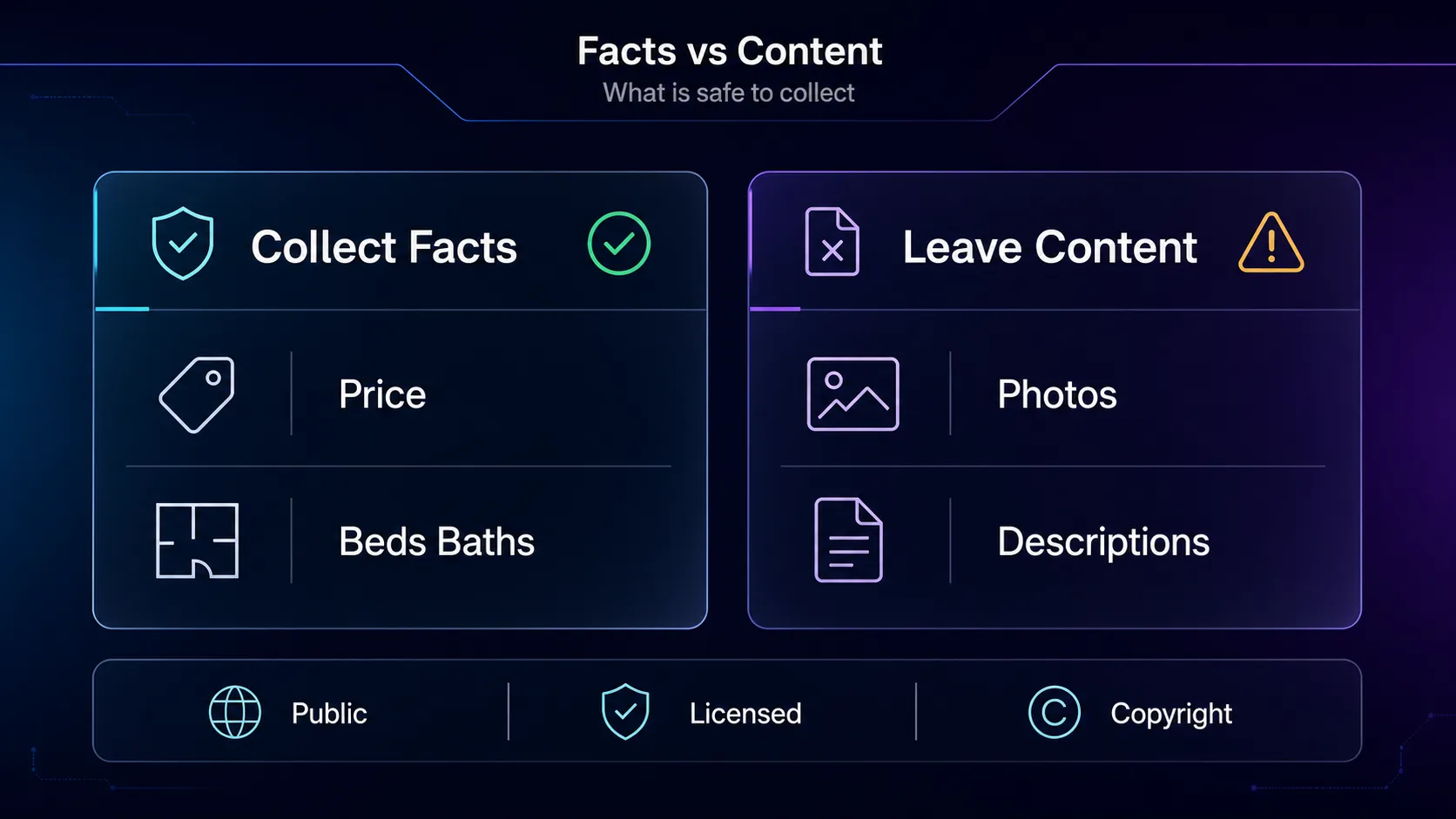
Skip agent names, phone numbers, and photos unless you genuinely need them. Personal data brings privacy law into scope, and listing photos are almost always copyrighted. More on that shortly.
Check for an Official Feed Before You Scrape
This is the step most tutorials skip, and it can save you weeks. A lot of property data is available through legitimate channels: MLS and IDX feeds for licensed agents, government open-data portals for sales records and permits, and public APIs from some portals and data vendors.
If a sanctioned feed exists for your use case, take it. It's more stable than any scraper, it won't break when a site redesigns, and nobody has to argue about whether you were allowed to have it. Scraping is the right tool when no feed covers what you need, which is often the case for cross-portal inventory analysis.
The Licensing Question Nobody Warns You About
Real estate is legally messier than most scraping targets, and pretending otherwise does you no favours.
Listing content is frequently owned. MLS data is licensed, not public domain. Property descriptions and photographs are copyrighted works belonging to the agent, photographer, or brokerage. Collecting factual attributes like price, bed count, and square footage sits on much firmer ground than copying descriptions and images wholesale.
Terms of service matter. Most portals prohibit automated collection in their terms. That's a contractual issue rather than a criminal one in most places, but it's a real risk if you're building a commercial product on top of it.
Personal data triggers real law. Agent contact details and any information about occupants can fall under GDPR, CCPA, and similar regimes. Collect the minimum you need and think hard before storing anything that identifies a person.
Our take: treat facts and content differently. Numbers, dates, and attributes are the useful part anyway. Descriptions and photos carry most of the legal risk and add little analytical value. If you're building something commercial, talk to a lawyer before you scale, not after.
Pick Your Approach
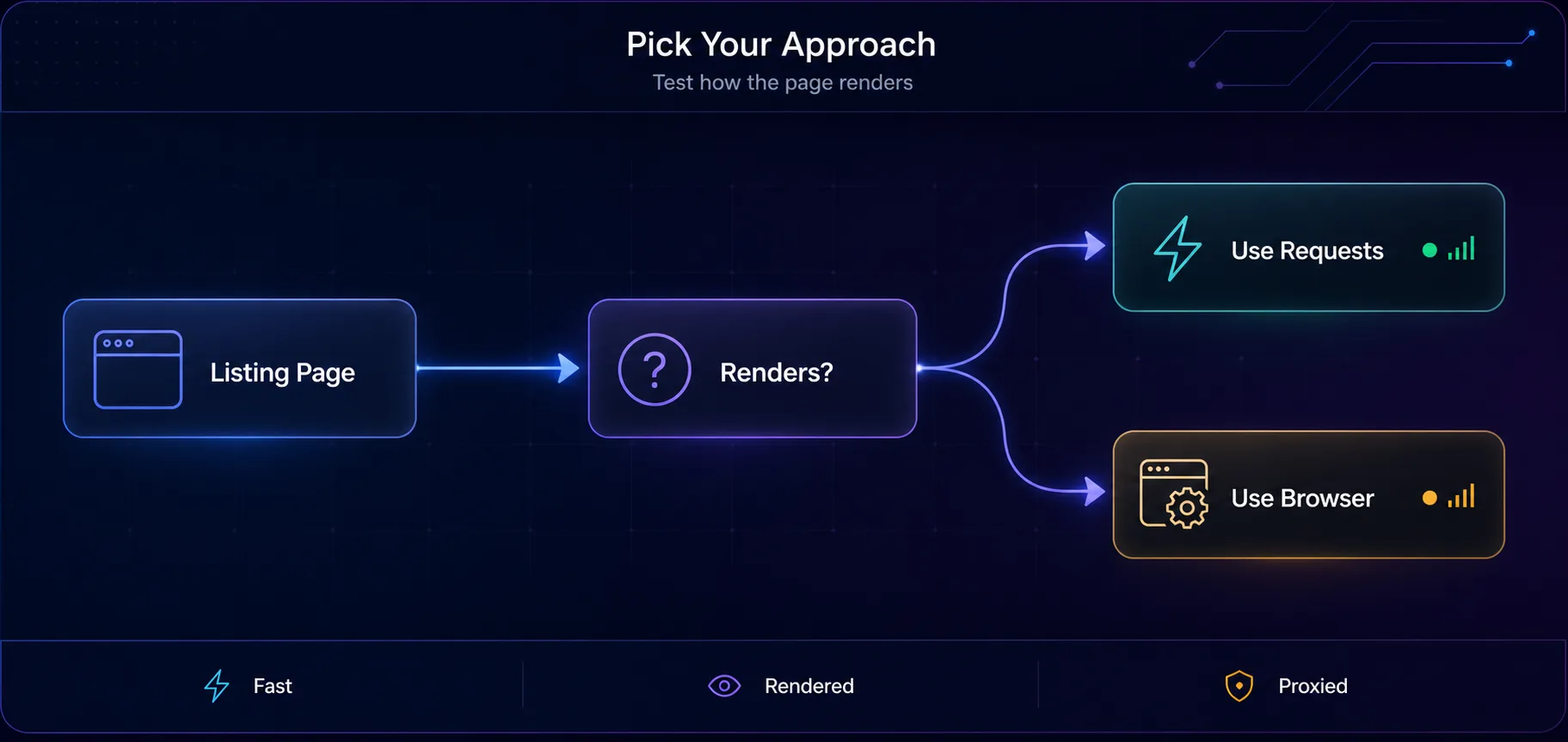
Four options, and the right one depends entirely on how the target site is built.
| Approach | Speed | Handles JavaScript | Best for |
|---|---|---|---|
| Official API or feed | Fastest | Not applicable | Anything it covers |
| Requests plus a parser | Fast | No | Server-rendered listing pages |
| Headless browser | Slow | Yes | JavaScript-heavy portals |
| Managed scraping API | Varies | Yes | Skipping the anti-bot arms race |
Start simple. Open the listing page, disable JavaScript, and reload. If the listings still show, you can use plain HTTP requests and save yourself a lot of resources. If the page goes blank, you need a browser.
Scraping Server-Rendered Listings with Python
For sites that return listings in the HTML, requests plus BeautifulSoup is all you need. Here's the shape of it, with a proxy and realistic headers attached from the start.
import requests
from bs4 import BeautifulSoup

proxies = {
    "http": "http://user:pass@gate.provider.com:7000",
    "https": "http://user:pass@gate.provider.com:7000",
}

headers = {
    "User-Agent": "Mozilla/5.0 (Windows NT 10.0; Win64; x64) AppleWebKit/537.36 "
                  "(KHTML, like Gecko) Chrome/120.0.0.0 Safari/537.36",
    "Accept-Language": "en-US,en;q=0.9",
}

resp = requests.get(LISTINGS_URL, headers=headers, proxies=proxies, timeout=20)
soup = BeautifulSoup(resp.text, "html.parser")

listings = []
for card in soup.select("article.listing-card"):
    listings.append({
        "price": card.select_one(".price").get_text(strip=True),
        "beds": card.select_one(".beds").get_text(strip=True),
        "baths": card.select_one(".baths").get_text(strip=True),
        "area": card.select_one(".area").get_text(strip=True),
        "address": card.select_one(".address").get_text(strip=True),
        "url": card.select_one("a").get("href"),
    })

print(len(listings), "listings parsed")
Swap the selectors for whatever the target uses. Inspect one card in your browser's devtools, find the wrapper element, and work down from there.
One tip that saves hours: check for a JSON blob before you parse HTML. Many property sites embed the full listing data in a __NEXT_DATA__ script tag or a JSON-LD block. Parsing that is faster, cleaner, and far less likely to break on a redesign.
Handling Pagination
Listings run to hundreds of pages. Loop through them, but pace yourself. Randomised delays keep you under rate limits and reduce the load you put on the site.
import time, random

all_listings = []
for page in range(1, 21):
    url = f"{BASE_URL}?page={page}"
    resp = requests.get(url, headers=headers, proxies=proxies, timeout=20)
    if resp.status_code != 200:
        print("stopped at page", page, resp.status_code)
        break
    soup = BeautifulSoup(resp.text, "html.parser")
    cards = soup.select("article.listing-card")
    if not cards:
        break
    all_listings.extend(parse_cards(cards))
    time.sleep(random.uniform(2, 5))
Break on an empty page rather than assuming a fixed count. Listing volumes change daily, and hardcoding 20 pages means you'll silently miss data next month.
When the Site Needs JavaScript
Map-based search and infinite scroll usually mean the listings arrive after page load. That's Playwright territory. It's slower, but the browser handles rendering and produces a genuine browser fingerprint, which matters on protected portals.
from playwright.sync_api import sync_playwright

proxy = {"server": "http://gate.provider.com:7000",
         "username": "user", "password": "pass"}

with sync_playwright() as p:
    browser = p.chromium.launch(headless=True)
    context = browser.new_context(proxy=proxy, locale="en-US")
    page = context.new_page()
    page.goto(LISTINGS_URL, wait_until="domcontentloaded")
    page.wait_for_selector("article.listing-card", timeout=30000)

    # trigger lazy loading
    for _ in range(5):
        page.mouse.wheel(0, 4000)
        page.wait_for_timeout(1500)

    cards = page.query_selector_all("article.listing-card")
    for card in cards:
        print(card.query_selector(".price").inner_text())

    context.close()
    browser.close()
Always use wait_for_selector rather than a fixed sleep. A hard-coded wait is either too short on a slow load or wasteful on a fast one.
If you need to rotate IPs across a long crawl, our guide on rotating proxies in Playwright covers the per-context pattern.
Why You Need Residential Proxies Here
Property portals are among the more aggressive targets on the open web. They watch request volume per IP closely, and datacenter ranges get classified almost immediately. Send a few hundred requests from one address and you're done.
Residential IPs solve this because they belong to real households, so your requests look like ordinary house-hunting traffic. Rotate them and you can cover a whole metro area's inventory without any single IP drawing attention. Worth knowing: proxies fix the network layer only. If your HTTP client also has an obvious non-browser signature, you'll still get flagged, which is what TLS fingerprinting is all about.
1Decodo

Clean residential pool, simple rotating and sticky endpoints, and city-level targeting that's genuinely useful when you're scraping one metro at a time. The easiest starting point for most property projects.
2Oxylabs

Built for volume, with a Web Scraper API that handles rendering and blocks if you'd rather not maintain that yourself. Premium pricing, but it holds up across large multi-city crawls.
3IPRoyal

Non-expiring traffic suits property research that runs in bursts, like a monthly market snapshot. Good value while you're still tuning selectors. Compare the field in our proxy directory.
Clean the Data Before You Trust It
Raw listing data is messy in predictable ways, and skipping this step quietly corrupts every analysis downstream.
Prices arrive as strings with currency symbols and commas, so strip them to integers. Square footage appears in different units depending on the market. Addresses need normalising before you can join them across sources. Duplicates are rampant, since the same property often appears under several agents, so deduplicate on address plus price rather than on listing ID.
Store a scrape timestamp with every record. Property data is only meaningful as a time series, and you can't reconstruct when you collected something after the fact.
Mistakes That Kill Real Estate Scrapers
1Hammering the Site
Firing requests as fast as your connection allows gets you blocked and degrades the service for actual buyers. Add randomised delays of a few seconds. You'll collect more data overall because you won't spend the afternoon banned.
2Hardcoding Selectors and Never Checking Them
Portals redesign constantly. A scraper that silently returns zero listings looks identical to a market with no inventory. Add a sanity check that alerts you when a page parses to an empty list.
3Scraping Photos and Descriptions by Default
They're copyrighted, they're heavy, and they rarely improve your model. Collect the numeric attributes and skip the liability.
4Ignoring the JSON That's Already There
Plenty of teams write brittle CSS selectors while the complete listing object sits in a script tag on the same page. Check the page source properly before writing a parser.
5Treating One Snapshot as Market Data
A single scrape tells you what's listed today. Trends, absorption rates, and price movement need repeated collection on a schedule. Build for recurring runs from day one.
Frequently Asked Questions
Putting It Together
The technical part of scraping real estate listings is straightforward once you know the shape of it. Pick your fields, look for a JSON payload before writing selectors, use plain requests when the server renders the HTML and a browser when it doesn't, page through carefully, and put residential proxies underneath so the crawl actually finishes.
The part that decides whether your project survives contact with reality is the boring stuff. Check for a sanctioned feed first. Collect facts rather than copyrighted content. Pace your requests. Timestamp everything and run it on a schedule, because one snapshot isn't a market.
Ready to build it? Start with our Python scraping guide for the fundamentals, or pick a residential pool from the proxy directory and test on a single neighbourhood before you scale to a whole city.
![How to Add an MTProto Proxy to Telegram ([year])](/_next/image?url=https%3A%2F%2Fproxyhorizon.com%2Fcdn%2Fblog-images%2Fhow-to-add-mtproto-proxy-telegram-1-mu9ha99k.webp&w=3840&q=75)
![How to Set Up a Proxy in Telegram on Android ([year])](/_next/image?url=https%3A%2F%2Fproxyhorizon.com%2Fcdn%2Fblog-images%2Ftelegram-proxy-android-setup-1-mu9ha6tn.webp&w=3840&q=75)
![The Best Use Cases of Apify in [year]](/_next/image?url=https%3A%2F%2Fproxyhorizon.com%2Fcdn%2Fblog-images%2Fapify-use-cases-1-mu7brxcq.webp&w=3840&q=75)