How to Protect Your Privacy While Traveling Abroad in 2026
Traveling abroad? Here's how to protect your privacy on public Wi-Fi, at borders, and online, with the VPNs, settings, and habits that actually work.
You land after a long flight, connect to the airport Wi-Fi, and check your bank balance while you wait for a taxi. That five-second habit is exactly where travelers get burned. The moment you leave your home network, you become a softer target: unfamiliar Wi-Fi you can't vouch for, networks shared with strangers, and in some countries a border officer who can legally ask to unlock your phone.
This guide is about how to protect your privacy while traveling abroad without turning your holiday into a security drill. The US Federal Trade Commission has long warned against doing anything sensitive on public Wi-Fi, and US Customs and Border Protection reports tens of thousands of electronic device inspections at the border every year. Those two facts alone change how you should pack your phone.
By the end, you'll know the handful of settings to fix before you leave, why a VPN is the single most useful thing you can install, what it genuinely protects (and what it doesn't), and the border and Wi-Fi traps most travel guides never mention. Let's make you a hard target.
What Actually Threatens Your Privacy Abroad
Most travel-safety advice is vague. Here's the honest version: the risks that matter abroad are different from the ones at home, because the network, the laws, and your physical control over your devices all change at once. At home you trust your router. In a hostel lobby, you trust nothing.
The threats break into three buckets. Network risks come from Wi-Fi you don't control. Legal and physical risks come from borders, theft, and shoulder-surfing. And service risks come from apps and banks that suddenly behave differently, or block you outright, when they see a foreign IP address. A good travel setup covers all three, not just the Wi-Fi one everyone talks about.
| Travel privacy risk | Why it bites abroad | Your best defense |
|---|---|---|
| Public Wi-Fi snooping | Open hotel and airport networks let others on the same network watch or tamper with traffic | Always-on VPN plus HTTPS |
| Evil twin hotspots | Fake networks named like the real one harvest logins | Verify the exact name; a VPN encrypts you even if you slip up |
| Border device searches | Officers in many countries can inspect phones and laptops on entry | Minimize data on the device, power it down, use a strong passcode |
| Geo-blocks and censorship | Banking, email, and messaging apps may be blocked or throttled in some countries | A VPN with obfuscated servers |
| Lost or stolen device | One unlocked phone exposes email, photos, and your 2FA codes | Full-device encryption, screen lock, remote wipe |
| Juice jacking | Public USB ports can move data, not just power | Your own charger or power bank, or a USB data blocker |
Our take: if you fix only one thing, fix the network layer, because it's the risk you hit within minutes of landing. But the traveler who also plans for the border and the lost-phone scenario is the one who never has a bad story to tell.
Set These Up Before You Leave
The best privacy work happens at home, on a trusted connection, before you're tired and rushing through an airport. Do these on your own Wi-Fi the night before you fly.
- Turn on device encryption and a strong lock. Modern iPhones and most Android phones encrypt storage once you set a passcode. Use a six-digit PIN or better, not a swipe pattern, and switch off biometric-only unlock at sensitive moments (a passcode is harder to compel than a fingerprint in many places).
- Enable remote find and wipe. Find My iPhone or Android's Find My Device means a stolen phone can be locked or erased from anywhere. This is your insurance policy.
- Update everything. Phone OS, apps, and your privacy browser. Patches close the exact holes attackers lean on when you're on hostile networks.
- Set up a password manager and 2FA. Unique passwords plus app-based two-factor (not SMS, which can fail or be intercepted abroad) means a single leaked login doesn't cascade.
- Install and test your VPN at home. Confirm it connects, the kill switch works, and you know which server to pick. Debugging a VPN on airport Wi-Fi is the worst time to learn the app.
- Thin out your phone. Move sensitive documents to encrypted cloud storage and remove local copies you don't need on the trip. Less data on the device means less to lose.
Ten minutes of prep at home beats an hour of panic abroad. If you want the bigger picture on why this matters, our explainer on why online privacy matters lays out what's actually at stake when your data leaks.
Public Wi-Fi Is Where Most Travelers Get Burned
Free Wi-Fi is the bait every traveler bites. The problem isn't that public networks are always malicious; it's that you can't tell a clean one from a compromised one, and the bad cases are genuinely bad. Anyone on the same open network can potentially watch unencrypted traffic, and a well-known trick called the "evil twin" sets up a fake hotspot named something like Airport_Free_WiFi to harvest whatever you type.
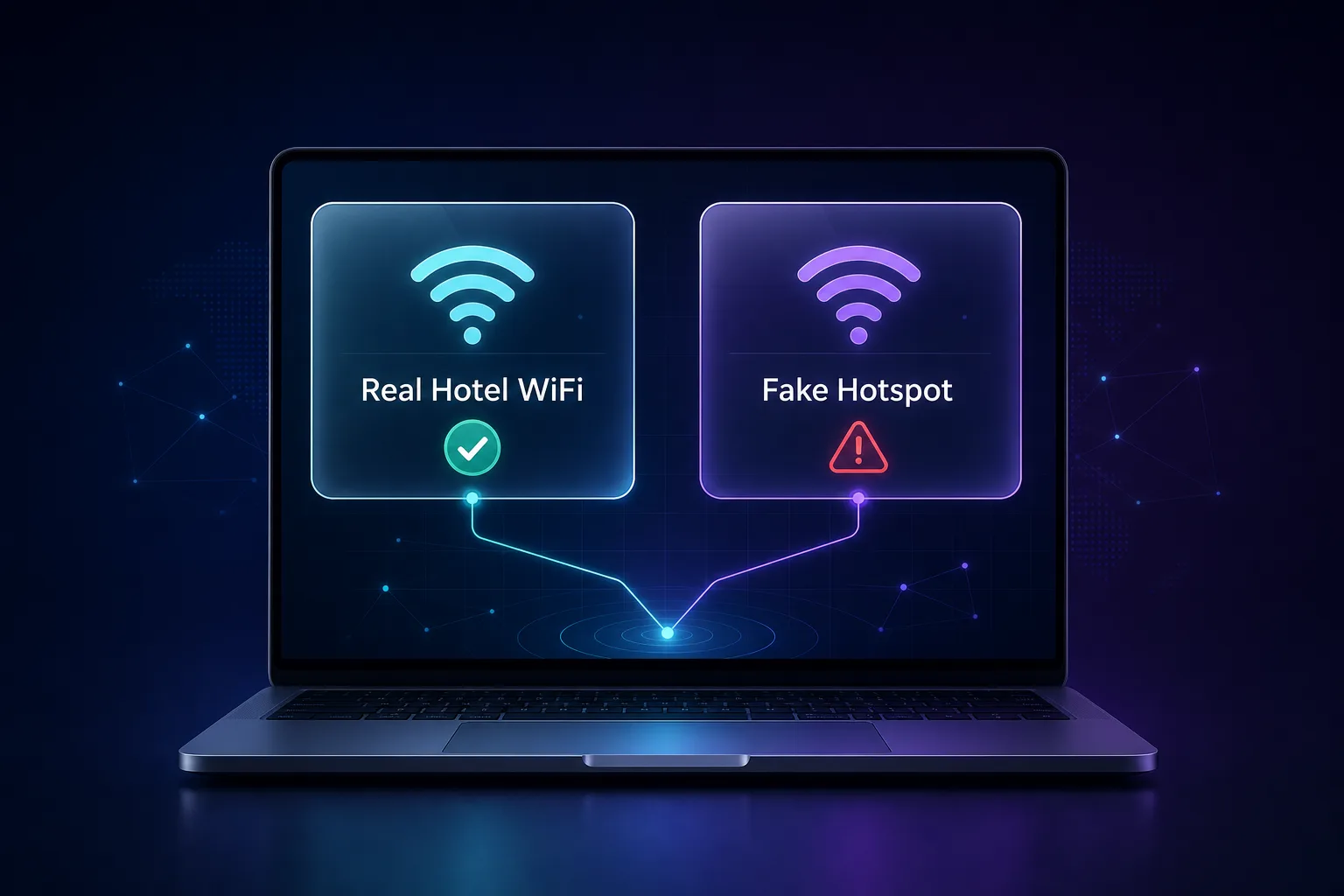
Two things save you here. First, stick to HTTPS, which most sites now enforce, so your actual data is encrypted even on a shady network. Second, run a VPN, which wraps all your traffic in an encrypted tunnel so it doesn't matter whether the network, or a fake twin, is watching. A password on the Wi-Fi means nothing, by the way. A shared hotel password is known to every guest and every attacker sitting in the lobby.
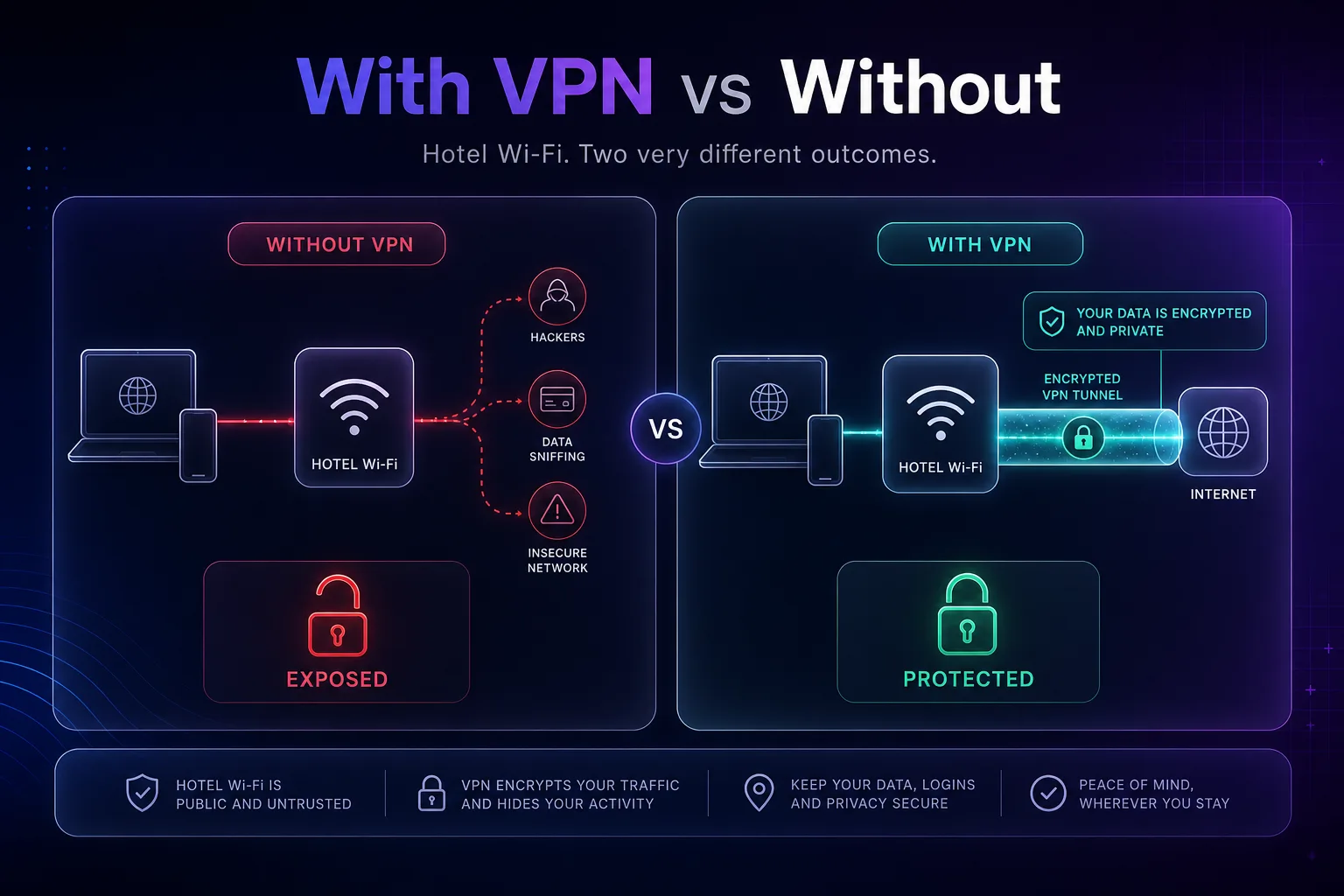
Common mistake: people flip the VPN on only for "important" sites. Leave it on for the whole session. The background app syncing your photos or email is leaking just as much as your banking tab.
Why a VPN Is the One Tool Worth Packing
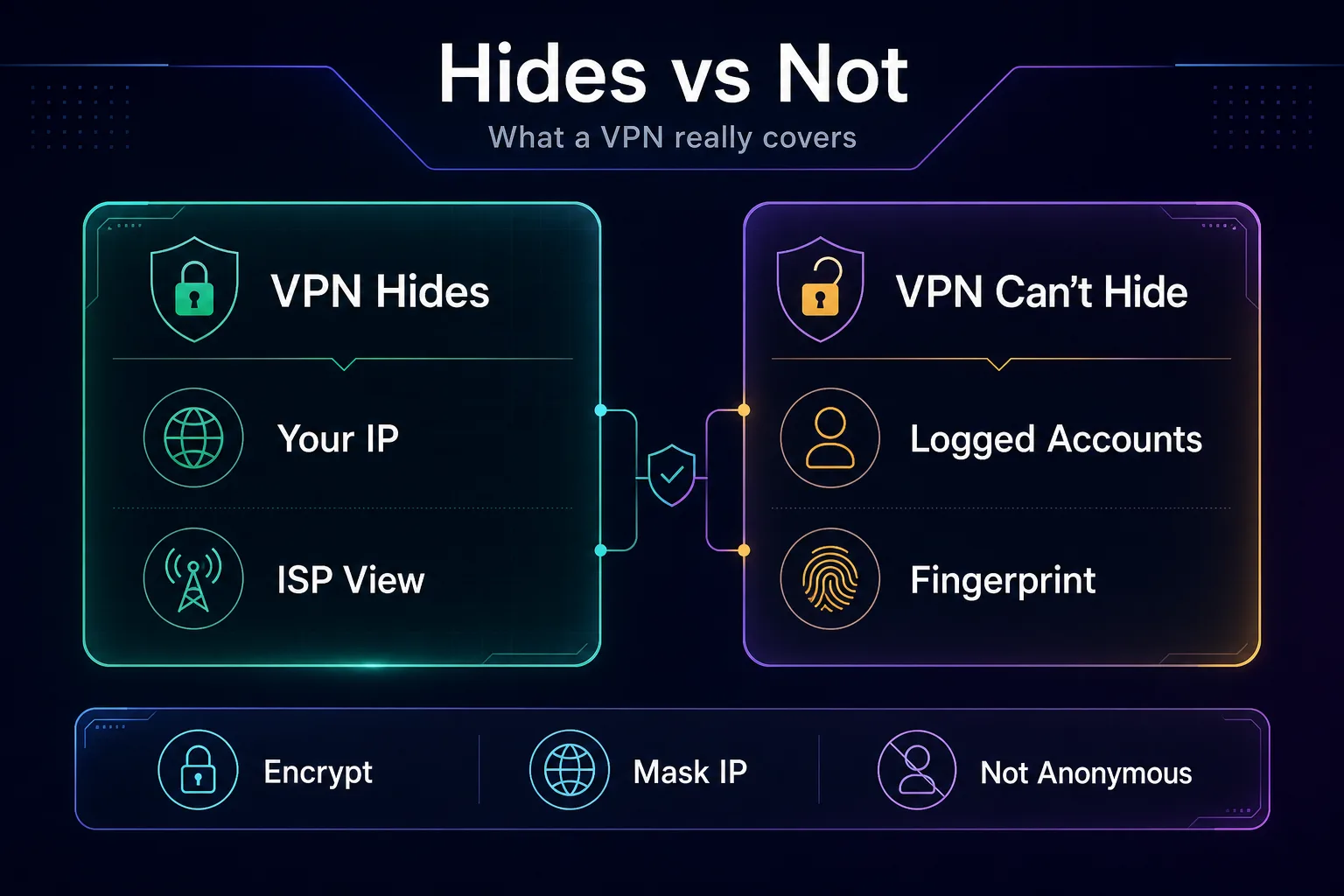
If privacy tools were carry-on liquids, a VPN is the 100ml bottle you never leave behind. It solves the network problem directly by encrypting your connection, and it solves the service problem by giving you an IP address in a country of your choice. That second part matters more abroad than people expect: your bank may lock your account when it sees a login from a country you don't usually visit, and your streaming, email, or news app may simply refuse to load behind local censorship. Connecting to a server back home makes the internet behave like you never left. If you're new to the concept, our guide on how a VPN works covers the mechanics.
Here's the honest caveat that affiliate roundups skip: a VPN is not an invisibility cloak. It hides your IP and encrypts your traffic, but it does nothing about accounts you're logged into, your browser fingerprint and trackers, or a phone you left unlocked on a cafe table. And in a few countries, VPN use is restricted or blocked, so it's worth checking the local rules and reading our take on whether governments can track VPN users before you travel to more restrictive places.
The Best VPNs for Travel in 2026
Not every VPN handles travel well. You want one with servers where you're going, obfuscation for restrictive countries, a real kill switch, and apps that don't choke on captive-portal hotel networks. How we picked: we favored providers with an independently audited no-logs policy, reliable kill switches, broad server coverage in the regions travelers actually go, and clients that work under real censorship. A quick disclosure: some links below are affiliate links and we may earn a commission if you subscribe. It never changes who we recommend.
| VPN | Our rating | Servers | Countries | Devices | From | Kill switch |
|---|---|---|---|---|---|---|
| NordVPN | 4.6/5 | 6,400+ | 111 | 10 | $3.59/mo | Yes |
| Proton VPN | 4.7/5 | 4,800+ | 91 | 10 | $4.49/mo | Yes |
| Surfshark | 4.5/5 | 3,200+ | 100 | Unlimited | $2.19/mo | Yes |
1NordVPN

NordVPN is the safe default for most travelers because it does everything competently. It's the best all-round travel pick here: a huge server network across 111 countries means you'll almost always find a fast nearby server, and its obfuscated servers are built for exactly the countries where plain VPN traffic gets blocked. Threat Protection also filters malicious sites and trackers, which is handy on sketchy hotel connections.
It covers 10 devices, so your phone, laptop, and travel partner's tablet are all sorted. The catch is that the headline monthly price only appears on the longer plans, so it's best value if you commit for a year or two rather than paying month to month for a single trip.
2Proton VPN

Proton VPN is the pick when privacy is the whole point of the trip. It's based in Switzerland, its apps are open-source and independently audited, and its Secure Core feature routes you through hardened servers in privacy-friendly countries before you exit. For journalists, activists, or anyone heading somewhere with heavy surveillance, that architecture is a real advantage, not marketing.
It also has the rare genuinely usable free tier, which makes a solid backup on a second device. The trade-off is a slightly smaller network than NordVPN and mid-tier pricing that sits above the budget crowd, but you're paying for a track record and a jurisdiction that back up the privacy promise.
3Surfshark

Surfshark wins on value, and its killer travel feature is unlimited simultaneous connections. If you travel as a family or carry a phone, tablet, laptop, and an e-reader, one subscription covers the lot with no device math. Camouflage mode helps in countries that try to detect and block VPNs, and speeds hold up well for streaming your home content abroad.
At its lowest long-term price it's the cheapest of the three by a wide margin. It's a younger company than Nord or Proton, and the occasional distant server can be inconsistent, but for most travelers the coverage-to-cost ratio is hard to argue with. You can weigh all three side by side in our VPN directory.
Crossing Borders: Your Devices Aren't Always Yours
This is the section most travel-privacy guides skip, and it's the one that surprises people. At many borders, including the United States, officers have broad authority to inspect electronic devices, and in some cases to ask for passcodes. US Customs and Border Protection carries out tens of thousands of these searches a year. A VPN does nothing here, because the device is physically in someone else's hands.
The defense is data minimization, not encryption tricks. Travel with as little sensitive data on the device as you reasonably can. Sign out of accounts you don't need in transit, keep the important stuff in encrypted cloud storage you can restore later, and power the device fully off before you reach the border, because a powered-down phone is in its most encrypted state and can't be unlocked by biometrics.
Know the local rules too. Rights vary enormously by country and by your citizenship status, so what's true for a citizen re-entering their home country may not apply to a visitor. When the stakes are high, a clean travel device with only what you need beats trying to hide things on your everyday phone.
How to Choose Privacy Tools for a Trip
You don't need a spy kit. You need a small setup matched to where you're going and what you're doing. Answer these before you buy anything.
1Where Are You Actually Going?
A weekend in a neighboring country and a month in a heavily censored region call for different tools. For ordinary destinations, a mainstream VPN and good habits are plenty. For restrictive countries, prioritize obfuscation and a provider with a proven record of working there, and install it before you arrive because the download may be blocked once you land.
2How Many Devices and People?
Solo with one phone? Any of our picks works. Traveling as a family or with a laptop, tablet, and phone each? Surfshark's unlimited connections or a 10-device plan saves you from juggling logins. Count the screens before you choose the plan.
3What's Your Threat Model?
Be honest about who you're protecting against. Most travelers are guarding against opportunistic Wi-Fi snooping and account lockouts, where a solid VPN and 2FA win. If you're a journalist or activist, you need Proton-style architecture, a clean device, and legal awareness. Don't over-buy, but don't under-plan either.
4Free or Paid?
A reputable free tier like Proton's is fine as a backup. Random free VPNs are not, because many log and sell the very traffic you're trying to protect. On a trip, where the whole point is trust, this is the wrong place to save a few dollars. See our roundup of VPNs built for privacy for the paid options worth the money.
Common Mistakes That Expose Travelers
Even careful people slip up on the road, usually in the same handful of ways. Here's what to avoid.
1Connecting First, Thinking Later
The reflex to join any open network the second you land is the biggest one. Turn your VPN on before you touch the browser or let apps sync. If auto-join is on for open networks, switch it off so your phone doesn't silently connect to an evil twin while it's in your pocket.
2Trusting a Wi-Fi Password
A password on hotel or cafe Wi-Fi is not security. Everyone there has it. It stops random passersby from using the bandwidth; it does nothing to stop another guest on the same network from watching your traffic. Encryption is what protects you, not the login screen.
3Using SMS for Two-Factor Codes
Roaming, dead SIMs, and spotty coverage can lock you out of SMS-based 2FA at the worst moment, and SMS is the weakest form of two-factor anyway. Move your important accounts to an authenticator app before you leave so your codes work offline, anywhere.
4Charging at Public USB Ports
Those convenient USB ports at airports and stations can carry data as well as power, a trick nicknamed juice jacking that the FBI has publicly warned about. Carry your own charger and plug into a wall outlet, or use a power bank or a cheap USB data blocker.
5Leaving Devices Unlocked and Unattended
The oldest risk is still the most common: a phone left on a table, a laptop open in a lounge. Short auto-lock timers, a quick habit of pocketing your phone, and never letting a stranger "help" with your device close the gap that no software can.
Smart Habits That Keep You Private on the Road
Tools do the heavy lifting, but a few habits make them work. Build these in and privacy stops being a chore.
- Keep the VPN on for the whole session, not just for banking. Background apps leak too.
- Verify the exact network name with staff before connecting, and turn off auto-join for open Wi-Fi.
- Prefer your own connection when it counts. A personal eSIM or hotspot beats any public Wi-Fi for sensitive tasks.
- Power devices off at borders and keep only what you need on them.
- Do a nightly check. Confirm remote-wipe is active, glance at account alerts, and make sure your VPN is still connected after the network changed.
None of this requires being technical. It's the travel equivalent of locking your door: small, repeatable, and the difference between a good trip and a ruined one. If you ever want to confirm your VPN is doing its job, you can check your IP address before and after connecting.
Frequently Asked Questions
The Bottom Line
Protecting your privacy abroad isn't about paranoia; it's about not being the easiest target in the room. Fix the basics at home, treat every public network as hostile, keep an audited VPN running, and plan for the two scenarios most people ignore: the border and the lost phone.
If you only do one thing, install a solid VPN and leave it on. For most travelers, NordVPN is the well-rounded default, Proton VPN is the privacy purist's choice, and Surfshark covers a whole family of devices for less. Test your pick on a small plan against your actual trip, or compare them in our VPN directory first. Then go enjoy the trip, knowing the boring stuff is handled.
Keep Reading
More articles you might enjoy