OpenClaw vs Hermes Agent: Which Is Better? (2026)
OpenClaw vs Hermes Agent compared in depth: gateway vs learning loop, memory, skills, security defaults, the official migration path, and which self-hosted AI agent is better for you.
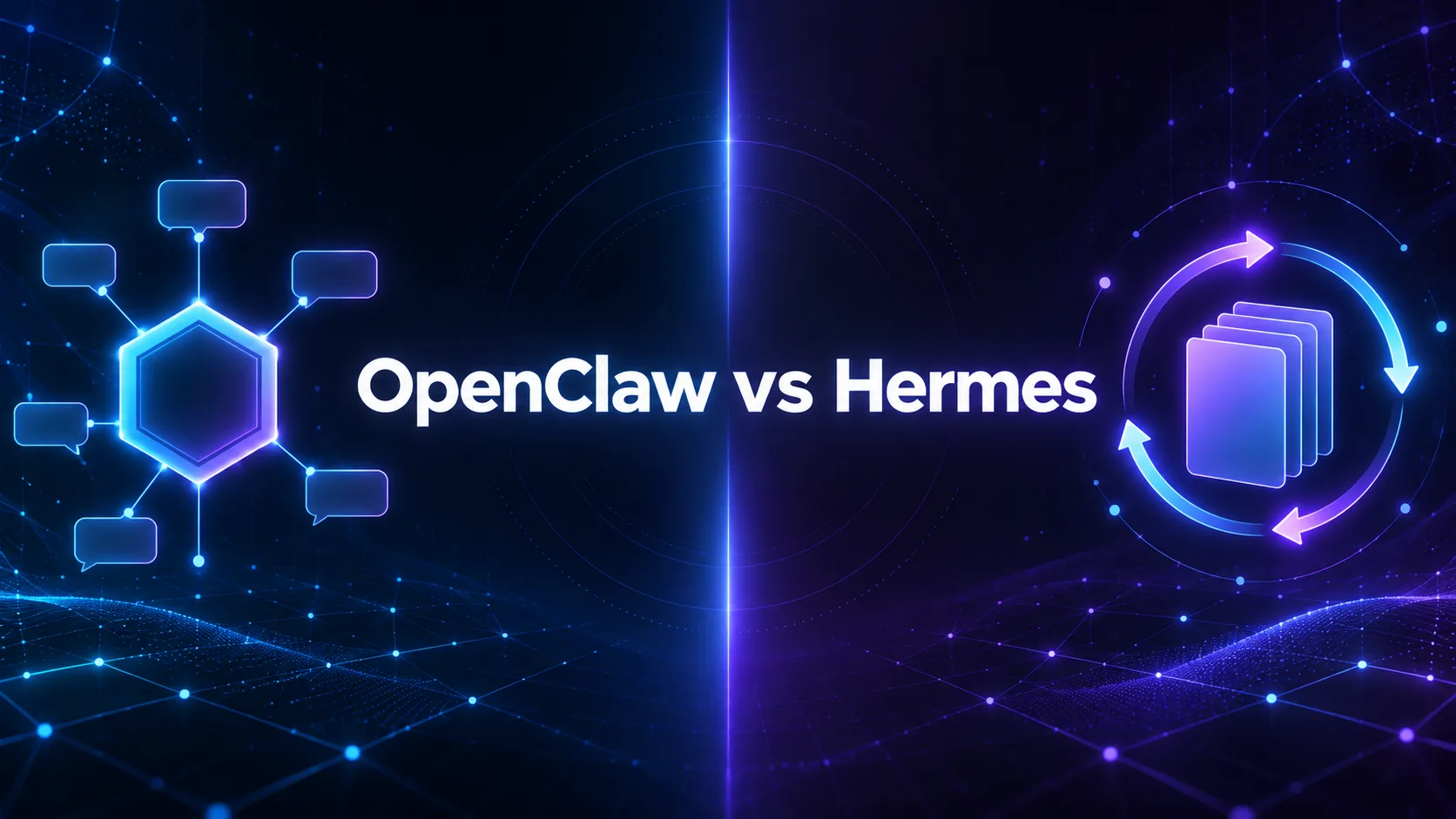
OpenClaw made self-hosted AI agents a mainstream thing in early 2026. A month later, Nous Research shipped Hermes Agent, and by mid-year a lot of OpenClaw users were asking the same question in forums and Discord servers: should I switch?
On paper the two look almost identical. Both are free, MIT licensed, and self-hosted. Both reach you through Telegram, Discord, Slack, WhatsApp, and Signal. Both remember you, run scheduled jobs, and let you plug in the model of your choice. But the OpenClaw vs Hermes Agent decision comes down to a genuine philosophical split. OpenClaw is built around a gateway you control. Hermes is built around an agent loop that teaches itself.
This guide goes deeper than a feature checklist. We compare architecture, memory, skills, and, most importantly, what each one actually does to protect your machine out of the box, then cover the official migration path and the network problem both share. Everything here comes from each project’s official documentation, repositories, and published security research as of September 2026. Both ship updates weekly, so verify anything critical against the docs before you build.
- OpenClaw is a gateway-first personal assistant: rich companion apps, a web Control UI, and skills you write or install from ClawHub.
- Hermes Agent is loop-first: it writes reusable skills after complex tasks and improves them over time.
- Both run agent commands on your host by default. Hermes switches on more guardrails out of the box, but real isolation needs a container backend on either.
- OpenClaw’s bigger ecosystem also made it a bigger target, including a one-click RCE CVE and hundreds of malicious ClawHub skills in early 2026.
- Hermes can import an OpenClaw setup with one command, so trying it is cheap. Our pick for most new self-hosters is Hermes; OpenClaw still wins as a phone-and-desktop assistant.
OpenClaw and Hermes Agent at a Glance
| Feature | OpenClaw | Hermes Agent |
|---|---|---|
| Maintainer | OpenClaw Foundation, an independent nonprofit | Nous Research |
| License | MIT | MIT |
| Released | Went viral January 2026 (formerly Clawdbot, then Moltbot) | February 2026 |
| Runtime | Node.js 24.16+ or 26 | Python-based, one-line installer bundles dependencies |
| Core design | Gateway as control plane | Agent loop at the center |
| Messaging | Discord, Google Chat, iMessage, Matrix, Teams, Signal, Slack, Telegram, WhatsApp, Zalo, plus plugins | Telegram, Discord, Slack, WhatsApp, Signal, Matrix, Mattermost, Email, SMS, Teams, Google Chat, BlueBubbles, Home Assistant and more |
| Companion apps | macOS app, iOS and Android nodes, web Control UI | CLI first, voice in CLI, Telegram and Discord |
| Memory | Markdown files with daily notes and curated MEMORY.md | MEMORY.md and USER.md, SQLite full-text session search, optional Honcho |
| Skills | Written by you or installed from ClawHub | Created by the agent after complex tasks, self-improving |
| Execution backends | Host, or Docker and Podman sandbox | Local, Docker, SSH, Singularity, Modal, Daytona, Vercel Sandbox |
| Scheduling | Cron jobs, hooks, webhooks, heartbeat | Built-in cron with natural-language schedules |
| Migration | Source for Hermes imports | hermes claw migrate imports OpenClaw setups |
Two Different Ideas of What an Agent Should Be
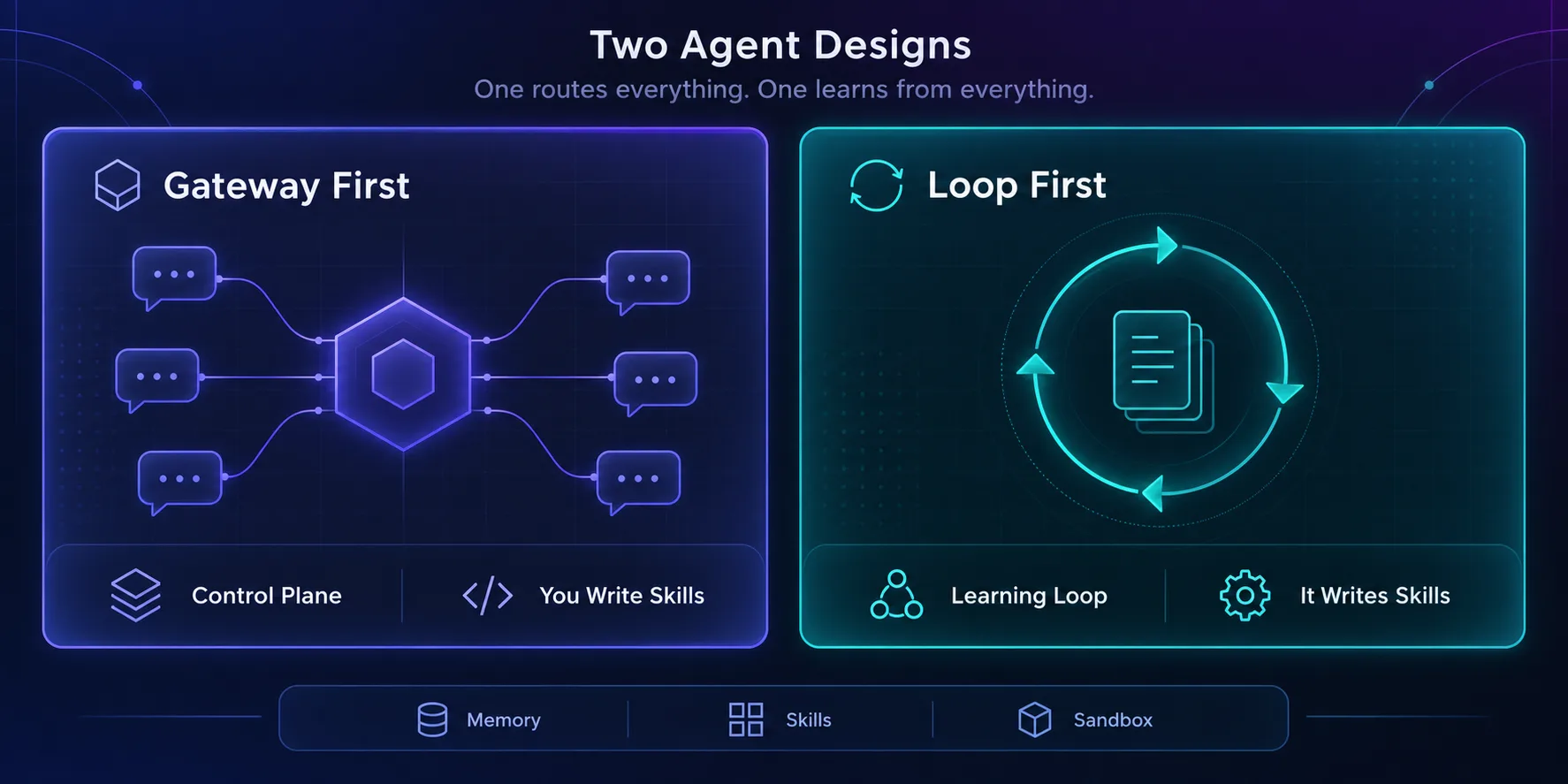
OpenClaw treats the gateway as the product. One long-running process manages sessions, routes messages from every connected channel, runs cron jobs and webhooks, and hosts a browser-based Control UI. The agent’s identity lives in plain files inside a workspace, such as SOUL.md and AGENTS.md, which you edit by hand. You shape the assistant; it follows.
Hermes treats the agent loop as the product. Memory, tools, skills, scheduling, and subagents are all systems wrapped around that loop, and the loop is designed to change itself. When Hermes finishes a hard task, it turns what worked into a reusable skill. Over weeks, it accumulates procedures you never wrote.
In plain English: OpenClaw is a very capable assistant that does what you configured. Hermes is a junior colleague that gets better at the job, and occasionally surprises you with how it decided to do it. Neither is strictly better. They optimise for control versus compounding.
Memory: Files You Read vs a System That Curates Itself
OpenClaw’s memory is refreshingly transparent. It writes daily notes to memory/YYYY-MM-DD.md and curated long-term facts to MEMORY.md, and searches that memory to pull relevant context back into long conversations. Before context compaction, it runs a silent flush that prompts the model to save important facts first. The trade-off is discipline: if you want something remembered reliably, OpenClaw’s own docs suggest asking the bot to write it to memory, and making sure the gateway uses the same workspace every run.
Hermes layers more machinery on top. It keeps persistent MEMORY.md and USER.md notes, nudges itself periodically to save knowledge, and stores session history in SQLite with full-text search plus model summaries for recall across sessions. Pluggable providers such as Honcho add a model of you as a user over time.
Our take: OpenClaw’s memory is easier to audit and edit by hand, which suits people who want to know exactly what their assistant believes. Hermes recalls old conversations better, which matters once you have months of history. If you’ve ever had to remind an agent of something you told it three weeks ago, that difference is the whole argument.
Skills: Installed by You vs Written by the Agent
This is where the two diverge most, and where the most important risk lives.
In OpenClaw, skills are procedures the agent loads on demand. You write them, or install them from ClawHub, its community marketplace. That ecosystem is OpenClaw’s biggest advantage, because someone has probably already written the integration you need.
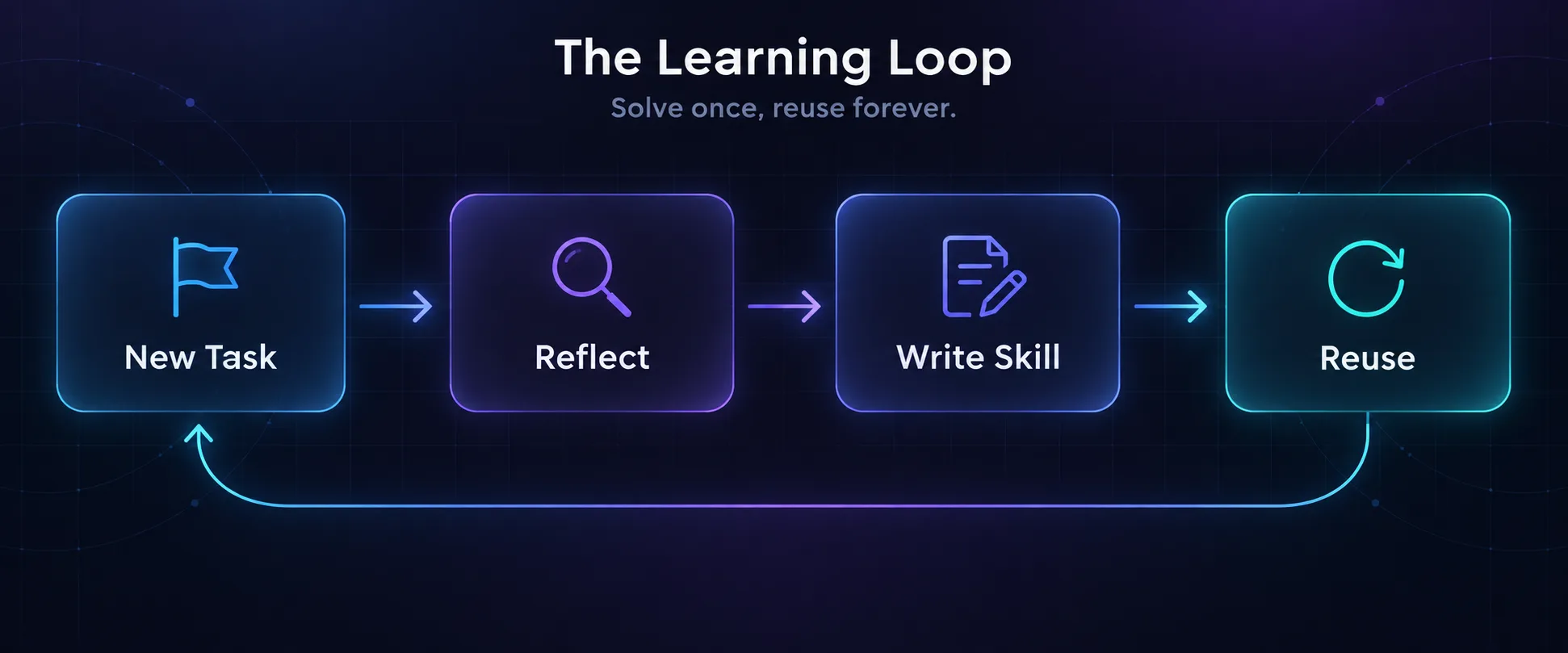
In Hermes, skills can also be installed from its community Skills Hub, and they follow the open agentskills.io standard. But the headline feature is that Hermes writes its own. After a complex task, it abstracts the workflow into a skill and keeps refining it as it reuses it.
Each model creates a different kind of supply-chain risk. Installed skills are code and instructions from strangers. That risk is not theoretical: in February 2026, Koi Security audited ClawHub and found 341 malicious skills out of roughly 2,857, most tied to one campaign dubbed ClawHavoc that pushed the Atomic macOS Stealer through fake prerequisite steps. Follow-up scans found the number growing as the marketplace expanded.
Self-written skills avoid strangers but introduce drift. A skill Hermes wrote from one slightly wrong run can quietly encode that mistake into every future run. Treat both the same way: read skills before trusting them, whether a stranger or your agent wrote them.
Security Defaults: What’s Actually On Out of the Box
Almost every comparison lists security features. The more useful question is which ones are switched on when you install it, because that’s how most people run it.
The uncomfortable truth first: both agents execute commands on your host by default. OpenClaw’s documentation says tools run on the host unless you configure sandboxing. Hermes documents its default local terminal backend as running on the host with no isolation. Neither is a sandbox until you make it one.
| Protection | OpenClaw | Hermes Agent |
|---|---|---|
| Default command execution | On host | On host (local backend) |
| Unknown senders | Pairing approval required | Denied unless allowlisted |
| Dangerous command checks | Tool allow and deny lists, sandbox policies | Smart approval on by default, with manual and off modes |
| Sandbox options | Docker or Podman, commonly for non-main sessions | Docker, Singularity, Modal, SSH, Daytona, Vercel Sandbox |
| Sensitive file writes | Depends on sandbox and binds | Paths like ~/.ssh, ~/.aws and .env always denied |
| Credential leakage to tools | Depends on your sandbox setup | Environment stripped for MCP and code subprocesses |
| Prompt injection in files | Treat inbound content as untrusted | Context file scanning on by default |
On defaults, Hermes is more conservative. Its gateway denies everyone until you allowlist them, its approval system uses a secondary model to auto-deny genuinely dangerous commands, and it refuses writes to credential paths regardless of configuration. OpenClaw offers strong controls too, but more of them depend on the operator turning them on correctly.
Track record matters as well. OpenClaw’s popularity made it the obvious target, and early 2026 brought CVE-2026-25253, a one-click remote code execution chain patched in version 2026.1.29 at the end of January, followed by further advisories. That partly reflects scrutiny rather than worse engineering, but it is the history. Hermes has faced less public exploitation so far, which is encouraging and also partly a function of being younger.
Our take: on either agent, a container or remote terminal backend is the real security boundary. Hermes’s own docs say so plainly. Guardrails reduce accidents; isolation contains attacks.
OpenClaw: Strengths and Weaknesses
OpenClaw is the more complete assistant experience. The macOS app, paired iOS and Android nodes for camera, screen, and voice workflows, and a web dashboard for chat, configuration, and sessions make it feel like a product rather than a terminal tool. Multi-agent routing gives each agent, workspace, or sender its own isolated session. And its ecosystem is the largest in the space.
- Polished companion apps for macOS, iOS and Android
- Web Control UI for chat, config and sessions
- Largest skill ecosystem through ClawHub
- Transparent Markdown memory you can edit by hand
- Independent nonprofit governance
- Tools run on the host unless you configure a sandbox
- ClawHub has hosted malicious skills
- More security depends on correct operator setup
- No built-in learning loop for new skills
Verdict
The best choice for a hands-on personal assistant across your phone and desktop, if you harden it properly.
Hermes Agent: Strengths and Weaknesses
Hermes is the stronger autonomous worker. Its learning loop, cross-session recall, natural-language cron, and subagents for parallel workstreams make it well suited to recurring jobs that should get better with use. Seven terminal backends let you run commands anywhere from a local Docker container to a cloud sandbox, and it supports Linux, macOS, WSL2, native Windows, Nix, and Android.
- Creates and refines its own reusable skills
- Stronger security defaults out of the box
- Seven terminal backends for real isolation
- Full-text recall across past sessions
- One-command import from OpenClaw
- Default local backend still runs on the host
- Self-written skills can encode mistakes
- Less polished phone and desktop companion experience
- More moving parts to supervise: skills, memory, cron, subagents
Verdict
The best choice for long-running, recurring automation that should compound, with safer defaults for new users.
Migrating From OpenClaw to Hermes
Switching is unusually easy, because Hermes ships an official importer. It reads your ~/.openclaw/ directory and also detects older ~/.clawdbot/ and ~/.moltbot/ setups.
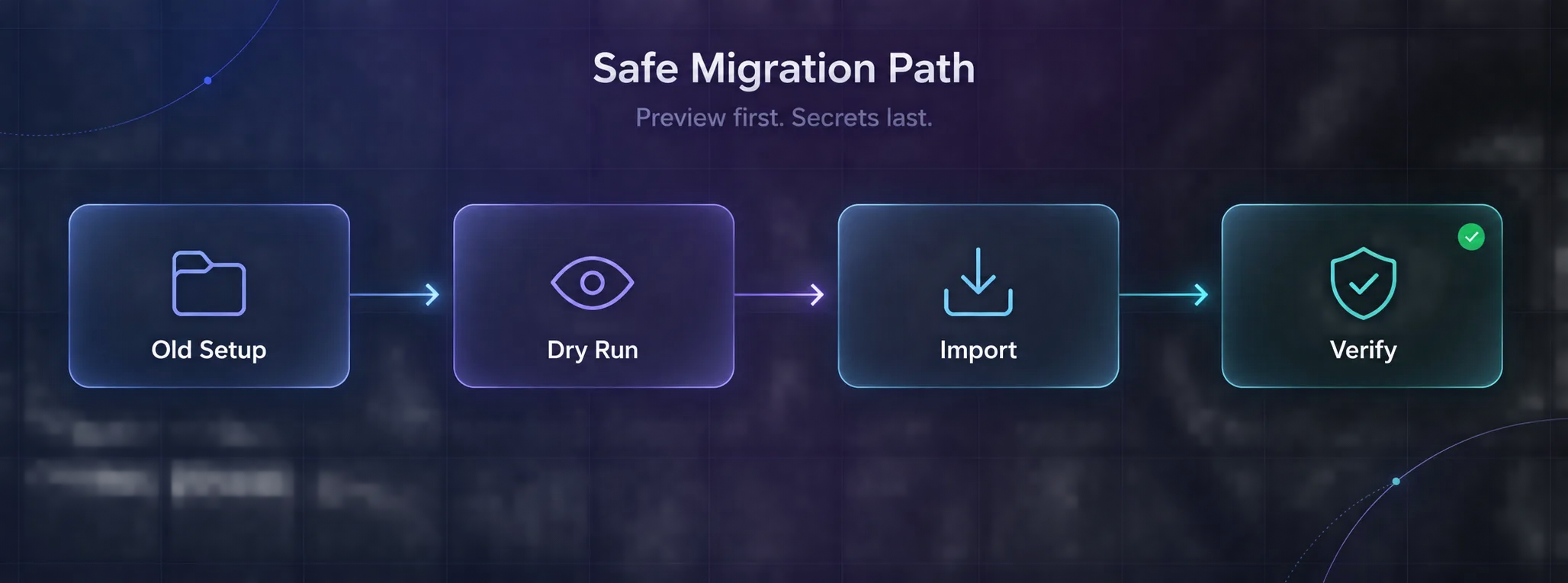
hermes claw migrate --dry-run
hermes claw migrate --preset user-data
hermes claw migrate --migrate-secrets
Always start with --dry-run. The importer will not overwrite existing Hermes data by default, and API keys are only copied when you explicitly pass --migrate-secrets.
| Comes across | Does not come across |
|---|---|
| SOUL.md, AGENTS.md and long-term memory | Cron job definitions |
| Skills, placed in an openclaw-imports folder | Plugins and webhooks |
| Model and custom provider settings | Memory backends and logging config |
| MCP server configurations | IDENTITY.md, TOOLS.md and HEARTBEAT.md (archived) |
| Telegram, Discord, Slack, Signal, Matrix and Mattermost tokens | Channel bindings and idle reset timers |
| Approval modes, allowlists and Docker sandbox config | WhatsApp pairing, which needs a fresh QR scan |
Two practical tips. Rebuild your cron jobs by hand, since they don’t migrate, and use it as a chance to prune the ones you no longer need. And review every imported skill before your first real task, especially anything that came from ClawHub.
The Network Problem Both Share
Here’s the part neither project’s docs dwell on. Most people eventually move their agent from a laptop to a VPS so it can run around the clock. At that point every web request leaves from a data center IP, and search engines, marketplaces, and social platforms classify those ranges quickly. Research tasks start hitting CAPTCHAs, 403 errors, and quietly partial pages, and the agent often reports success anyway.
The fix is the same for both: route web-facing traffic through residential or ISP proxies, keep sessions sticky for anything that logs in, and monitor response codes so failures surface. OpenClaw and Hermes can both drive an external browser over CDP, which means you can point either one at a proxied or antidetect browser profile instead of a bare headless Chrome. We cover provider picks in the best proxies for OpenClaw, and the browser side in antidetect browsers for AI agents and how AI agents manage multiple browser profiles.
If you’re new to why this happens, how anti-bot systems detect automated browsers explains the signals that give agents away.
Which One Should You Choose?
| Your situation | Better pick |
|---|---|
| You want an assistant on your phone and Mac | OpenClaw |
| You want to edit exactly what the agent remembers | OpenClaw |
| You rely on a specific community integration | OpenClaw |
| You run recurring jobs that should improve over time | Hermes Agent |
| You’re new to self-hosting and want safer defaults | Hermes Agent |
| You need commands isolated in containers or remote sandboxes | Hermes Agent |
| You already run OpenClaw and are curious | Try Hermes with a dry-run migration |
1Choose OpenClaw If
You want a personal assistant that lives across your devices, you value transparent file-based memory, and you’re willing to follow its hardening guidance and vet every skill you install. It remains the most complete assistant experience in open source.
2Choose Hermes Agent If
You want an agent that behaves like a long-running worker, handles scheduled jobs, and gets better with use. Its safer defaults make it the easier recommendation for anyone self-hosting an agent for the first time.
3Run Both If
Some people keep OpenClaw as the conversational assistant on their phone and give Hermes the unattended background jobs. If you do, give each its own credentials and machine or container, so a problem in one can’t reach the other.
Common Mistakes When Choosing a Self-Hosted Agent
1Assuming Self-Hosted Means Sandboxed
Running on your own hardware protects your data from a vendor. It does nothing to protect your machine from the agent. Both default to executing on the host, so configure a container backend before connecting real accounts.
2Installing Skills Without Reading Them
A skill can run whatever the agent can run. The ClawHavoc campaign succeeded because people followed installation steps they never inspected. Read the skill, check its source, and prefer maintained ones.
3Exposing the Gateway to the Internet
Researchers have repeatedly found agent gateways exposed publicly without authentication. Keep the gateway on localhost or behind a VPN or authenticated tunnel, and keep sender allowlists tight.
4Picking on Hype Instead of Workflow
Momentum in 2026 swung from OpenClaw toward Hermes, and it may swing again. Pick based on whether you need a controllable assistant or a compounding worker, not on which repo trended this week.
Frequently Asked Questions
The Verdict
If you’re choosing today with no existing setup, start with Hermes Agent. Its learning loop gives it a real edge on recurring work, and its defaults are kinder to people who haven’t hardened a self-hosted agent before.
If you want an AI assistant that feels like a product, living on your phone and desktop with a dashboard and a vast library of community skills, OpenClaw is still the richer experience. Just give it a sandbox and vet everything you install.
The good news is you don’t have to guess. If you already run OpenClaw, a hermes claw migrate --dry-run costs nothing and shows exactly what would move. Run Hermes in a container alongside your current setup for two weeks, compare what each gets done, and keep the one that earns its place. For the wider landscape, including managed options and n8n, see Grok Bot vs OpenClaw vs Hermes vs n8n and our earlier OpenClaw vs n8n comparison.
Keep Reading
More articles you might enjoy