ChatGPT Dots vs Grok Bot vs Meta Muse (2026)
OpenAI, xAI and Meta all launched always-on AI agents within seven weeks. We compare how Dots, Grok Bot and Muse work, what they cost, what they do with your data, and who each one suits.

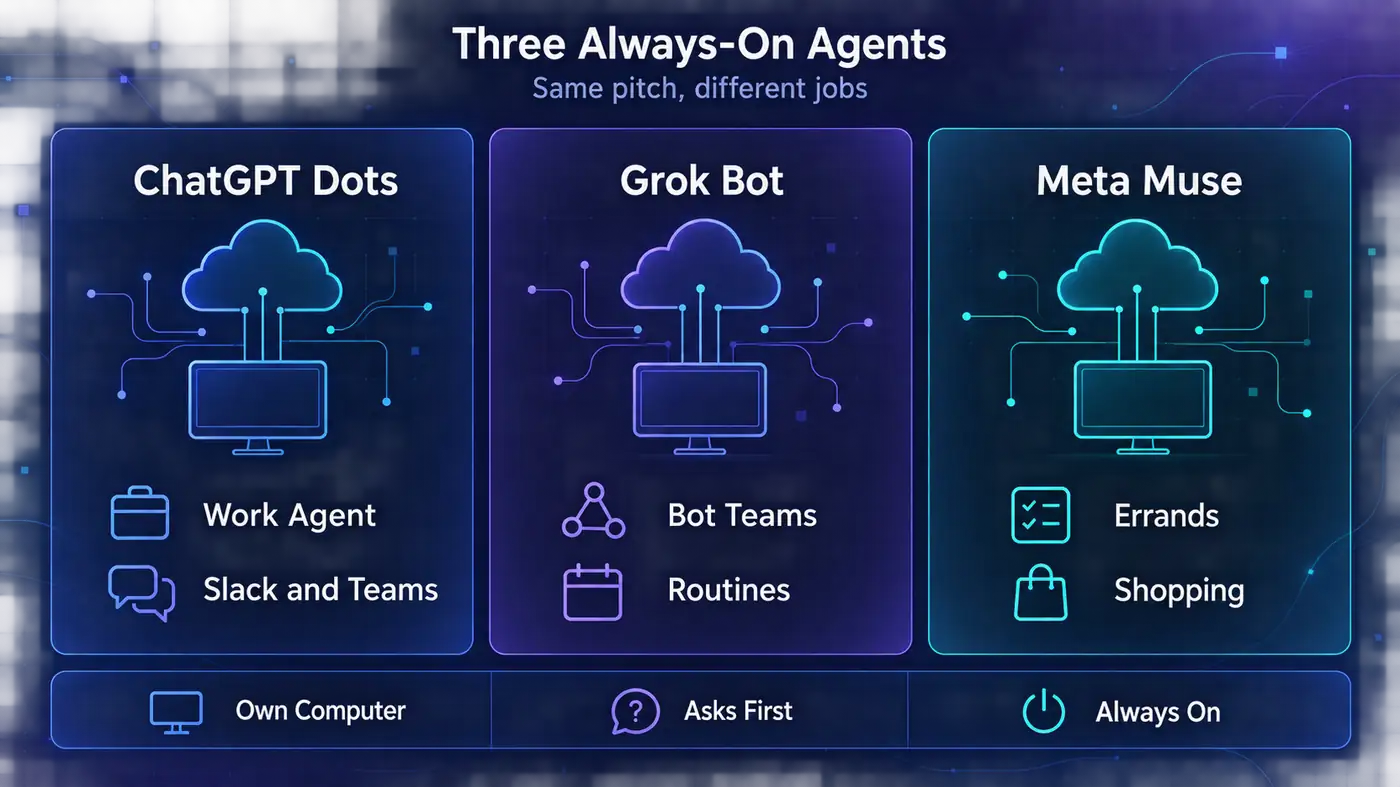
Three tech giants shipped the same idea in seven weeks.
xAI’s Grok Bot arrived on August 11, 2026. Meta’s Muse followed on September 8, and OpenAI’s dots landed on September 29. Each promises an AI agent with its own computer that keeps working after you close the app.
The pitches sound identical. The products aren’t. They run on different models, cost anywhere from nothing to $100 a month, and treat your data in very different ways.
Here’s how ChatGPT Dots, Grok Bot and Meta Muse really compare. One of them lists an ad-related detail in its App Store entry that its launch post never mentions.
- Dots is a work agent inside ChatGPT, Grok Bot is a team of bots for Cursor and SuperGrok users, and Muse is a consumer errand runner.
- Muse is the only one with a free tier. Dots needs a $100-a-month Pro plan or a Business Premium seat.
- All three are for adults only, and each hands passwords, payments or bot checks back to you.
- Muse trains on your data unless you opt out. Dots and Grok Bot follow your existing privacy settings.
We haven’t used these agents hands-on yet. This comparison draws on each company’s docs and help pages, checked on October 10, 2026, plus independent hands-on reviews.
Three Agents, Three Different Jobs
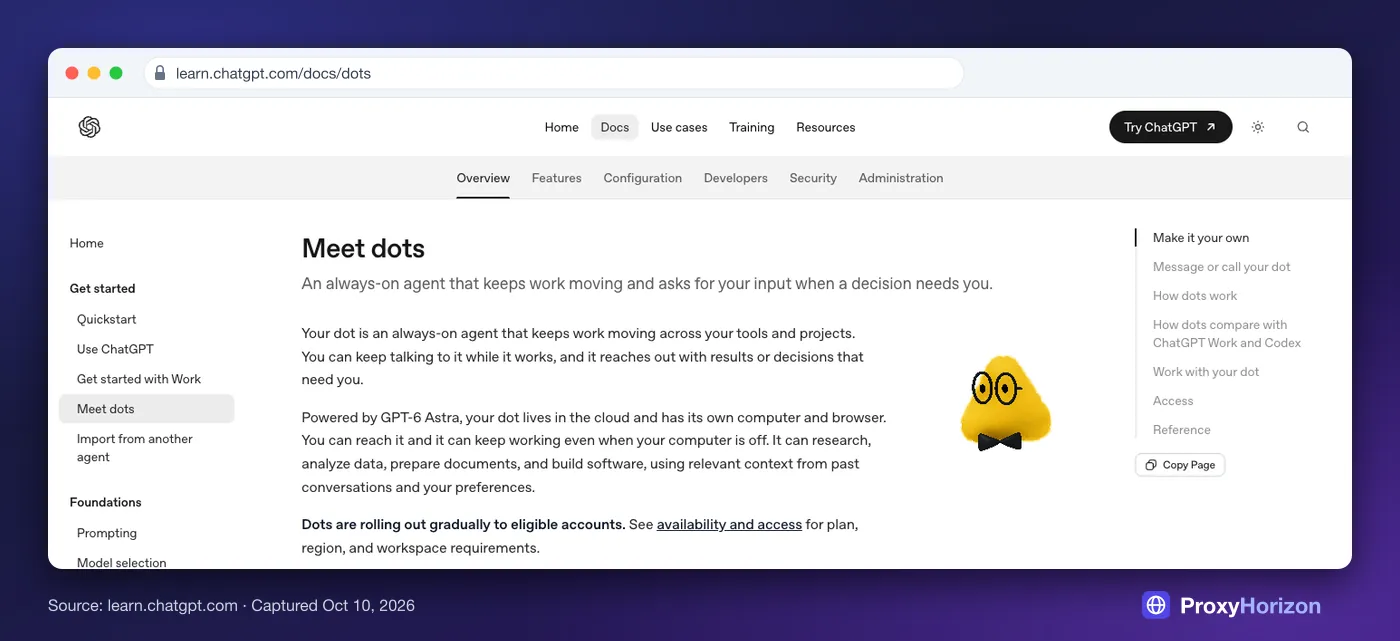
ChatGPT Dots are always-on agents inside ChatGPT. OpenAI announced them at DevDay on September 29, 2026, and each one runs on GPT-6 Astra with its own cloud computer and browser.
A dot learns from feedback and keeps working between conversations. You get one per person for now, and you can reach it in ChatGPT, Slack or Microsoft Teams.
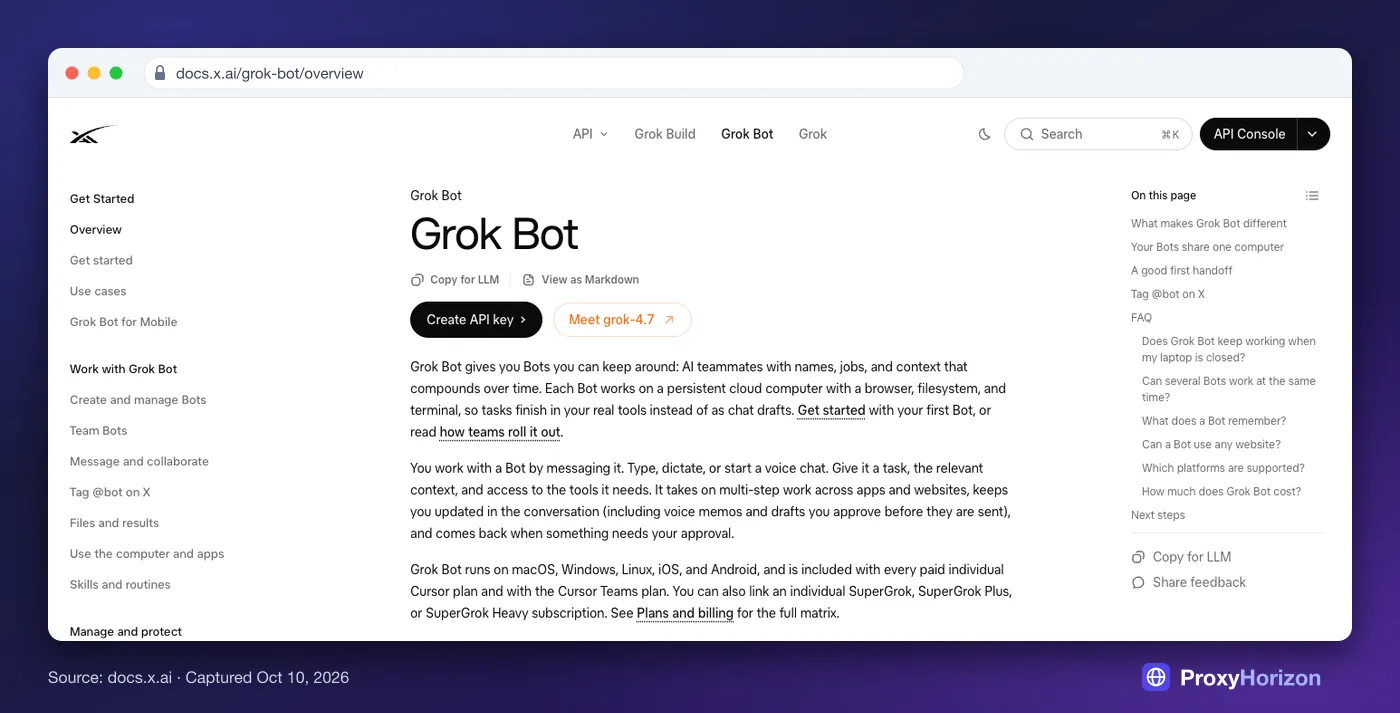
Grok Bot is xAI’s standalone agent app, built with Cursor. You create several named Bots that share one persistent cloud computer with a browser, filesystem and terminal.
The Bots work in parallel, message each other and can learn a browser workflow from a demonstration. It’s the same product we covered in Grok Bot vs OpenClaw vs Hermes vs n8n, now with much wider access.
Meta Muse is Meta’s personal AI agent, launched in the US and now available in Canada. It runs on Meta’s Muse Spark model inside a private cloud machine.
Muse handles errands like shopping, bookings and email. It’s free to start on iOS, Android, the web and WhatsApp.
In plain English: Dots is a coworker, Grok Bot is a small automation team, and Muse is a personal errand runner.
ChatGPT Dots vs Grok Bot vs Meta Muse at a Glance
| ChatGPT Dots | Grok Bot | Meta Muse | |
|---|---|---|---|
| Made by | OpenAI | xAI, with Cursor | Meta |
| Launched | Sep 29, 2026 | Aug 11, 2026 (beta) | Sep 8, 2026 |
| Model | GPT-6 Astra | Chosen per task, not shown | Muse Spark |
| Computer | Its own cloud computer, plus one of yours | One shared cloud computer per account | A private cloud machine |
| Agents | One dot per person | Many named Bots | One Muse |
| Where you use it | ChatGPT apps, Slack, Teams | Desktop, mobile, Slack, X | iOS, Android, web, WhatsApp |
| Cheapest way in | Pro at $100 a month | Cursor Pro at $20 a month | Free |
| Regions | Pro excludes the EEA, UK and Switzerland | No stated limits | US and Canada |
| Training on your data | Follows your ChatGPT setting | Follows Cursor Privacy Mode | On until you opt out |
ChatGPT Dots: The Always-On Coworker
 (opens in a new tab)
A dot behaves like a teammate who never logs off. You hand it ongoing work, and it keeps making progress between conversations.
In OpenAI’s words, it “asks for your input when a decision needs you.” It researches, analyzes data, prepares documents and builds software, and it can pass bigger jobs to ChatGPT Work or Codex.
OpenAI says dots connect to more than 4,000 apps through plugins. You can also link one personal computer, as long as the ChatGPT app is open on it.
An auto-review step decides whether each action can go ahead, needs your approval or must be handed to you. Password changes and moving money always come back to you.
Early reviews are split. Casey Newton at Platformer called dots “highly capable” and said one did about two hours of work for 15 minutes of his time.
Wired found its shopping test “a bit buggy.” The dot failed a CAPTCHA and couldn’t cancel a subscription.
- Strong at knowledge work: research, documents, data and code
- One memory across ChatGPT, Slack and Teams
- Clear approval rules for risky actions
- Dot chats don’t count toward ChatGPT limits
- Needs Pro at $100 a month or a Business Premium seat
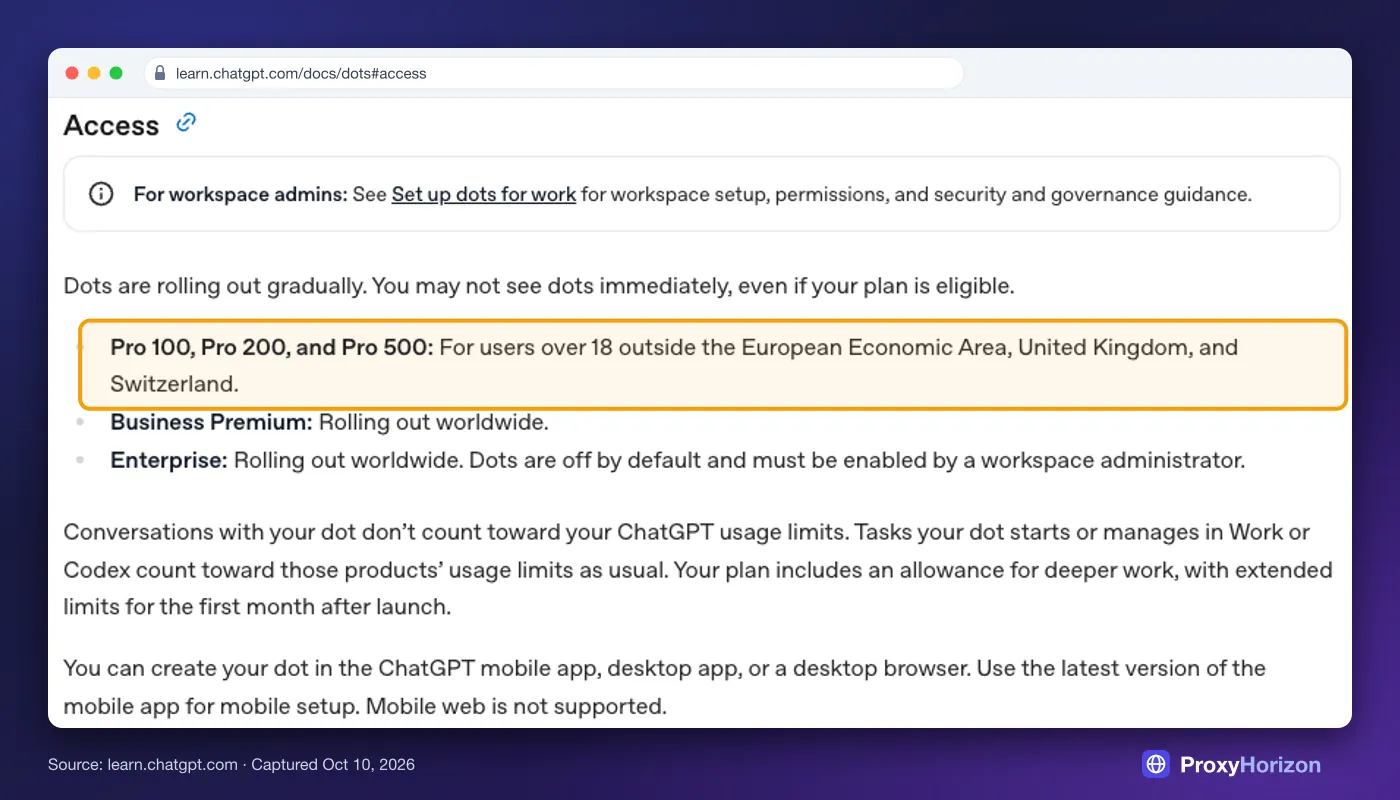
- Pro excludes the EEA, UK and Switzerland
- You can’t view or delete single memories yet
- One dot per person for now
Verdict
The best pick if your work already lives in ChatGPT, Slack or Teams.
Grok Bot: A Small Team of Bots on One Computer
 (opens in a new tab)
Grok Bot suits people who want several specialists rather than one assistant. You might run a research Bot, an inbox Bot and a reporting Bot side by side, sharing context in group chats.
Its standout feature is teaching by demonstration. You do a browser task once while the Bot records up to ten minutes of on-screen activity. Then you refine the draft skill and schedule it, with up to 50 routines per Bot.
Two details matter more than the marketing suggests. All your Bots share one computer, so files and logins are shared too. xAI’s Grok Bot FAQ says plainly: “Do not use separate Bots as a security boundary.”
The model is a moving target, too. Cursor’s docs say Grok Bot sends each task to whichever model it judges best, from xAI or other companies.
Elon Musk said in October that this includes Claude Opus 5.5. There’s no model picker, and you can’t see which model handled a request.
- Several named Bots that work in parallel and hand off tasks
- Learns browser workflows from a demonstration
- Routines on a schedule or on events
- Runs on macOS, Windows, Linux, iOS and Android
- Bots share one computer, including files and logins
- Usage is metered on your Cursor account, with overage billing
- No model picker and no record of which model ran
- Its cloud computers run in the US
Verdict
The best pick for Cursor or SuperGrok users who want repeatable automations.
Meta Muse: The Errand Runner in Your Pocket
 (opens in a new tab)
Muse is the consumer play. Meta says it “doesn’t just answer questions, it actually does the work.”
The examples are everyday ones: ordering groceries, booking travel, filling in forms, sending emails and even calling businesses for you.
Everything runs in a private cloud machine that Meta calls the Muse Secure VM. According to Meta’s launch post, a component called Sentinel must approve anything Muse sends to the internet.
Checkout uses one-time card numbers from Link by Stripe, plus Shop Pay and PayPal. Its connectors cover stores such as Walmart, Best Buy and Instacart.
People like it. Muse reached No. 1 on the US App Store, and Apptopia estimated 1.8M iOS downloads in its first 12 days.
Its first month was rough, though. Amazon blocked it as an “unauthorized AI agent,” and a researcher found a macOS flaw that Meta patched the next day. PCWorld advised against installing it on a Mac for now.
- Free to start, with $20 and $100 plans for heavy use
- Built for real errands: shopping, bookings, calls and email
- Every outbound request passes Meta’s Sentinel check
- Works in WhatsApp as well as its own apps
- Only available in the US and Canada
- Trains on your data unless you opt out
- Amazon blocks it as an unauthorized agent
- Deleted data may still shape what it remembers
Verdict
The best pick for everyday errands, if you’re comfortable with Meta holding the details.
What Each One Costs
The prices look simple until you read the metering rules:
| Agent | Cheapest way in | How usage is counted |
|---|---|---|
| ChatGPT Dots | ChatGPT Pro at $100 a month, or a Business Premium seat | Dot chats are free of ChatGPT limits; work handed to Work or Codex counts there |
| Grok Bot | Cursor Pro at $20 a month, or a linked SuperGrok plan (not Lite) | A weekly allowance on your Cursor account, with overage billed through Cursor |
| Meta Muse | Free | A free allowance, then Power at $20 a month (500M tokens a week) or Max at $100 (3B) |
Two caveats apply. OpenAI says pricing for extra dots and usage terms after the first month are still to come, so today’s generous limits may not last.
Meta says its Muse subscriptions are “in limited testing.” It hasn’t said how many tokens a typical task uses.
Europeans have one route to dots: a Business Premium workspace. It’s rolling out worldwide, even though Pro excludes the EEA, UK and Switzerland. OpenAI’s dots documentation lists the current rules.
Privacy: What Each Agent Keeps About You
All three need deep access to be useful: your email, your accounts, sometimes your computer. What happens to that data matters more than any feature list.
| Question | ChatGPT Dots | Grok Bot | Meta Muse |
|---|---|---|---|
| Trains on your data? | Follows your ChatGPT setting; off for business plans | Not with Cursor Privacy Mode on | Yes, until you opt out |
| Can you delete its memory? | Not single memories yet | Deleting a Bot can leave files and logins behind | It may still remember what you deleted |
| Where your logins go | A private form outside the chat | Cursor’s backend, on the shared computer | A credentials store in your machine |
| Always handed back to you | Password changes and moving money | Logins, 2FA, CAPTCHAs and payments | Sending email and buying need approval |
Muse deserves the closest look. Meta says it “doesn’t share your conversations or the data in your virtual machine with Meta ad systems.”
Yet the app’s App Store listing names Third-Party Advertising as a purpose for data including purchase history, precise location, contacts and browsing history.
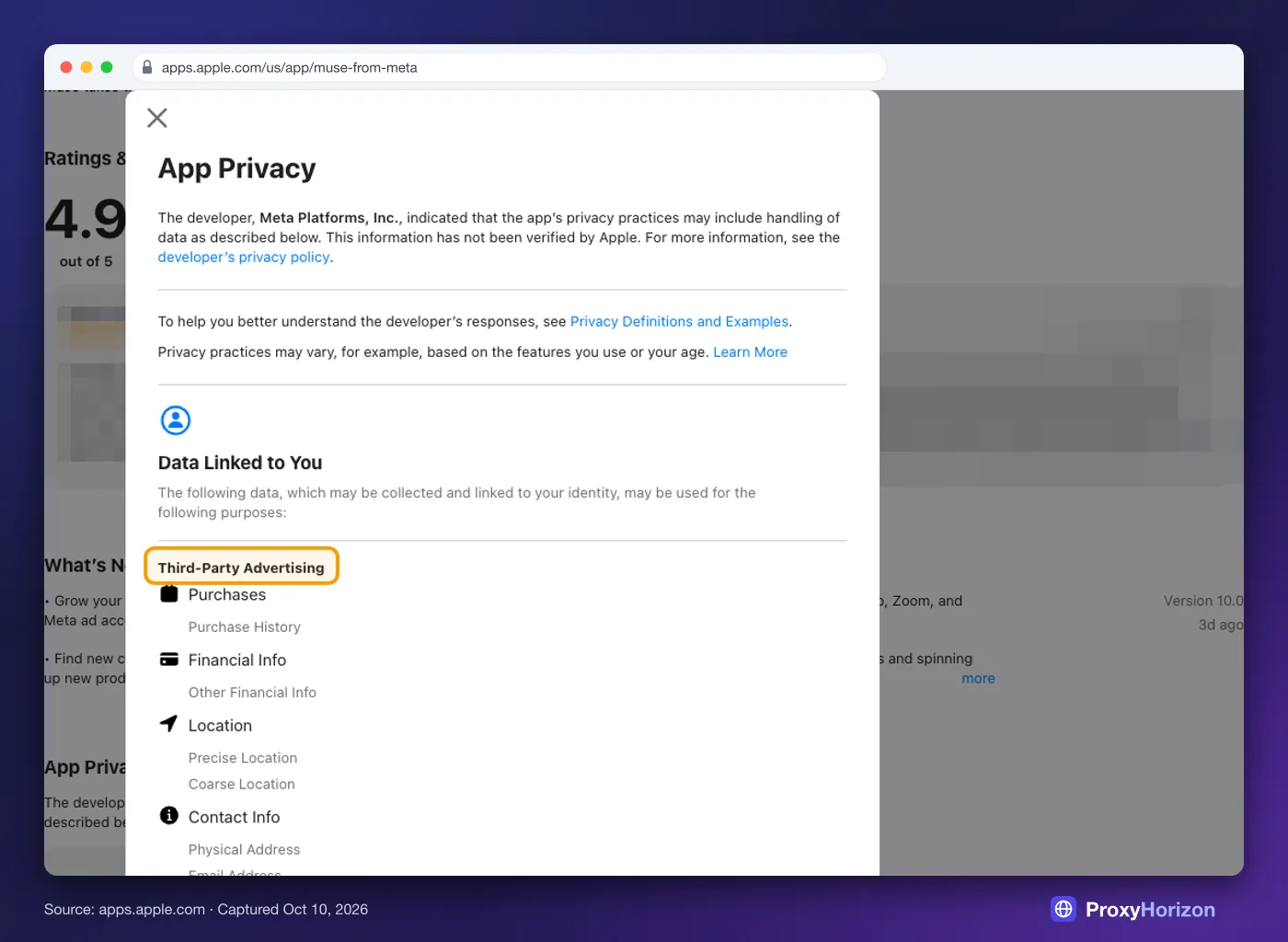
The label is self-reported and may cover app-level data rather than what sits in your Muse machine. So it isn’t proof of misuse, but it’s worth knowing before you connect your inbox.
Wired has also reported that Muse keeps “Relationships” profiles on people in your life, including people who don’t use Muse.
Dots and Grok Bot have gaps of their own, as the table shows. Our guide to privacy-first AI automation covers how to limit what any agent can reach.
How Websites See These Agents
Here’s the part most comparisons skip. Every one of these agents browses from a cloud computer, not your home connection, and websites notice.
Grok Bot’s security docs say its Bots use “shared static egress IPs,” with no dedicated address per customer. Those computers sit in the US.
Sites that judge trust by IP see a cloud address shared by many other users. It’s the same signal covered in our guide to how websites detect proxy traffic.
Dots browse in their own cloud browser, separate from yours, and hand sign-ins back to you through a private form. Muse routes every outbound request through Sentinel.
That control cuts both ways. Amazon blocked Muse partly because, it said, the agent doesn’t identify itself.
None of them try to beat bot checks, by design. xAI’s FAQ says the Bot should hand CAPTCHAs and other human checks to you “rather than bypassing them.” Wired’s dot simply failed a CAPTCHA.
Our guide to how anti-bot systems detect automated browsers explains why that’s getting harder. If you run several accounts, see how AI agents manage multiple browser profiles.
Region checks follow the same logic. Tagging @bot on X depends on the country X has on file for your account, not your IP, so a VPN won’t unlock it.
If you manage accounts across sites yourself, our proxy directory compares the residential IPs teams use to keep each one consistent.
Which One Should You Choose?
| If you… | Pick | Why |
|---|---|---|
| Work in ChatGPT, Slack or Teams all day | ChatGPT Dots | Strongest at knowledge work, with one memory across channels |
| Want several agents running repeatable jobs | Grok Bot | Many Bots, routines, team bots and teaching by demo |
| Want free help with shopping and errands | Meta Muse | A free tier and the deepest shopping connectors |
| Live in the EU or UK | Dots through Business Premium, or Grok Bot | Muse is US and Canada only |
| Handle sensitive client data | Wait | Memory deletion and independent audits are still thin |
1Choose ChatGPT Dots If
You already pay for ChatGPT Pro or Business Premium and your work runs through documents, data and chat tools. Dots fits teams that want one dependable agent rather than a fleet.
2Choose Grok Bot If
You use Cursor or SuperGrok, like building automations, and want separate Bots for separate jobs. Accept that you won’t control which model runs.
Keep sensitive logins off the shared computer. Our Grok Bot vs Claude Cowork vs ChatGPT Work comparison shows how it stacks up against other work agents.
3Choose Meta Muse If
You’re in the US or Canada and want help with errands more than work. Read the privacy section above first, then turn off training under Settings, then Data controls, on day one.
4Wait If
You handle client, health or financial data you’re not allowed to share. All three agents are weeks old, and none yet offers the deletion controls or independent audits that kind of data needs.
Mistakes to Avoid with Always-On Agents
1Connecting Your Main Inbox on Day One
An agent with your primary email can read years of history. Start with a secondary account or a narrow folder, and widen access once you trust its judgment.
2Clicking Always Allow Too Early
All three offer some version of “always allow.” Keep approvals on for anything that sends, shares or spends. Give the agent a few weeks of routine work first.
3Assuming Delete Means Forgotten
Deleting a dot doesn’t delete the files it made, deleting a Bot can leave logins behind, and Muse may still remember what you removed. Treat anything you connect as potentially permanent.
4Expecting Agents to Clear Bot Checks for You
CAPTCHAs, 2FA prompts and payment checks come back to you by design. Plan workflows around those hand-offs, or they’ll stall overnight while you sleep.
5Ignoring the Bill After the Launch Window
Dots’ extended limits apply to the first month, Grok Bot overage is billed through Cursor, and Muse counts tokens rather than tasks. Check your usage page weekly for the first month.
Frequently Asked Questions
The Bottom Line
These three agents share a pitch and little else. Dots is the coworker for ChatGPT users, Grok Bot is a toolkit for builders, and Muse is the free errand runner for US and Canadian consumers.
None of them is finished. Start with low-stakes tasks, keep approvals on for anything that sends or spends, and connect your most sensitive accounts last.
For a wider view of agents that browse for you, see our roundup of agentic browsers for AI automation.