Buffer Review 2026: Pricing, Features & Verdict
Our honest Buffer review for 2026: what it does well, where it falls short, real pricing, and who should (and should not) use it for social media scheduling.

Buffer
Very Good
Buffer is a clean, reliable social media scheduler that excels at simplicity and value for solopreneurs, creators, and small teams. Its free plan is genuinely useful and platform support is broad, but per-channel pricing scales quickly and analytics are basic, so agencies and data-driven marketers will likely outgrow it.
Pros
- Clean, genuinely easy-to-use interface
- Genuinely useful free plan for up to 3 channels
- Affordable entry pricing for solopreneurs and creators
- Broad, current platform support including Threads, Bluesky and Mastodon
- Built-in AI assistant for captions and repurposing
- Reliable scheduling with an elegant content queue
Cons
- Per-channel pricing adds up fast for many accounts
- Analytics are basic and gated to higher tiers
- Fewer advanced features than Hootsuite or Sprout Social
- Limited social inbox and engagement tools
- Deeper approval workflows only from the Team plan up
Our Verdict
Buffer is one of the best social media schedulers for individuals and small teams who prize simplicity, reliability, and a fair entry price, and its free plan makes it risk-free to try. It is not the right tool for large agencies or analytics-heavy marketers, who will hit its per-channel cost and feature ceiling. Match its focused approach to your needs and it is easy to recommend; expect more than focused scheduling and you will be disappointed. Start on the free plan and upgrade only when your channel count and reporting needs justify it.
Buffer has been scheduling social posts since 2010, which makes it ancient by software standards. It survived because it does one thing really well: it makes posting to several social accounts genuinely simple. No bloated dashboard, no steep learning curve, no enterprise sales call to get started.
But simple has trade-offs, and the social tooling market has gotten crowded. So the real question in 2026 isn't whether Buffer works. It's whether Buffer is the right fit for you, or whether its clean approach leaves you wanting more as you grow. Here's our honest take after weighing its features, pricing, and where it falls short.
Quick verdict: Buffer is the best social scheduler for solopreneurs, creators, and small teams who value simplicity and a fair price. Power users and agencies who need deep analytics and a unified inbox will outgrow it.
What Is Buffer?
Buffer is a social media management tool built around scheduling and publishing. You connect your accounts, drop posts into a queue, and Buffer publishes them at the times you set. That's the core, and it's polished.
Over the years it has added a link-in-bio Start Page, an AI assistant for writing captions, basic analytics, and light engagement tools. But it has stayed deliberately focused. Buffer is not trying to be an all-in-one social suite the way Hootsuite or Sprout Social are. It's trying to be the tool you actually enjoy opening, and for a lot of people that focus is exactly the appeal.
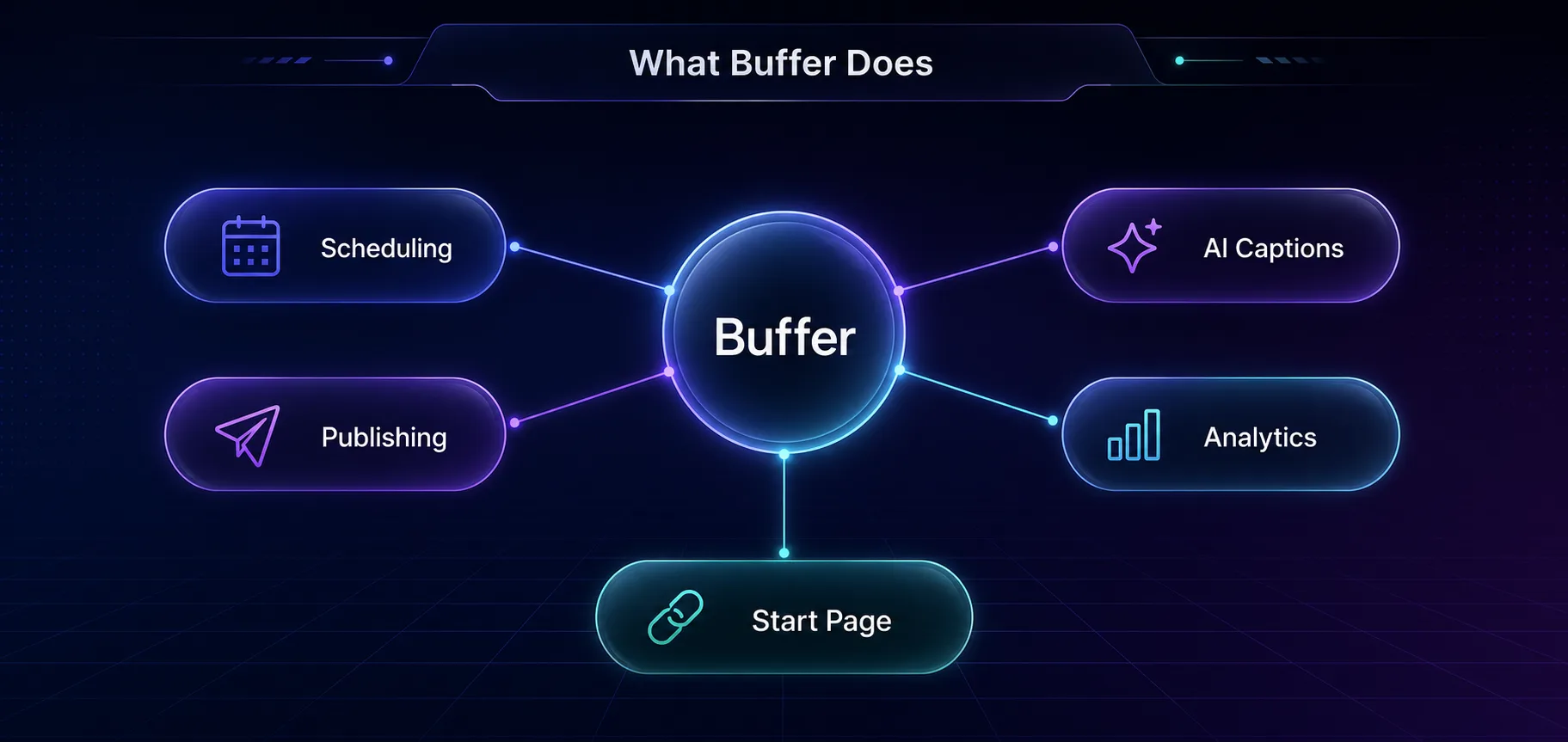
Buffer's Key Features
1Scheduling and the Content Queue
This is Buffer's heart. You set a posting schedule per channel, and anything you add slots into the next open time. It's a genuinely elegant model that keeps a steady cadence without you picking a time for every post. Bulk scheduling and drafts are there too.
2Broad Platform Support
Buffer covers the majors and then some: Instagram, Facebook, X, LinkedIn, Pinterest, TikTok, YouTube, and Google Business, plus newer networks like Threads, Bluesky, and Mastodon. That early support for emerging platforms is a real strength for creators who want to be everywhere.
3The AI Assistant
Buffer's built-in AI helps draft captions, repurpose a post for different networks, and generate ideas. It's not going to replace a copywriter, but for beating the blank-page problem and reformatting one post into five, it's a genuine time-saver that's baked right into the composer.
4Analytics
Buffer offers engagement, reach, and audience analytics with exportable reports. Here's the catch, and it's a big one: meaningful analytics live on the paid Analyze features and higher tiers. The free and entry plans give you very little, so if data drives your strategy, budget accordingly.
5Start Page and Engagement
Start Page is Buffer's free link-in-bio landing page, a nice extra for creators. There are also basic engagement tools for replying to comments, though this is an area where Buffer has pulled back over time and where dedicated tools do more.
Buffer Pricing
Buffer's pricing is per channel, which is the single most important thing to understand before you buy. A channel is one connected social account. The plans are cheap per channel, but the cost scales with how many accounts you run. Approximate pricing, billed annually (always check the current rates):
| Plan | Approx. Price | Best For |
|---|---|---|
| Free | $0, up to 3 channels | Trying it out, light personal use |
| Essentials | ~$5 per channel / month | Solopreneurs and creators |
| Team | ~$10 per channel / month | Teams needing collaboration and approvals |
| Agency | ~$100 / month for 10 channels | Agencies managing many clients |
The free plan is genuinely useful, not a crippled teaser. Three channels, basic scheduling, and the Start Page cost nothing, which is more than many rivals give away. Where it bites is scale: run ten channels on Essentials and you're paying for ten, so heavy multi-account operators should do the math first.
What Buffer Does Well
The interface is the star. Buffer is the tool people recommend to friends who find Hootsuite overwhelming, because you can connect an account and schedule a post within minutes. Nothing fights you.
The free plan and low entry price make it accessible, the platform support is broad and current, and the whole thing is reliable in the boring, important way: posts go out when they're supposed to. For a creator or small business, that combination is hard to beat.
Where Buffer Falls Short
Per-channel pricing is the honest sticking point. It's fair for a few accounts and expensive for many, so agencies feel it fastest. The analytics are the other real weakness: basic on paper and locked behind higher tiers in practice, so serious reporting needs a better tool or an add-on.
Buffer has also stepped back from engagement and social-inbox features over the years, so if you want to manage all your replies and DMs in one place, this isn't that tool. And compared with Sprout Social or Hootsuite, the advanced features (deep listening, robust approval chains, detailed team permissions) are thinner. Simplicity is the point, but you pay for it in ceiling.
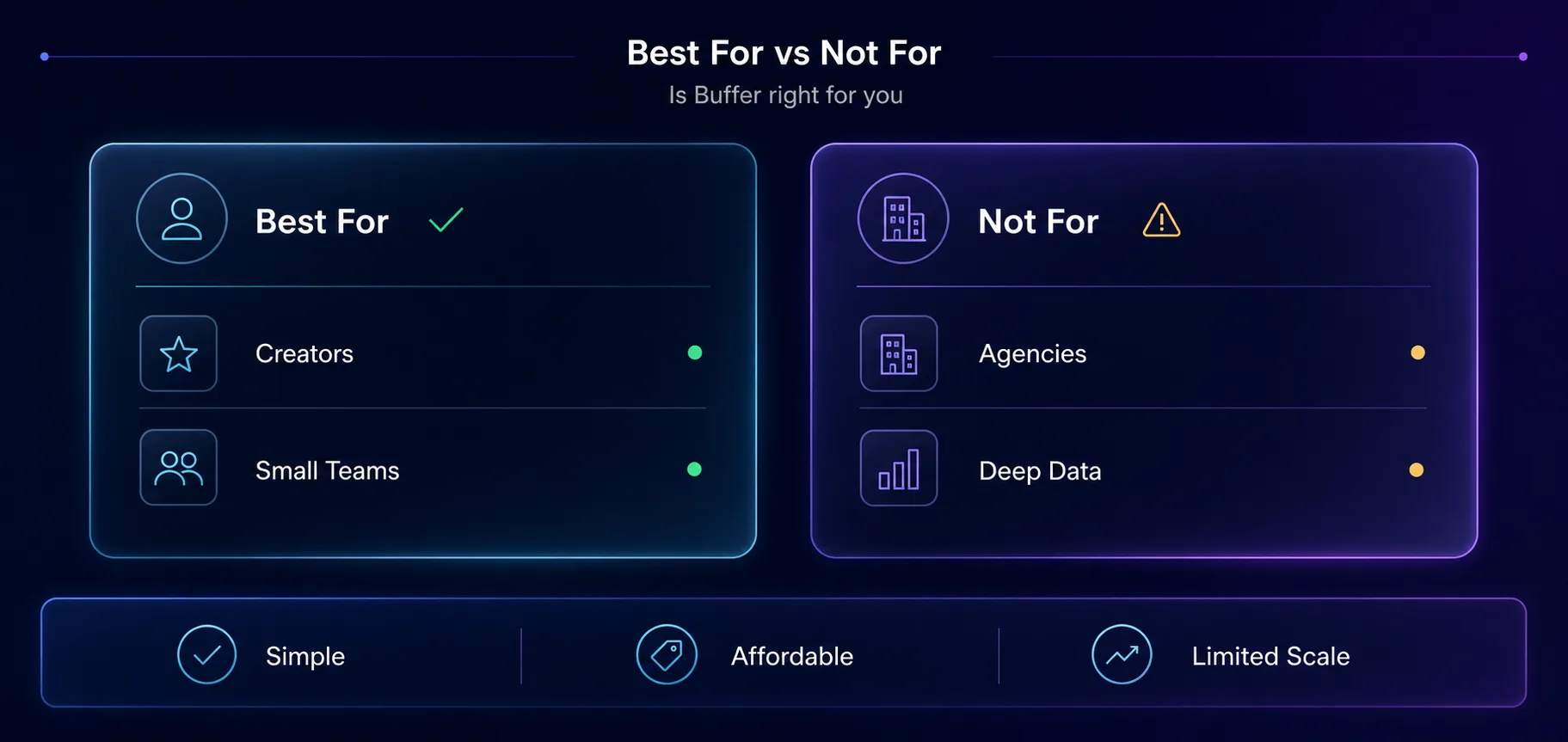
Who Buffer Is For
Best for: solopreneurs, content creators, and small businesses or teams who post to a handful of channels and want a clean, affordable, reliable scheduler without a learning curve.
Not ideal for: large agencies juggling dozens of client accounts, data-driven marketers who need deep analytics out of the box, or teams that want a full social inbox and advanced listening. If that's you, the per-channel cost and feature ceiling will frustrate you, and a heavier suite earns its price.
One note for anyone running many accounts across regions: scheduling tools like Buffer handle publishing, but they don't isolate account identities. If that's your use case, pair your workflow with an antidetect browser and proxies, and see our guide on running multiple Instagram accounts.
Buffer vs the Alternatives
If Buffer's limits push you elsewhere, here's the quick lay of the land so you can match a tool to the exact gap you hit:
| Tool | Strength | Best For |
|---|---|---|
| Buffer | Simplicity and value | Creators, small teams |
| Hootsuite | All-in-one suite, inbox | Larger teams |
| Sprout Social | Deep analytics, listening | Enterprise, reporting |
| Later | Visual, Instagram-first | Visual creators |
| Publer / Metricool | Scheduling with better analytics | Data-minded solos |
Is Buffer Worth It?
For the right user, absolutely. If you're a creator or small team who wants to keep a consistent posting rhythm across a few platforms without wrestling software, Buffer is close to ideal, and the free plan lets you prove that before paying a cent.
If you're an agency or a heavy analytics user, Buffer will feel limiting, and that's not a knock on the product. It's a focused tool that knows what it is. The trick is matching that focus to your needs.
Frequently Asked Questions
The Bottom Line
Buffer has lasted more than a decade by refusing to become bloated, and that discipline is still its biggest selling point. It's the social scheduler that gets out of your way, backed by a free plan that lets you try before you buy and platform support that keeps up with where audiences actually are.
Just go in clear-eyed about the two trade-offs: per-channel pricing that scales with your account count, and analytics that need a higher tier to be genuinely useful. Weigh those against how much you value simplicity. For creators and small teams, Buffer earns a confident recommendation. For agencies and data-heavy marketers, test it against a fuller suite before you commit.
Want to see for yourself? The free plan is the best way to judge it. If you manage social at scale across many accounts, also read our guides on antidetect browsers for Facebook and proxies for TikTok automation to round out your stack.
Keep Reading
More articles you might enjoy