Best Antidetect Browsers to Manage Facebook Accounts (2026)
The best antidetect browsers for managing Facebook accounts in 2026, compared for fingerprint quality, proxy integration, and ad-account features, with setup tips.
Facebook is ruthless with multiple accounts. Log two profiles in from the same browser and it links them through cookies, device signals, and your IP. One gets flagged, and the ban cascades to the rest, ad accounts included. Anyone running client pages, media-buying accounts, or a portfolio of profiles has felt this.
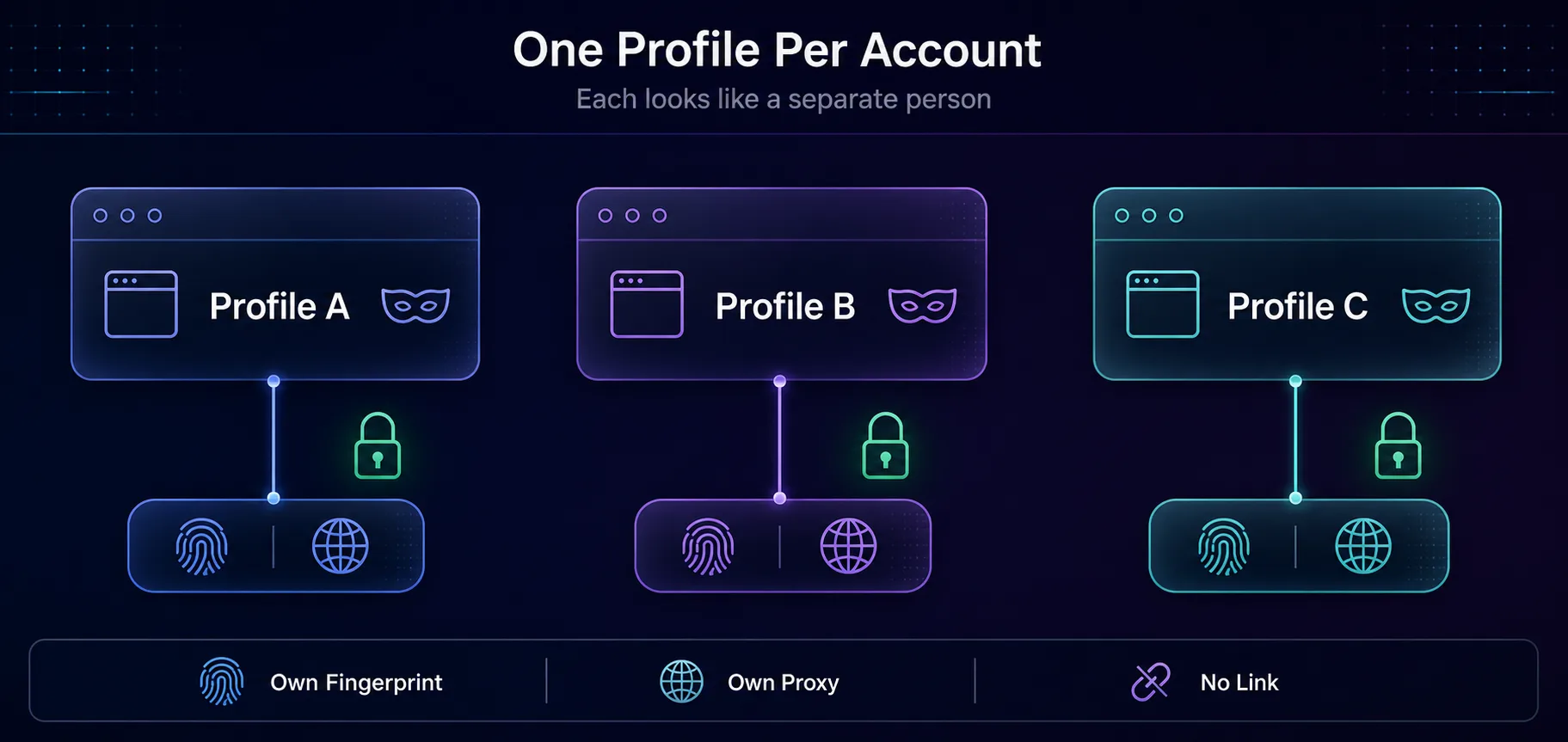
An antidetect browser is how professionals get around it. It gives each account its own isolated browser profile with a unique fingerprint, so Facebook sees separate, unrelated users instead of one person juggling ten logins. Pair it with a clean proxy per profile and the accounts stop looking connected.
This guide covers the antidetect browsers worth using for Facebook in 2026, what actually matters for this platform, how to set profiles up so they survive, and the honest bit about where Facebook's rules sit. Let's start with why the bans happen in the first place.
Why Facebook Links Your Accounts
Facebook doesn't just check your IP. It builds a detailed picture of your browser and device, then matches accounts that share it. If ten profiles all report the same canvas fingerprint, the same fonts, the same WebGL renderer, and the same timezone, the connection is obvious no matter how many IPs you rotate through.
That fingerprint is the real problem, and it's why a VPN alone never works for this. Our explainer on how platforms detect multiple accounts goes deeper, but the short version is this: to run many accounts, each one needs a genuinely different browser identity, not just a different IP.
What an Antidetect Browser Actually Does
An antidetect browser creates separate profiles, each with its own spoofed or isolated fingerprint. Different canvas and WebGL values, different user agent, different fonts and screen size, all kept in walled-off environments with separate cookies and storage.
To Facebook, each profile looks like a distinct device belonging to a distinct person. Assign a dedicated proxy to each and the picture is complete: separate identity, separate location, no shared signals. That's the combination that keeps accounts alive. For the full mechanics, see how antidetect browsers work.
What Matters for Facebook Specifically
1Fingerprint Quality
Facebook's detection is among the most sophisticated anywhere, so weak or inconsistent fingerprints get caught. You want a browser whose profiles hold up under real scrutiny, not one that leaks mismatched values.
2Proxy Integration
Every profile needs its own proxy. Look for built-in proxy management that makes assigning a residential or mobile IP per profile painless, because doing it by hand across dozens of accounts is a nightmare.
3Team and Automation Features
Agencies share profiles across staff without sharing passwords, and media buyers automate repetitive actions. If that's you, prioritise role-based access, profile sharing, and an automation API.
4Bulk Profile Management
Managing five accounts is easy. Managing a hundred needs folders, tags, bulk actions, and a dashboard that doesn't fall over. Scale is where cheap tools break.
Best Antidetect Browsers for Facebook in 2026
How we picked: we weighed fingerprint quality and consistency, proxy integration, team and automation features, bulk management, and reputation specifically on Facebook and its ad platform. Where our read is based on documentation and public reputation rather than a live ban test, we say so. Some links are affiliate links and we may earn a commission, which never changes our rankings.
1Multilogin

Best for agencies. Multilogin is the veteran, and its fingerprinting is still the benchmark others are measured against. Its Mimic and Stealthfox engines produce consistent, convincing profiles that hold up against Facebook's toughest checks, and the team features are built for shops managing client accounts at scale.
It's the premium option, and the price reflects that. For a solo user with a handful of profiles it can be overkill, but for an agency running dozens of Facebook ad accounts where a ban is expensive, the reliability pays for itself. Compare it in our guide to choosing an antidetect browser.
2AdsPower

Best for Facebook ad accounts. AdsPower has become the default for e-commerce and media buyers, and for good reason. It combines solid fingerprinting with a genuinely useful automation layer (RPA templates and an API) that automates the repetitive parts of ad-account management, plus a free tier to start on.
Bulk profile creation and management are strong, which matters when you're spinning up ad accounts regularly. The trade-off is that its sheer feature depth has a learning curve. For anyone whose Facebook work is ad-account heavy, it's the natural pick.
3Dolphin Anty

Best for media buyers. Dolphin Anty was built with Facebook advertising front of mind, and it shows. It ships with features aimed squarely at media buyers, including a built-in Facebook ad-account manager, bulk actions, and cookie handling tuned for social platforms, all at accessible pricing.
The free plan is generous enough for smaller operations to run seriously. Our take: if your entire workflow is Facebook ads, Dolphin's purpose-built tooling saves real time that a general antidetect browser doesn't.
4GoLogin

Best value. GoLogin delivers reliable fingerprinting and clean profile management at a friendlier price than the premium tier, with a cloud-based option that lets you access profiles from anywhere. It's a strong entry point for individuals and small teams.
The honest caveat: its fingerprinting, while good, isn't quite at Multilogin's level for the very hardest targets. For most Facebook account management, though, it's more than enough and easier on the budget.
5Octo Browser
Best for profile quality. Octo Browser has earned a strong reputation for fingerprint quality and fast, frequent updates that keep pace with detection changes. Profiles feel stable and current, which is exactly what you want when the target keeps moving.
It's priced in the mid-to-premium band and leans toward serious users rather than casual ones. If you've been burned by stale fingerprints elsewhere, Octo's freshness is a genuine differentiator.
6Kameleo

Best for mobile profiles. Kameleo stands out for its mobile profile support, letting you emulate Android and iOS device fingerprints convincingly. Since a large share of Facebook traffic is mobile, profiles that look like phones can blend in especially well.
It also offers a solid API for automation. The interface is less polished than some rivals, but for anyone who needs authentic mobile fingerprints in the mix, Kameleo covers a gap the others don't.
Facebook Antidetect Browsers Compared
| Browser | Best For | Free Tier |
|---|---|---|
| Multilogin | Agencies, hardest targets | No |
| AdsPower | Facebook ad accounts | Yes |
| Dolphin Anty | Media buyers | Yes |
| GoLogin | Value, small teams | Limited |
| Octo Browser | Profile quality | No |
| Kameleo | Mobile profiles | No |
The Browser Is Only Half the Setup
Here's what trips up beginners: an antidetect browser handles the fingerprint, but it does nothing about your IP. Log five isolated profiles in from the same home connection and Facebook still sees five accounts on one IP. That's a link, and a strong one.
Each profile needs its own proxy. Residential proxies work well for Facebook, and mobile proxies carry the highest trust because carrier IPs are shared by thousands of real users. The rule is simple: one profile, one proxy, one consistent identity.
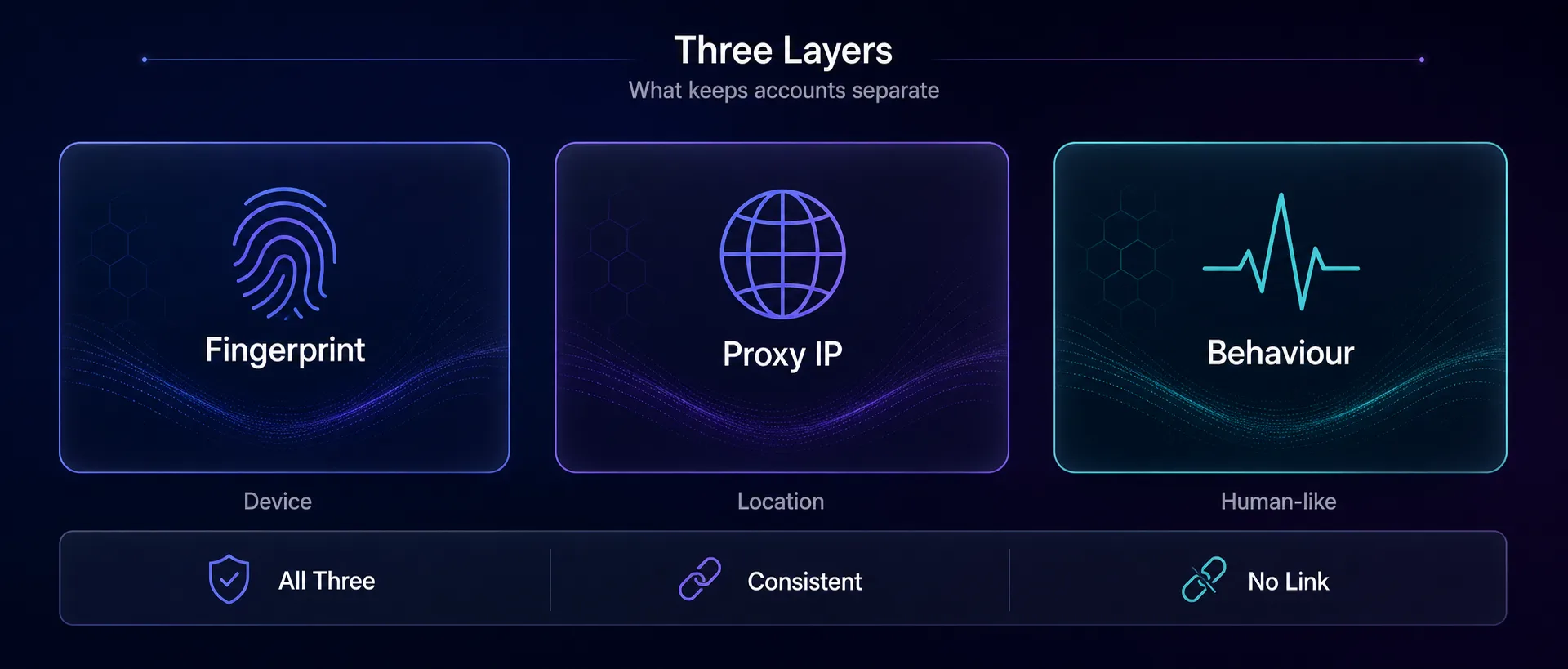
| Layer | What it hides | Tool |
|---|---|---|
| Fingerprint | Device and browser identity | Antidetect browser |
| IP address | Location and network identity | Residential or mobile proxy |
| Behaviour | Human vs bot patterns | Sensible pacing and warm-up |
Get all three right and accounts read as separate people. Miss one and the others can't save you.
How to Set Profiles Up so They Survive
1One Proxy Per Profile, Always
Assign a dedicated residential or mobile IP to each profile and keep it consistent. Never share an IP across accounts, and never let it change randomly mid-session.
2Warm Accounts Up Slowly
A brand-new profile that immediately runs ads or sends fifty friend requests looks automated. Build activity gradually, the way a real person would.
3Keep Each Identity Consistent
Same proxy, same fingerprint, same behaviour per account. Consistency is what trust is built on. Switching any of them mid-stream is a red flag.
4Match the Proxy Location to the Account
An account that claims to be in one country but connects from another is an easy inconsistency for Facebook to spot. Keep geography aligned.
Mistakes That Get Facebook Accounts Banned
1Skipping Proxies Entirely
The most common and most costly error. A perfect fingerprint on a shared IP still links your accounts. The proxy isn't optional.
2Reusing the Same Proxy Across Profiles
Sharing one IP across accounts defeats the whole point. Each profile needs its own, or Facebook connects them through the shared address.
3Buying the Cheapest Antidetect Browser
Weak fingerprinting is worse than none, because it lulls you into a false sense of safety while leaking mismatched values. On a target as sharp as Facebook, profile quality is the whole game.
4Moving Too Fast on New Accounts
Aggressive activity on a fresh profile triggers review no matter how clean the setup. Ramp up like a human, not a bot.
5Ignoring Cookies and History
A pristine profile with zero browsing history looks synthetic. Good antidetect browsers let profiles build natural cookies and history over time, which helps them blend in.
Is This Against Facebook's Rules?
Let's be straight about it. Facebook's terms permit one personal account per person, so running multiple personal profiles goes against those rules, even where it isn't illegal. Managing multiple business and ad accounts through Business Manager, on the other hand, is a normal, sanctioned part of how agencies operate.
Antidetect browsers themselves are legal, general-purpose privacy and testing tools. What matters is how you use them. We don't encourage anything that breaks a platform's rules, and if you're running client ad accounts, the compliant path is proper Business Manager structure with antidetect profiles for clean separation, not fake personal accounts.
Our take: the tool is neutral, the use case is on you. For legitimate agency and multi-brand ad management, an antidetect browser plus proper Business Manager hygiene is standard practice. Read Facebook's terms and stay on the right side of them.
Frequently Asked Questions
The Bottom Line
Managing Facebook accounts safely comes down to one idea: make each account look like a separate person on a separate device. An antidetect browser handles the fingerprint, a dedicated proxy handles the IP, and sensible behaviour handles the rest.
For agencies and the hardest targets, Multilogin and Octo Browser lead on quality. For ad accounts, AdsPower and Dolphin Anty are purpose-built. GoLogin is the value pick, and Kameleo covers mobile profiles. Whichever you choose, remember the browser is only half the job. Pair it with clean proxies, one per profile, and warm accounts up like a human.
Ready to set up? Compare tools in our antidetect browser directory, pick a residential or mobile pool from the proxy directory, or read our roundup of the top browsers for multi-account management to go deeper.
Keep Reading
More articles you might enjoy