Best Proxies for TikTok Automation in 2026
The best proxies for TikTok automation in 2026 — mobile-first picks for running multiple accounts and schedulers without bans, plus how to stay unflagged.

TikTok is ruthless about automation. Run more than one account from a single IP — or fire bot-like actions from a datacenter address — and the app links your accounts, throttles them, or bans the lot. If you manage multiple TikTok accounts, run posting schedulers, or grow channels at scale, the proxy underneath is what keeps you alive.
Here is the short version most guides bury: for TikTok automation, mobile proxies win. TikTok is a mobile-first app, so traffic from real 4G/5G carrier IPs looks exactly like a normal user, while datacenter IPs stand out instantly. This guide keeps it tight — the five proxy services we would actually trust for TikTok automation in 2026, what to look for, and how to stay unbanned.
Why TikTok Automation Needs the Right Proxy
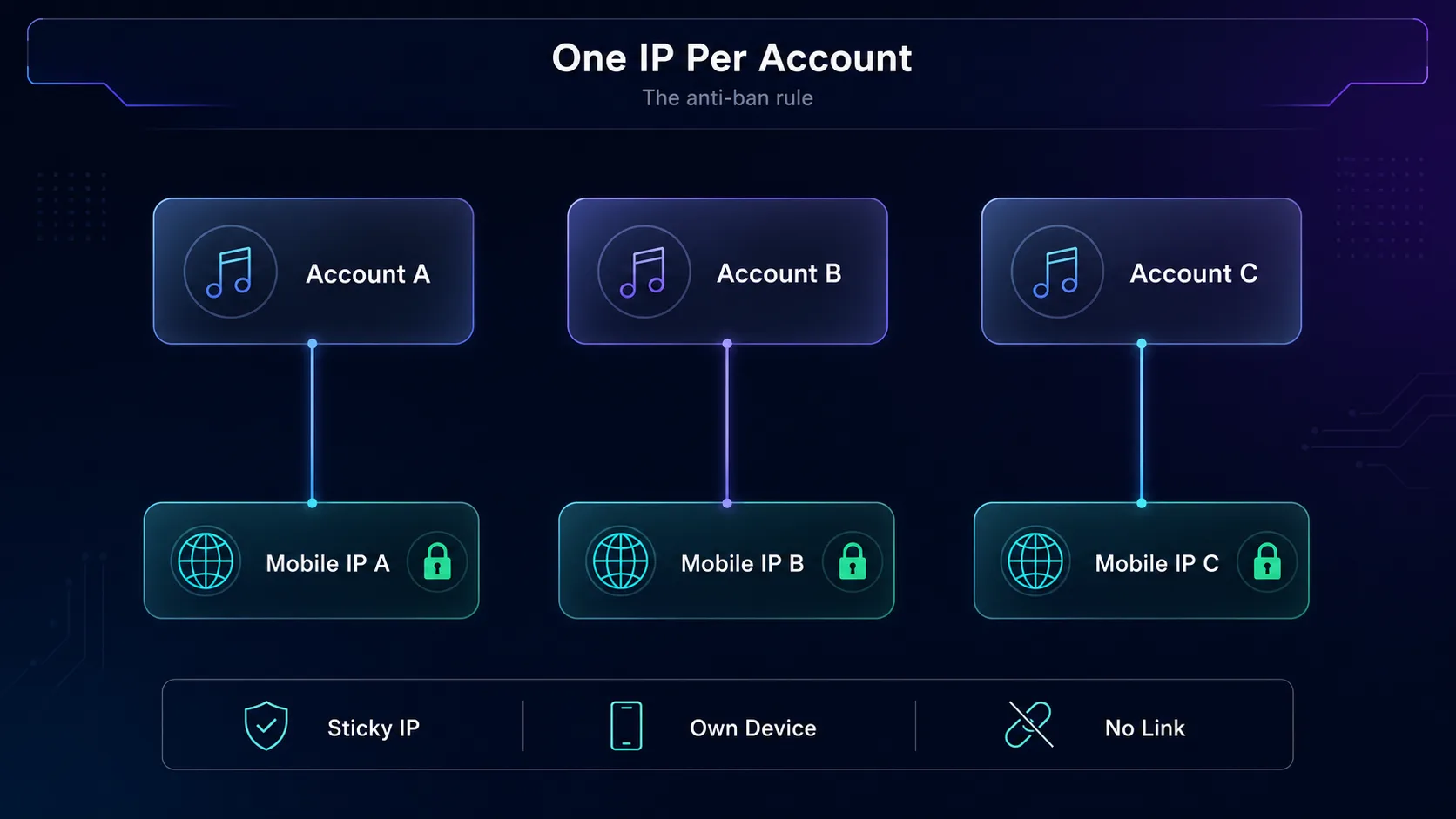
TikTok links accounts by IP, device, and behavior. Automate several accounts on one address and they fall together. A good proxy gives each account its own trusted IP so the platform treats them as separate, real people.
Our take: use mobile proxies for aggressive automation and residential proxies for lighter multi-account work. Skip datacenter IPs entirely for anything account-related — they are the fastest way to a ban.
| Proxy Type | TikTok Trust | Best For |
|---|---|---|
| Mobile (4G/5G) | Highest | Heavy automation, many accounts |
| Residential | High | A few accounts, lighter workloads |
| Datacenter | Low | Avoid for account work |
What to Look For
1Mobile or residential IPs
High-trust IPs that look like real users. Mobile is the gold standard for TikTok; residential is the solid, cheaper backup.
2Sticky sessions
Each account needs a stable IP that holds for the session, not one that rotates mid-task and trips TikTok's alarms.
3Good geo-coverage
Match each account's IP to its target country so location and content stay consistent.
The Best Proxies for TikTok Automation in 2026
How we picked: we weighed IP trust (mobile and residential sourcing), sticky-session support, geo-coverage, and anti-ban reputation on social platforms. Some links are affiliate links and we may earn a commission. Disclosure: Thordata’s #1 position is a sponsored placement. It meets the same criteria as every other provider here, but its ranking is paid.
1Thordata

Best for scaling gradually on a metered budget. Thordata keeps real 4G/5G mobile proxies and residential proxies under one account, both pay-as-you-go with no contract. Mobile is the proxy type we recommend for aggressive TikTok automation, and it starts at $5.00/GB, falling to $2.20/GB at 500 GB. Residential starts at $2.00/GB with a 1 GB minimum and drops to $1.50/GB at 50 GB and $0.65/GB at 5 TB. That means a two-person team can buy 1 GB of residential or a few gigabytes of mobile and confirm its target countries work before moving a whole account matrix over.
It also covers the two mechanics that matter most for running many accounts. Sticky sessions hold for up to 90 minutes, so each account keeps one stable exit through a full warm-up or posting session. Country and city targeting lets each IP match the market the account posts into. For long-lived seller accounts that benefit from one familiar address, static ISP IPs start at $1.50 per IP. There’s a free trial, including 5,000 free Web Scraper API credits for testing data collection. The trade-off is that Thordata is a younger network than the enterprise vendors below, and its published pool and coverage figures vary between its own materials and third-party reviews. If your accounts target a narrow set of cities, check those regions on the trial rather than trusting a headline number.
2PyProxy

Best for budget automation. PyProxy backs a 90M+ residential pool with dedicated mobile IPs and native SOCKS5, a mix that suits TikTok automation on a mobile-first app. You can rotate through the pool or hold a sticky IP per account, so each account stays on its own trusted address. It is a value-focused provider, so the dashboard and support are leaner than the enterprise names and mobile country depth is narrower, so confirm your target regions first. For cost-conscious automation at volume, it earns its place.
3Decodo

Best all-rounder. Decodo (formerly Smartproxy) pairs clean residential and mobile IPs with an easy dashboard and sticky sessions, making it the natural pick for managing several TikTok accounts without a steep learning curve. Great geo-coverage and beginner-friendly pricing make it the safest starting point for most people. Power users running very aggressive automation may eventually want dedicated mobile IPs, but for everyday multi-account management it does everything you need.
4IPRoyal

Best budget option. IPRoyal's non-expiring residential traffic and cheap mobile plans make it ideal if you run automation occasionally rather than around the clock. Coverage spans 195 countries with sticky sessions, so you can keep each account consistent without overspending. The pool is smaller than the giants, so very high-concurrency automation may see more retries, but for moderate volume it is hard to beat on price. The non-expiring model is especially forgiving if your workload comes in bursts.
5SOAX

Best for precise targeting. SOAX offers a large, clean pool of residential and mobile IPs with granular country, city, and ISP targeting — invaluable when your TikTok accounts need to look convincingly local. Its filtered, whitelisted IPs keep quality high, which matters when a flaky IP means a flagged account. Pricing sits in the mid-to-premium band, so it is less of a casual pick and more of a precision tool for serious operators who care exactly where their accounts appear to be.
6NodeMaven

Best for stable sessions. NodeMaven's long sticky sessions and filter-first approach screen out low-quality IPs before they reach you, which is exactly what multi-account TikTok work needs. Both residential and mobile are available, so you can match IP trust to each account's risk level. It is newer and smaller than the household names, but that account-focused design is a genuine strength when session stability is what keeps your accounts alive.
Quick Comparison
| Provider | Best IP Type | Best For |
|---|---|---|
| Thordata | Residential + Mobile | Gradual scaling on a metered budget, with per-account sticky IPs and city-level geo-matching |
| PyProxy | Residential + Mobile | Budget automation |
| Decodo | Residential + Mobile | All-round multi-account |
| IPRoyal | Residential + Mobile | Budget, occasional use |
| SOAX | Residential + Mobile | Precise geo-targeting |
| NodeMaven | Residential + Mobile | Stable multi-account sessions |
Tips to Stay Unbanned
- One sticky IP per account. Never share an IP across accounts — that is the fastest way to get them linked.
- Warm accounts up slowly. Sudden bursts of activity from a fresh account look automated.
- Match geo to content. Keep each account's IP country consistent with its audience.
- Mind your fingerprint. Pair proxies with separate device or browser profiles — the IP is one signal among many, as our guide to how platforms detect multiple accounts explains.
- Pace your actions. Human-like delays beat raw speed every time.
- Test regions before you scale. Buy a small amount of metered residential or mobile traffic first and confirm your target cities have IPs. It lets you keep one sticky IP per account without committing to a volume plan.
Frequently Asked Questions
Conclusion
For TikTok automation, trust beats everything. Thordata is our top pick for scaling gradually on pay-as-you-go mobile and residential traffic; PyProxy is the best budget option for mobile-first automation; Decodo is the best all-round choice; IPRoyal wins on budget; SOAX nails precise targeting; and NodeMaven keeps sessions stable. Whichever you choose, stick to the fundamentals: one sticky IP per account, mobile or residential over datacenter, and human-like pacing.
Ready to pick? Compare live specs in our proxy directory, or line two providers up with our comparison tool. Start with one account, test your setup, and scale what works.
Keep Reading
More articles you might enjoy