The Best Data Extraction APIs to Try in 2026
Nine data extraction APIs for web pages and documents, sorted by where your data lives. Real per-page and per-record costs, the three extraction approaches, and how to stop AI extraction from inventing values.
![The Best Data Extraction APIs to Try in [year]](/_next/image?url=https%3A%2F%2Fproxyhorizon.com%2Fcdn%2Fblog-images%2Fbest-data-extraction-apis-1-mufdevwh.webp&w=3840&q=75)
Search for data extraction APIs and you’ll find two different internets.
Half the results pull prices and reviews off web pages. The other half read invoices, contracts and scanned forms. Both call it data extraction, and neither mentions the other.
That’s a problem, because a tool from the wrong half fails in ways that cost real money. A web scraper chokes on a scanned PDF. An invoice parser can’t get past a bot check.
So this guide covers both halves, starting with the one question that sorts them. Where does your data live?
There’s also a pricing trap that catches almost everyone. The price per page isn’t the price per record, and we’ll show you the math.
- Web pages and documents need different extraction APIs, and few tools do both well.
- Firecrawl is the easiest way to turn any web page into JSON that matches your own schema.
- Diffbot and Zyte extract common page types like products and articles without any schema at all.
- For PDFs and scans, Reducto and LlamaParse lead on messy layouts, and Amazon Textract is the cheap baseline.
- LLM-based extraction can invent values, so check the output before you trust it.
Web Pages or Documents? The Split That Decides Everything
Start with your source, not a brand name. The two halves of this market solve different problems, and the tools rarely cross over well.
Web extraction fights the website. Pages block bots, load content with JavaScript and change their layout without warning. It’s web scraping with a structured output at the end.
Document extraction fights the file instead. Scans are blurry, tables run across pages, and two-column layouts scramble the reading order.
| Where your data lives | The hard part | What you need | Good picks |
|---|---|---|---|
| Public web pages: products, articles, jobs | Blocks, JavaScript, layout changes | Web extraction API | Firecrawl, Zyte, Diffbot, Bright Data |
| Web pages for an LLM or RAG | Clean text without menus and ads | URL-to-Markdown API | Jina Reader, Firecrawl |
| Digital PDFs and reports | Tables, columns, reading order | Document parsing API | Reducto, LlamaParse |
| Scans, invoices, receipts, IDs | OCR and fixed fields | Document AI or OCR API | Mindee, Amazon Textract |
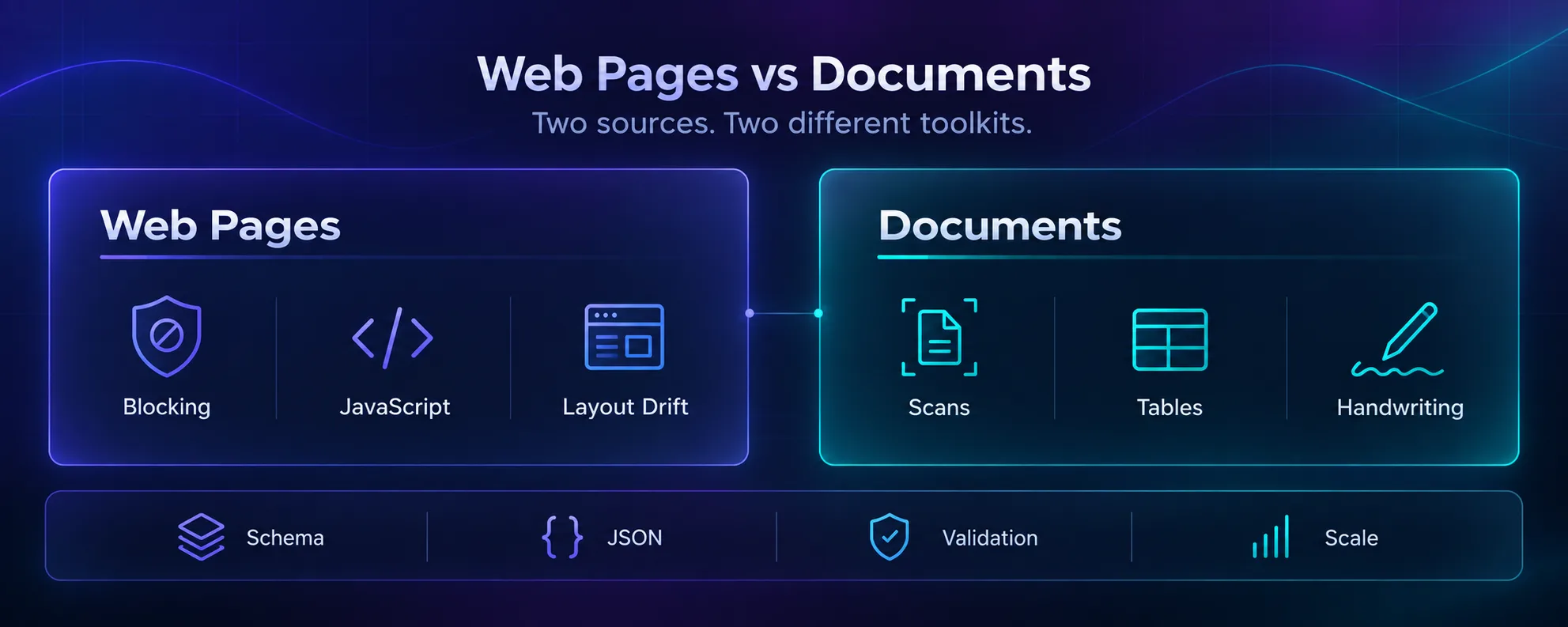
Our take: if you have both kinds of data, budget for two tools. The ones that handle both usually do one half much better than the other.
Three Ways an API Turns a Page Into Data
Under the hood, every tool on this list uses one of three approaches. Know which one you’re buying, and you’ll know where it breaks.
Pre-trained types. The API has already learned what a product page or an invoice looks like. You send a URL or a file and get standard fields back, with no setup. Diffbot, Zyte, Mindee and Textract work this way.
Your schema plus an LLM. You describe the fields you want, and a language model fills them in, whatever the layout. Firecrawl, Jina Reader, LlamaExtract and Reducto’s Extract work this way.
Pre-built scrapers per site. Someone else has already written a scraper for Amazon or LinkedIn, keeps it working, and rents it to you. Bright Data’s library is the biggest example.
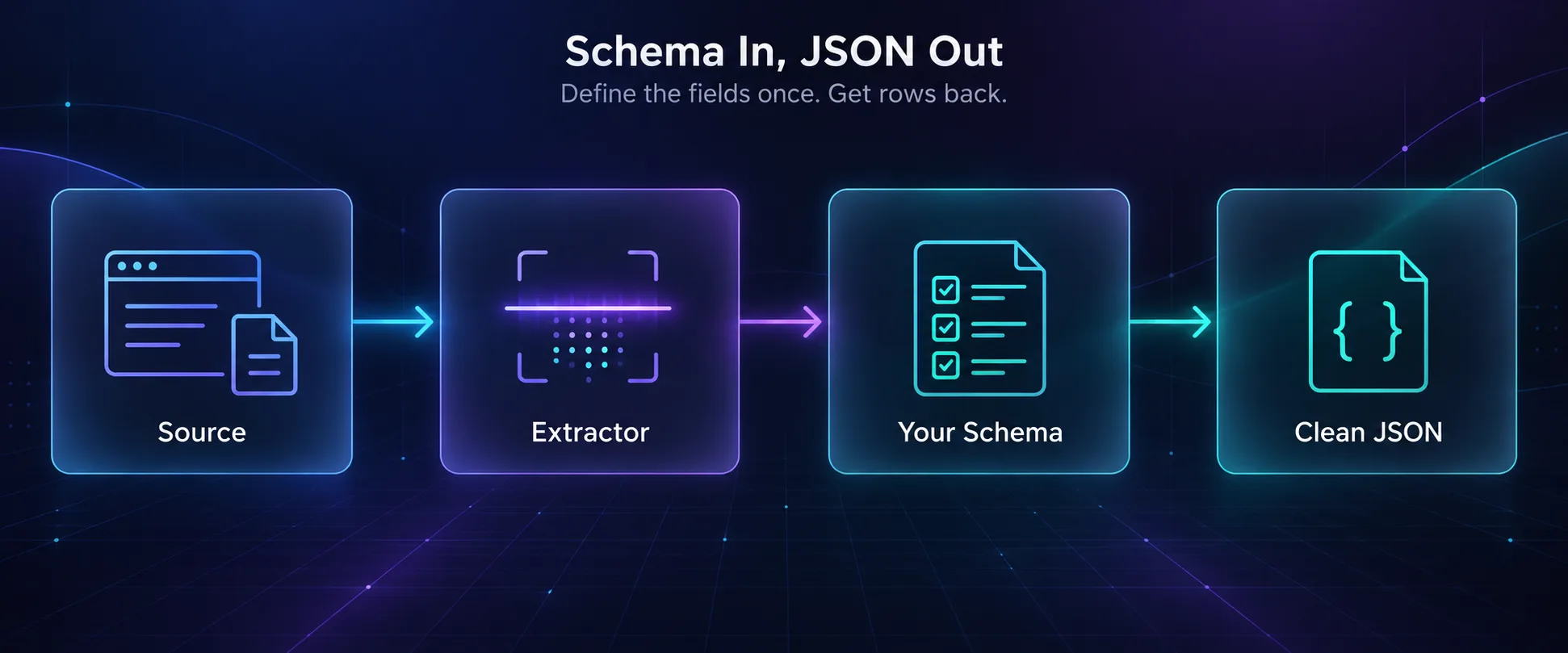
Here’s the trade-off in three lines. Pre-trained types are consistent, but the fields are fixed. Schemas are flexible, but a model can make things up. Pre-built scrapers are reliable, but only on the sites someone built them for.
How We Picked These APIs
We compared each tool’s official pricing page and documentation in September 2026. We didn’t run a paid accuracy benchmark, so treat the prices as a starting point and test on your own data.
- Which sources it handles: web pages, PDFs, scans
- How you define the output: fixed types, your own schema, or pre-built scrapers
- Real cost per 1,000 pages at a realistic volume
- A free tier or trial, so you can test before paying
- Data handling for sensitive documents
The Firecrawl and Bright Data buttons are affiliate links, so we may earn a commission if you sign up. No brand paid for its spot on this list.
The 9 Best Data Extraction APIs in 2026
The first five handle web pages, and the last four handle documents. Each entry ends with its catch.
1Firecrawl
Firecrawl is the easiest way to turn any web page into JSON that matches your schema. You send a URL with a schema or a plain-English prompt, and it returns the fields you asked for.
It renders JavaScript, crawls whole sites and reads PDFs at a URL too. There’s also an open-source version you can host yourself, with limits we cover in Firecrawl vs Playwright.
A plain scrape costs 1 credit, and JSON output adds 4 more. So each structured page costs 5 credits. The free plan’s 1,000 monthly credits cover about 200 structured pages. The Standard plan, $83 a month billed yearly, covers about 20,000.
The catch: structured pages cost five times a plain scrape, and a model may guess when a field is missing. Our Firecrawl for RAG guide shows how to keep outputs clean.
2Zyte API
Zyte API suits teams that want standard fields from shops, news sites and job boards without writing a schema. It comes from the team behind Scrapy, the popular Python scraping framework.
Automatic extraction covers products, product lists, articles, article lists, job postings and search results. You get the same field names on every site, which makes merging data from many sources far easier.
Pricing stacks two parts. A plain HTTP request costs $0.13 to $1.27 per 1,000, and a browser request $1.01 to $16.08, depending on how hard the site is. Extraction adds $0.40 to $1.60 per 1,000.
The catch: you can’t know a site’s price tier until you test it, so budgets are hard to predict. New accounts get $5 of credit for 30 days to find out.
3Diffbot
Diffbot is the pick when you don’t know what kind of page you’ll get. Its Analyze API looks at a URL, decides whether it’s an article, a product or a discussion, and sends it to the right extractor.
It handles images and videos too, with events, lists and jobs in beta. Results can link into Diffbot’s Knowledge Graph of companies, people and products.
The free plan includes 10,000 credits a month, and each page costs 1 credit, or 2 through Diffbot’s proxy. The next step up is the $299 Startup plan with 250,000 credits.
The catch: the free plan allows only 5 requests a minute. That’s fine for testing and painfully slow for anything else. The fields are fixed for each page type, too.
4Bright Data
Bright Data’s Web Scraper API is the safest bet for big, well-known sites. It rents you more than 1,400 ready-made scrapers for places like Amazon, LinkedIn, Instagram, TikTok, Google Maps and Zillow.
Each one returns clean records as JSON, NDJSON or CSV. Proxies, CAPTCHA solving and browser rendering are included, and failed deliveries aren’t charged.
Pay-as-you-go costs $1.50 per 1,000 records, and the free tier covers 5,000 records a month. For sites without a ready-made scraper, an AI builder creates a custom one that repairs itself when the layout changes.
The catch: per-record pricing adds up on long-tail sites, and the platform takes time to learn. For a handful of unusual websites, Firecrawl is simpler.
5Jina Reader
Jina Reader is the fastest way to get clean text out of a page for an LLM. Put r.jina.ai/ in front of any URL, and you get the main content back as Markdown, without menus, ads or scripts.
It reads PDFs and images too. Send a JSON schema in a request header, and it returns structured fields instead of text.
You can use it without an API key at 20 requests a minute. A free key raises that to 500 and includes 10 million tokens, and after that you pay per token. Elastic bought Jina AI in October 2025, and the Reader API still runs.
The catch: it isn’t sold as an unblocker, so heavily protected sites may fail. For those, pair it with a proper web scraping API.
6Mindee
Mindee is the quickest route from a pile of business documents to clean fields. It ships ready-trained models for invoices, receipts, ID cards, passports, driver’s licenses, bank statements and CVs.
You upload a file and get the fields that document type always has: totals, dates, supplier names and line items. You can also train models for your own document types.
Paid plans start at about $44 a month, billed yearly. A processed page costs 1 credit, or 1.5 with confidence scores. There’s a 14-day free trial.
The catch: unused credits expire at the end of each period, and going over your allowance adds a 20% surcharge. It shines on standard business documents, not on messy 80-page reports.
7Amazon Textract
Amazon Textract is the cheap, dependable baseline for teams already on AWS. It reads printed and handwritten text, tables, forms, invoices, receipts and IDs, and you pay per page.
At AWS’s published US West rates, plain text detection costs $1.50 per 1,000 pages. Tables cost $15, forms $50, invoices and receipts $10, and IDs $25 per 1,000.
New AWS customers get a three-month free tier, including 1,000 pages of text detection a month.
The catch: Textract hands back blocks of text with their position on the page, not your schema. Turning that into clean records is your job, and it’s usually most of the work.
8LlamaParse
LlamaParse, from the LlamaIndex team, is built for one job: getting complex documents ready for RAG and AI agents. It turns PDFs, slides and spreadsheets into clean Markdown with the tables intact.
You pick a mode for each job. Fast parsing costs 1 credit a page, Cost-effective 3, Agentic 10 and Agentic Plus 45. Credits cost $1.25 per 1,000, and every account gets 10,000 free each month.
That’s about $3.75 per 1,000 pages on Cost-effective and $56 on Agentic Plus. Its sister tool, LlamaExtract, pulls schema-based fields from the same documents.
The catch: the mode you choose changes the price 45 times over. Test each one on your worst documents before you commit to the expensive one.
9Reducto
Reducto is the pick when the documents are hard and mistakes are expensive. Think financial filings, insurance claims and medical records, with tables that span pages and layouts no template could predict.
Parsing costs $10 per 1,000 pages on the pay-as-you-go plan. Schema-based Extract costs $20, and Deep Extract, for the hardest cases, costs $40. New accounts start with free usage credit.
For sensitive data, the Growth plan adds zero data retention and a BAA for healthcare work. Enterprise plans can run inside your own cloud or on your own servers.
The catch: it costs several times more than Textract’s basic text detection. That premium only pays off when layout mistakes cost you more than the difference.
Cost per Page Isn’t Cost per Record
Here’s the trap from the top of this guide. Almost every price above is per page. What you actually want is records: products, invoices, rows in your database.
Those two numbers can sit far apart. One category page might hold 40 products. One invoice might run to three pages.
So here’s what 10,000 pages costs at list prices, before we turn it into records.
| Workload | API and mode | About 10,000 pages | What drives it |
|---|---|---|---|
| Product pages | Firecrawl, JSON output | 50,000 credits, inside the $83 Standard plan | 5 credits a page |
| Product pages | Bright Data scraper | $15 | $1.50 per 1,000 records |
| Product pages | Zyte, automatic extraction | $5 to $180 | The site’s difficulty tier |
| Articles | Diffbot, free plan | $0 | At 5 a minute, it takes about 33 hours |
| Invoices | Amazon Textract, expense analysis | $100 | $10 per 1,000 pages |
| Reports | LlamaParse, Cost-effective | About $25 after free credits | 3 credits a page |
| Reports | LlamaParse, Agentic Plus | About $550 after free credits | 45 credits a page |
| Complex filings | Reducto Extract | $200 | $20 per 1,000 pages |
Prices come from each vendor’s pricing page in September 2026, before volume discounts.
Now turn pages into records. Say your invoices average three pages. At $10 per 1,000 pages, Textract costs 3 cents per invoice, not 1.
Flip it the other way. Say a category page lists 40 products and Firecrawl pulls them all in one request. Each product now costs an eighth of a credit, not 5.
Our take: always price the record, not the page. Take a real sample of 50 pages, count the records inside them, and divide.
The Accuracy Problem Nobody Warns You About
Classic scrapers fail loudly. A selector breaks, the field comes back empty, and your monitoring catches it.
LLM-based extraction can fail quietly. Ask for a price on a page that doesn’t show one, and a model may return a believable number anyway. Nothing errors, and the wrong value just flows into your database.
Say you track prices across 200 shops. One shop hides its prices until you log in. A selector returns nothing, and you notice. A model told that price is required might grab the price of a related product further down the page, and you’d never know.
That’s the hidden cost of flexibility, and here’s how to guard against it.
- Allow empty values. Mark fields as optional in your schema, so the model has a legal way to say not found.
- Validate every record. Check types, ranges and formats with a library like Pydantic or Zod before saving anything.
- Check values against the source. For prices, SKUs and dates, confirm the extracted text actually appears on the page.
- Use confidence scores where offered. Mindee and Textract both return them. Send low scores to a human.
- Spot-check a sample every week. Layouts drift, and extraction quality drifts with them.
Where Extraction Fits in Your Data Pipeline
Extraction is one step in a longer chain. The steps on either side decide how well it works.
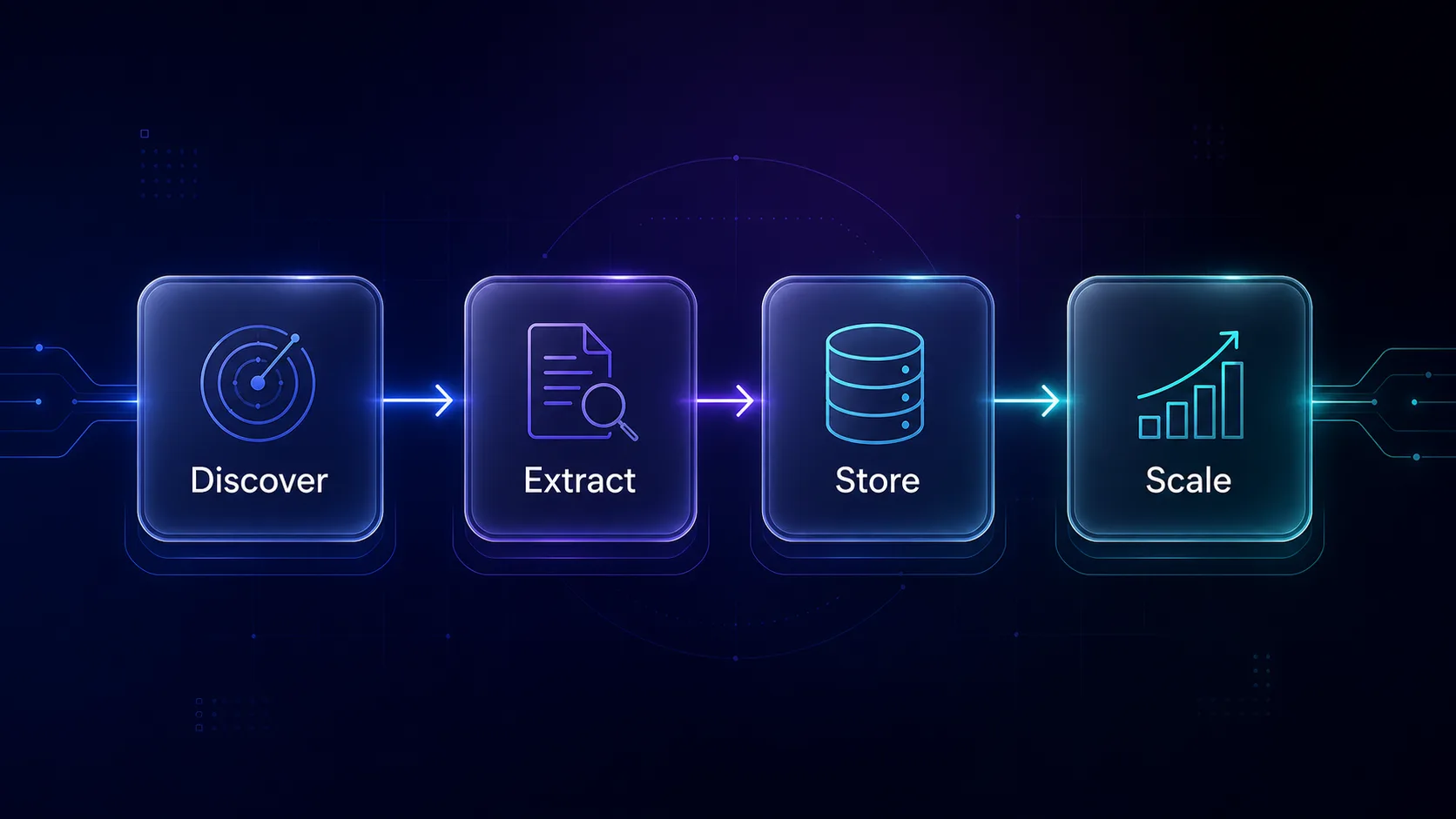
Discover means finding the pages or files worth extracting. For web data, that’s often a crawl or a SERP API. Store is where validation belongs, before bad rows spread.
Scale is where blocks begin, because volume attracts attention. Managed APIs like Firecrawl, Zyte and Bright Data include proxies. If you run your own crawler, you’ll need rotating residential proxies, and our guide on why web scraping needs proxies explains why.
How to Choose the Right Data Extraction API
1Is Your Source a Website or a File?
This one question cuts the list in half. Websites need blocking, rendering and crawling handled. Files need OCR, layout and table handling. Only pay for a tool that covers both if both matter to you.
2Do You Know the Fields in Advance?
If you want standard fields like price, title and author, Zyte or Diffbot gets you there with no setup. If you need custom fields, like a warranty period or a contract clause, you need a schema-based tool.
3How Many Different Layouts Will You See?
Five known sites? A pre-built scraper, or even your own selectors, will be cheaper and more reliable. Five thousand unknown sites? That’s exactly what schema-based and pre-trained extraction are for.
4Where Is the Data Allowed to Go?
Contracts, medical records and IDs come with rules. Check data retention, where processing happens, and whether the vendor will sign a BAA or a data processing agreement. Reducto’s Growth plan and Textract in your own AWS region are the strongest options here.
Frequently Asked Questions
Start With the Source, Not the Brand
The best data extraction API is the one built for where your data lives. Get that right, and the shortlist writes itself.
For web pages, start with Firecrawl if you need custom fields, or Zyte and Diffbot if standard ones will do. Choose Bright Data for big, well-known sites. For documents, test Reducto or LlamaParse on your ugliest file, and keep Textract as the cheap baseline.
Your next step: run 50 real pages or files through two free tiers and price the result per record. Then check ten records by hand. You’ll learn more in an afternoon than from any comparison table, this one included. Need your own proxies for the crawl? Compare them in our proxy directory.
Keep Reading
More articles you might enjoy
![Best SERP APIs ([year]): Compared for Accuracy, Pricing & AI](/_next/image?url=https%3A%2F%2Fproxyhorizon.com%2Fcdn%2Fblog-images%2Fbest-serp-apis-1-mufdet7y.webp&w=3840&q=75)
![How to Add an MTProto Proxy to Telegram ([year])](/_next/image?url=https%3A%2F%2Fproxyhorizon.com%2Fcdn%2Fblog-images%2Fhow-to-add-mtproto-proxy-telegram-1-mu9ha99k.webp&w=3840&q=75)
![How to Set Up a Proxy in Telegram on Android ([year])](/_next/image?url=https%3A%2F%2Fproxyhorizon.com%2Fcdn%2Fblog-images%2Ftelegram-proxy-android-setup-1-mu9ha6tn.webp&w=3840&q=75)