SOCKS5 vs MTProto Proxy for Telegram: Which to Use (2026)
SOCKS5 vs MTProto proxy for Telegram: how the two built-in protocols differ on speed, privacy, and censorship resistance, and which one to choose for your use case.
Telegram is one of the few apps that lets you route your traffic through a proxy without any third-party tools, and it supports two very different kinds: SOCKS5 and MTProto. If you’ve ever opened Telegram’s proxy settings and wondered which one to pick, you’re in the right place. The choice actually matters, and it depends on what you’re trying to do.
This guide breaks down SOCKS5 vs MTProto for Telegram in plain English: what each protocol is, how they differ on speed, privacy, and censorship resistance, and which one you should reach for in a given situation. Both are built into Telegram, so switching between them takes seconds once you know the difference.
By the end you’ll know exactly which protocol fits your use case, whether that’s everyday privacy, running multiple accounts, or getting Telegram working on a network that actively blocks it. Let’s compare them properly.
The Two Proxy Types Telegram Supports
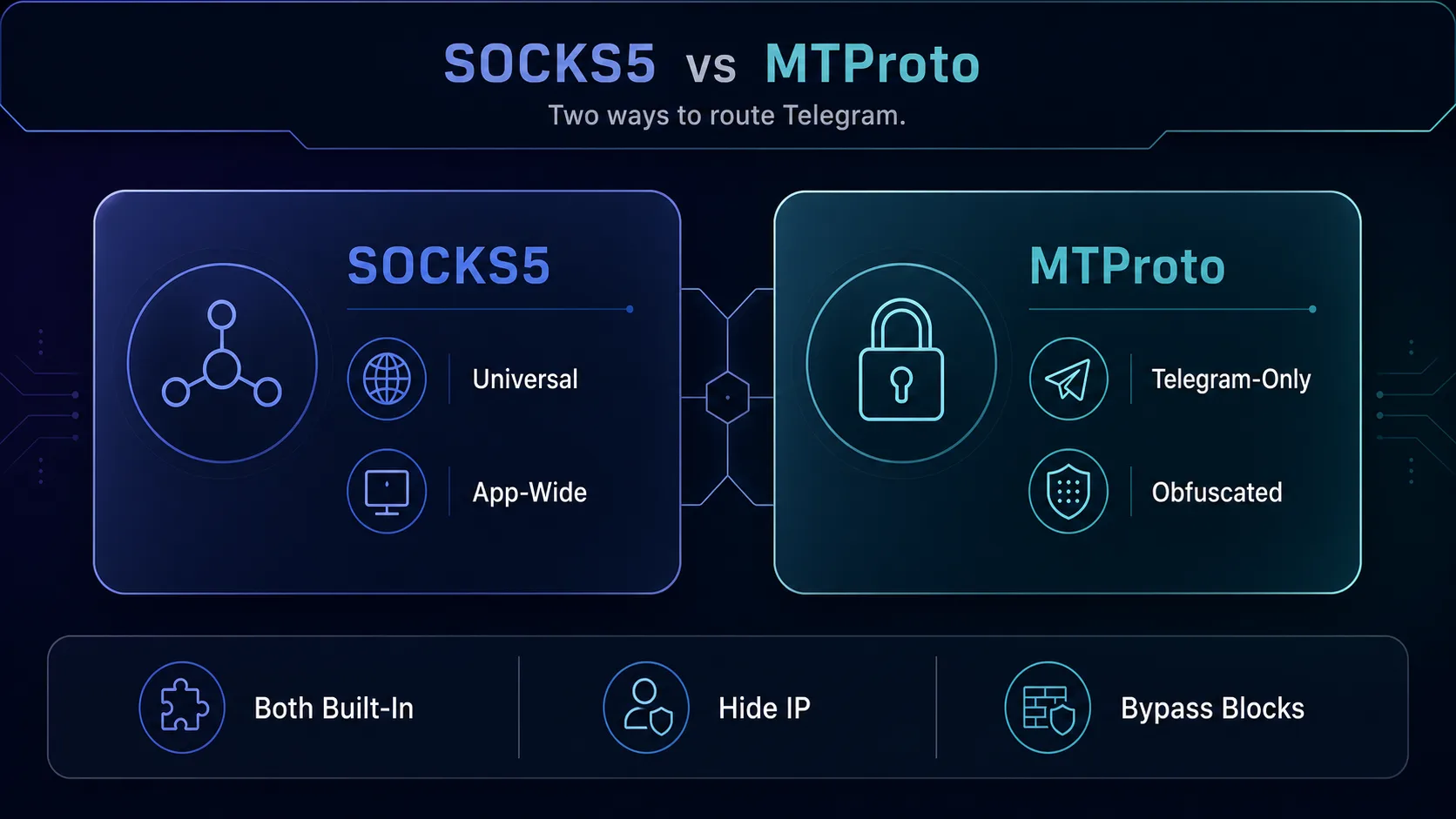
Telegram accepts two proxy protocols natively, and they come from completely different places. SOCKS5 is a universal internet standard, the same protocol used across countless apps and sold by nearly every proxy provider. It simply reroutes your traffic through another IP address. MTProto, by contrast, is Telegram’s own proprietary protocol, built specifically for the app, with one standout trick: it disguises the traffic so networks can’t easily tell a proxy is being used at all.
That difference in origin explains almost everything else. SOCKS5 is general-purpose and works with any provider’s servers; MTProto is Telegram-only and designed above all to defeat censorship. For the fundamentals of each on their own, see our explainers on SOCKS5 proxies for Telegram and what an MTProto proxy is.
SOCKS5 vs MTProto: Head to Head
Here’s how the two protocols stack up on the factors that actually matter when you’re choosing one in Telegram’s settings.
| Feature | SOCKS5 | MTProto |
|---|---|---|
| Origin | Universal internet standard | Telegram’s own protocol |
| Works with | Any app, any provider | Telegram only |
| Hides that you’re using a proxy | No | Yes (obfuscated) |
| Sold by proxy providers | Yes, widely | Rarely (public lists or self-hosted) |
| Typical cost | Paid (from a provider) | Usually free |
| Best at | Privacy, geo-targeting, account IPs | Beating aggressive proxy blocks |
The single biggest practical difference is obfuscation. A plain SOCKS5 connection looks like a proxy connection to any network monitoring it, so a censor can spot and block it. MTProto scrambles the traffic to look like ordinary encrypted data, which is exactly why it survives in places where SOCKS5 gets cut off.
Speed: Which Is Faster?
In everyday use, speed comes down to the quality of the server you connect to far more than the protocol itself. A fast, nearby SOCKS5 server from a reputable provider will feel quicker than a distant, overloaded MTProto proxy from a public list, and vice versa. That said, SOCKS5 is a lean, low-overhead protocol, so a good SOCKS5 proxy tends to deliver excellent speeds with minimal added latency.
MTProto adds a layer of obfuscation processing, which can introduce a small amount of overhead, but on a well-run server the difference is negligible for messaging, and Telegram is not a bandwidth-heavy app. The honest verdict: for raw speed on a quality server, SOCKS5 has a slight theoretical edge, but in real Telegram use you won’t notice a meaningful gap between two well-provisioned proxies.
Security and Privacy
Neither protocol changes Telegram’s own end-to-end and client-server encryption, that keeps working regardless of which proxy you use. What differs is what each protocol adds and what it exposes. A SOCKS5 proxy reroutes and masks your IP but doesn’t add its own encryption layer, so its privacy depends heavily on the provider you trust with your traffic. That’s why a reputable, no-logs SOCKS5 provider matters.
MTProto’s obfuscation is about disguise rather than added security; it hides the fact that a proxy is in use, which is a privacy benefit in censored environments but not a substitute for a trustworthy operator. The bigger privacy risk with MTProto is the source: because they’re often pulled from public lists, a malicious MTProto proxy could monitor metadata. With either protocol, the golden rule is the same, only use a proxy from a source you actually trust. Our guide on whether governments can track proxy and VPN users covers the wider threat model.
Censorship Resistance: MTProto’s Home Turf
This is where the two protocols genuinely diverge, and where MTProto earns its existence. In countries or on networks that actively hunt for and block proxy connections, a standard SOCKS5 proxy is relatively easy to detect and shut down, its traffic pattern gives it away. MTProto was purpose-built to survive exactly this: by making the connection look like innocuous encrypted traffic, it slips past the deep-packet inspection that catches SOCKS5.
So if your goal is simply to use Telegram where it’s blocked, MTProto is the stronger tool. If proxy blocking isn’t a concern where you are, SOCKS5’s flexibility and provider quality make it the more practical everyday choice. This is the core trade-off: SOCKS5 for versatility and quality, MTProto for pure censorship resistance.
Ease of Setup
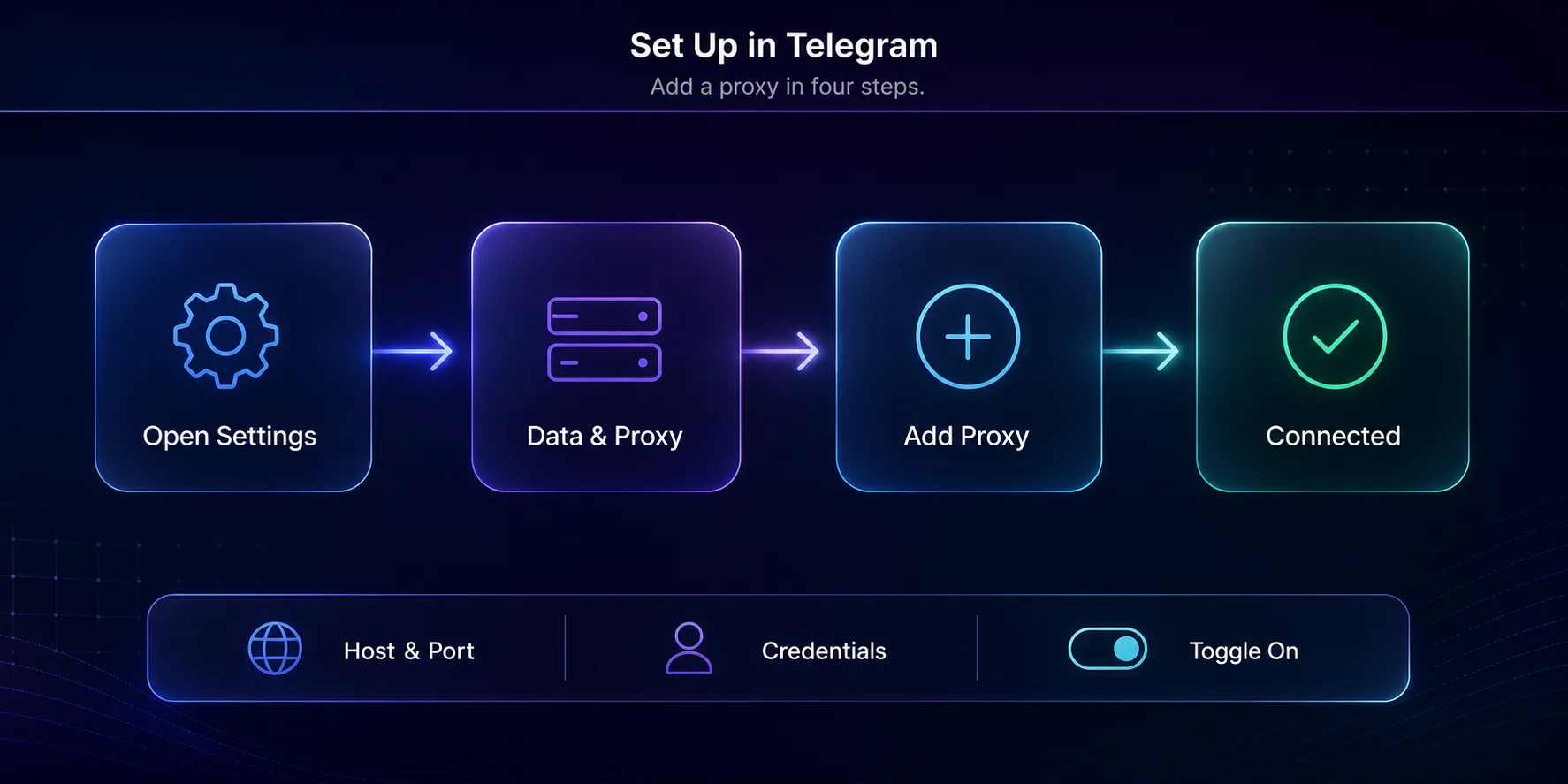
Both are equally easy to add inside Telegram, the app treats them the same way in its proxy settings. You pick the protocol, enter the server details, and toggle it on. The real difference is where the details come from: SOCKS5 credentials come from your provider’s dashboard, while MTProto proxies are usually shared as a tg://proxy or t.me/proxy link that fills in everything with one tap.
One caution on those one-tap MTProto links: only use them from sources you trust, since a malicious link points your traffic wherever its creator wants. For the full walkthrough on either platform, see our guide to using proxies in Telegram.
Which Should You Use?
Here’s the straight answer. Choose SOCKS5 for everyday privacy, running multiple accounts, or geo-targeting a specific country, and buy it from a reputable provider so you get clean, fast, trustworthy IPs. It’s the more versatile, higher-quality option when proxy blocking isn’t your problem. Choose MTProto when you’re on a network that actively blocks proxies and you just need Telegram to work; its obfuscation is the whole point.
For most readers, especially anyone managing accounts or wanting reliable performance, SOCKS5 from a real provider is the better default. Reserve MTProto for the censorship-circumvention job it was designed for. And remember: both are built into Telegram, so nothing stops you from keeping one of each saved and switching as your situation changes.
Common Mistakes When Choosing Between Them
A few misunderstandings trip people up when picking a protocol.
1Assuming MTProto Is More Private
MTProto obfuscates, it doesn’t add meaningful encryption on top of what Telegram already provides. It hides that you’re using a proxy, which helps against censors, but it doesn’t make a shady proxy trustworthy. Privacy still depends on who runs the server.
2Using Free Public MTProto Lists for Sensitive Work
Free MTProto proxies from public channels are fine for casual unblocking, but they’re run by strangers. For account management or anything sensitive, a paid SOCKS5 proxy from a vetted provider is far safer than an anonymous free server.
3Picking a Protocol Instead of a Good Server
People agonize over SOCKS5 versus MTProto when the bigger factor is server quality. A clean, fast, well-located proxy beats the “right” protocol on a bad server every time. Choose the source first, then the protocol.
Real-World Scenarios: Which One Wins
Abstract comparisons only get you so far, so here’s how the choice plays out in everyday situations.
1You’re Traveling Somewhere Telegram Is Blocked
You land in a country that filters Telegram at the network level. A standard SOCKS5 proxy might connect at first, then get cut off as the network spots it. This is MTProto’s moment: its obfuscation keeps the app working where ordinary proxies fail. Save a couple of trusted MTProto proxies before you travel so you’re never locked out.
2You Manage Several Telegram Accounts
You run multiple accounts for a business, community, or outreach, and you need one clean, distinct IP per account so they don’t get linked and banned. That’s squarely SOCKS5 territory: buy dedicated residential or mobile IPs from a provider and assign one per account. Free public MTProto proxies are shared by thousands of strangers and useless for this job.
3You Want Privacy on Public Wi-Fi
You’re on café or airport Wi-Fi and simply want to hide your IP and location within Telegram. Either protocol works here, but a quality SOCKS5 proxy gives you cleaner, faster, more predictable performance. Reserve MTProto for the times a network is actively trying to block you.
4Your Network Inspects or Throttles Traffic
If your ISP or workplace inspects or throttles messaging traffic, MTProto’s disguise helps Telegram blend in and slip past the filtering. For everyday use with no interference, SOCKS5 stays the simpler, higher-quality pick.
On Android specifically, the menu paths and the settings that break proxies are covered in our Telegram proxy setup guide for Android. If you have an MTProto link, see how to add an MTProto proxy.
Frequently Asked Questions
The Bottom Line
SOCKS5 and MTProto solve overlapping problems from opposite directions. SOCKS5 is the universal, provider-backed standard that shines for privacy, multi-accounting, and geo-targeting; MTProto is Telegram’s obfuscated protocol built to punch through censorship where ordinary proxies fail. Both are built into Telegram, so the smart move is to understand each and match it to the moment.
For most people, a quality SOCKS5 proxy from a trusted provider is the better default, with MTProto held in reserve for blocked networks. If you’re ready to pick one, our guide to the best proxies for Telegram covers where to get reliable SOCKS5 servers, or compare providers directly in our proxy directory.
Keep Reading
More articles you might enjoy