How to Scrape Any Website into Markdown (2026 Guide)
Raw HTML wastes up to 96% of your tokens. We ran four real pages through Firecrawl, Jina Reader and two DIY scripts to find the cleanest way to get complete Markdown.

Our own guide to deleting incognito history runs about 2,000 words. As raw HTML, it weighs 91,470 tokens.
As Markdown, it’s 3,938.
Same words, same headings, 23 times cheaper to hand to an LLM. That gap is why so many developers now scrape websites into Markdown before an AI model ever reads them.
Here’s the catch nobody mentions. The two tidiest outputs in our test had quietly deleted a third of that article, and their low token counts made the loss look like a win.
So we ran four real pages through five methods and checked what survived. You’ll get working code, the raw numbers, and the one setting that fixes messy docs pages.
- Markdown cut our four test pages by 70–96% compared with raw HTML.
- The smallest output isn’t the best one: two tools got there by dropping a whole FAQ.
- Firecrawl returned every test page complete. Docs sites needed one extra option.
- Check whether a site already serves Markdown before you scrape it. Some do.
Disclosure: we’re a Firecrawl affiliate, so we may earn a commission if you upgrade through our links. Every tool went through the same tests, and we report the numbers as they came out.
Why Your LLM Wants Markdown, Not HTML
HTML is written for browsers. A typical page wraps its text in scripts, style rules, tracking tags, menus and layout boxes, and a model reads every byte you send it.
That costs you twice. You pay for every token, and the clutter eats context window space the real text needs. In a web scraping pipeline that feeds a search index, the menu text gets indexed too, so searches start matching navigation instead of content.
Markdown keeps only what carries meaning: headings, lists, tables, links and code. Models see it constantly in docs and README files, so they follow its structure well. You can read it too, which matters more than you’d think when something breaks.
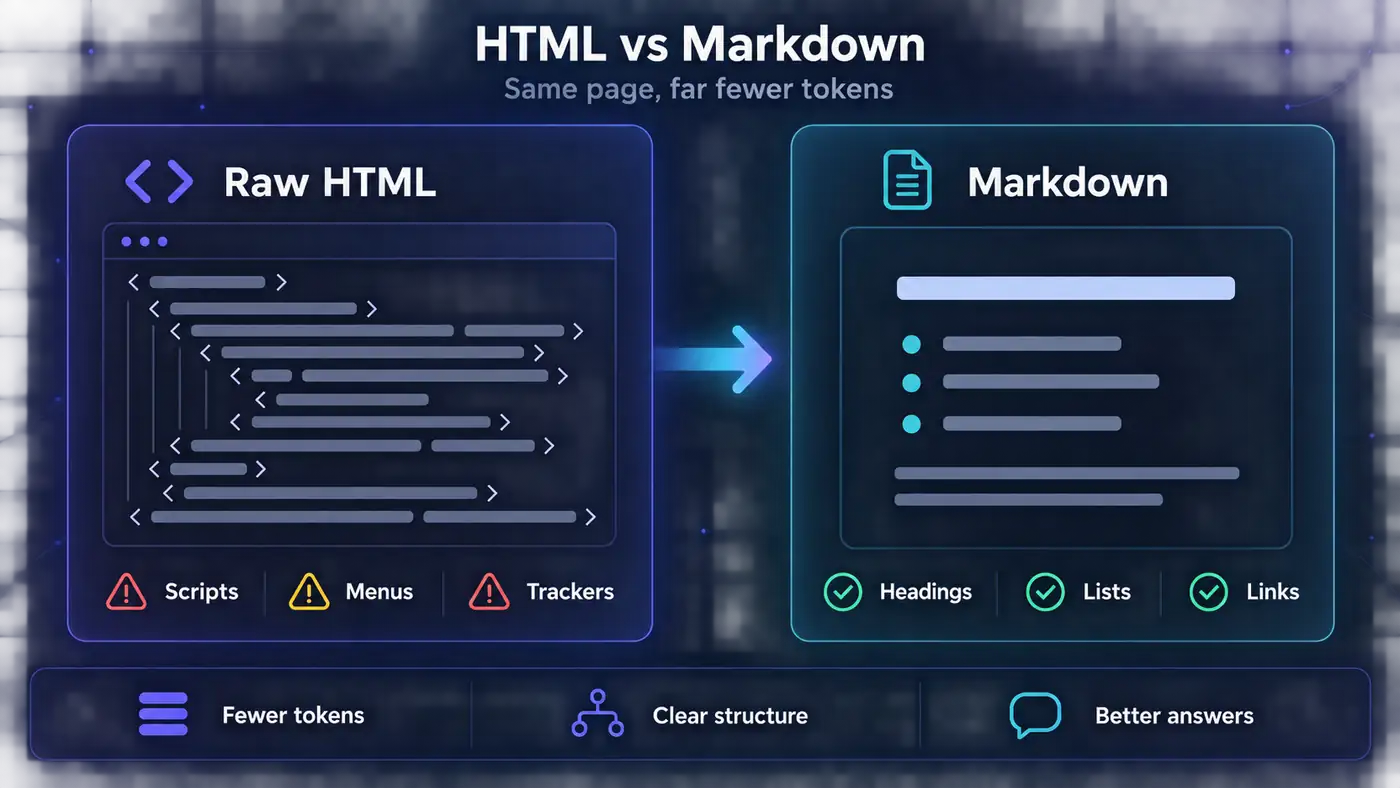
The savings are big. Our test product page dropped from 2,123 tokens of HTML to 459 tokens of Markdown. Our Next.js article fell from 91,470 to 3,938. Firecrawl’s homepage claims 93% fewer input tokens, and our four pages landed between 70% and 96%.
In plain English: pay for the page, not the wrapping paper.
Check Whether the Site Already Serves Markdown
Before you scrape anything, spend ten seconds checking whether the site will simply hand you Markdown. More sites do than you’d guess, and none of the guides we read mention it.
Three quick checks cover it:
llms.txt. A plain-text index of a site’s pages for AI tools, often linking to Markdown copies. Firecrawl’s own docs publish one.
A .md twin. Some docs platforms serve any page as Markdown if you add .md to the URL.
An Accept header. Since February 2026, sites on Cloudflare’s paid plans can turn on Markdown for Agents, which converts pages at the edge when a client asks for
text/markdown.
# 1) Is there an llms.txt index?
curl -s https://docs.firecrawl.dev/llms.txt | head -5

# 2) Does this docs page have a .md twin?
curl -sI https://docs.firecrawl.dev/features/scrape.md | grep -i content-type

# 3) Will the server convert the page for you? (GET, keep only the headers)
curl -s -o /dev/null -D - -H "Accept: text/markdown" https://www.cloudflare.com/ \
  | grep -iE "content-type|x-markdown-tokens"
All three worked when we tried them. Cloudflare’s homepage came back as text/markdown with an x-markdown-tokens: 750 header, and one of its blog posts shrank from 315 KB of HTML to 18 KB of Markdown. Use a normal GET for that last check: a HEAD request reported zero tokens, because there was no body to count.
The catch: most sites don’t offer any of this yet. Ours doesn’t, and we checked. When all three come back empty, it’s time to scrape.
The No-Code Way to Convert a Page
Need one page, not a pipeline? Skip the code. Firecrawl’s free website to Markdown converter takes a URL and returns clean Markdown in your browser, with no account and no API key.
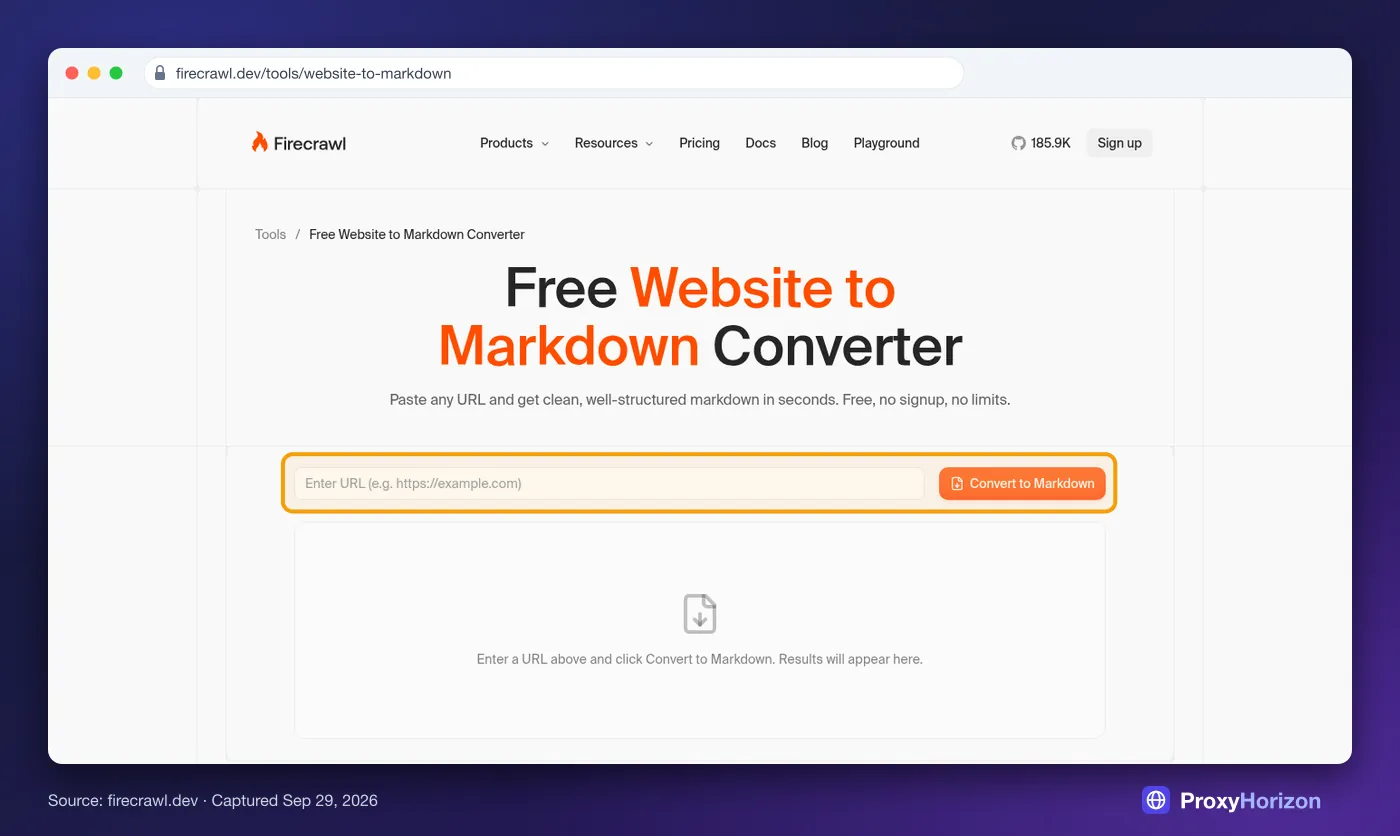
Paste the URL, click Convert to Markdown, and copy or download the result. It renders JavaScript first, so it copes with modern single-page apps, not just static HTML.
Best for: one-off pages and quick checks before you automate anything. Not ideal for: hundreds of pages, scheduled jobs or anything that feeds a pipeline. That’s the API’s job.
Scrape Any Page to Markdown with the Firecrawl API
The API does the same job from code, at one credit per page. Grab a free key first. Firecrawl’s docs also allow a few requests without one, but our test machine got an “IP address looks suspicious” refusal, so don’t plan around it.
1Python
# pip install firecrawl-py
from firecrawl import Firecrawl

firecrawl = Firecrawl(api_key="fc-YOUR-API-KEY")

doc = firecrawl.scrape(
    "https://books.toscrape.com/catalogue/a-light-in-the-attic_1000/index.html",
    formats=["markdown"],
)

print(doc.metadata.title)
with open("page.md", "w", encoding="utf-8") as f:
    f.write(doc.markdown)
Books to Scrape is a sandbox built for scraping practice, so it’s a safe first target. Here’s a trimmed look at what came back for that page:
- [Home](https://books.toscrape.com/index.html)
- [Books](https://books.toscrape.com/catalogue/category/books_1/index.html)
- [Poetry](https://books.toscrape.com/catalogue/category/books/poetry_23/index.html)
- A Light in the Attic

# A Light in the Attic

£51.77

In stock (22 available)

## Product Information

| UPC | a897fe39b1053632 |
| Product Type | Books |
| Price (excl. tax) | £51.77 |
Notice two quirks. The breadcrumb links survived the main-content filter, and the product table has no separator row under its first line, because the page’s table has no header section. A model reads it fine, but a Markdown renderer won’t draw it as a table.
2Node.js
// npm install firecrawl
import { Firecrawl } from 'firecrawl';

const firecrawl = new Firecrawl({ apiKey: 'fc-YOUR-API-KEY' });

const doc = await firecrawl.scrape(
  'https://books.toscrape.com/catalogue/a-light-in-the-attic_1000/index.html',
  { formats: ['markdown'] },
);

console.log(doc.markdown);3cURL
curl -X POST https://api.firecrawl.dev/v2/scrape \
  -H 'Content-Type: application/json' \
  -H 'Authorization: Bearer fc-YOUR-API-KEY' \
  -d '{"url": "https://books.toscrape.com/catalogue/a-light-in-the-attic_1000/index.html", "formats": ["markdown"]}'
The response puts the page under data.markdown, with the title, final URL and status code in data.metadata. Markdown is the default format, so you can leave formats out entirely.
We Ran 4 Real Pages Through 5 Methods
Every guide says Markdown saves tokens. None that we found showed what each method keeps and what it throws away, so we tested it ourselves in September 2026.
We picked four pages that trip up converters in different ways:
A static product page on Books to Scrape.
A Quotes to Scrape page where JavaScript injects every quote.
Python’s documentation page for
html.parser.Our own Next.js article on deleting incognito history.
Each page then went through the five methods in the table below, with the raw HTML as the baseline. Both DIY runs worked on the HTML a plain HTTP request returns, just like a requests script: markdownify converted all of it, while trafilatura pulled out the main text first.
Jina Reader ran on its free endpoint. Firecrawl ran through its hosted MCP server, which calls the same scrape endpoint as the API, on default extraction settings with the cache switched off. We counted tokens with OpenAI’s o200k_base tokenizer, the one GPT-4o uses.
Source: ProxyHorizon tests, September 2026. Tokens counted with OpenAI’s o200k_base tokenizer.
| Page | Raw HTML | markdownify | trafilatura | Jina Reader | Firecrawl |
|---|---|---|---|---|---|
| Product page (static) | 2,123 | 467 | 357 | 488 | 459 |
| Quotes page (JavaScript) | 1,484 | 66, no quotes | 10, no quotes | 268 | 367 |
| Python docs page | 15,611 | 4,160 | 3,062 | 3,452 | 4,688 (3,119 tuned) |
| Our Next.js article | 91,470 | 5,067 | 1,801, FAQ missing | 1,892, FAQ missing | 3,938 |
Read the table with one question in mind: which small numbers came from removing noise, and which came from losing content? The next three sections answer it.
1JavaScript Pages Break the DIY Route
The quotes page ships almost empty HTML. All ten quotes sit inside a script and appear only after the browser runs it, the same pattern many modern web apps use.
So markdownify returned 66 tokens and trafilatura returned 10, with zero quotes between them. Both parse the HTML you hand them and neither runs JavaScript, which is why DIY scrapers usually end up bolting on a headless browser.
Firecrawl and Jina Reader both render the page first, and both found the quotes. Firecrawl kept all ten with their authors and tags, though the tags ran together into strings like “changedeep-thoughtsthinkingworld”. Jina Reader dropped every tag and lost the first quote’s author.
2The FAQ That Quietly Vanished
On our own article, Jina Reader and trafilatura produced the smallest Markdown, about 1,800 to 1,900 tokens against Firecrawl’s 3,938. It looks like a clear win until you open the output.
Both kept the “Frequently Asked Questions” heading and dropped all nine answers under it. That’s 810 words, roughly a third of the page’s text.
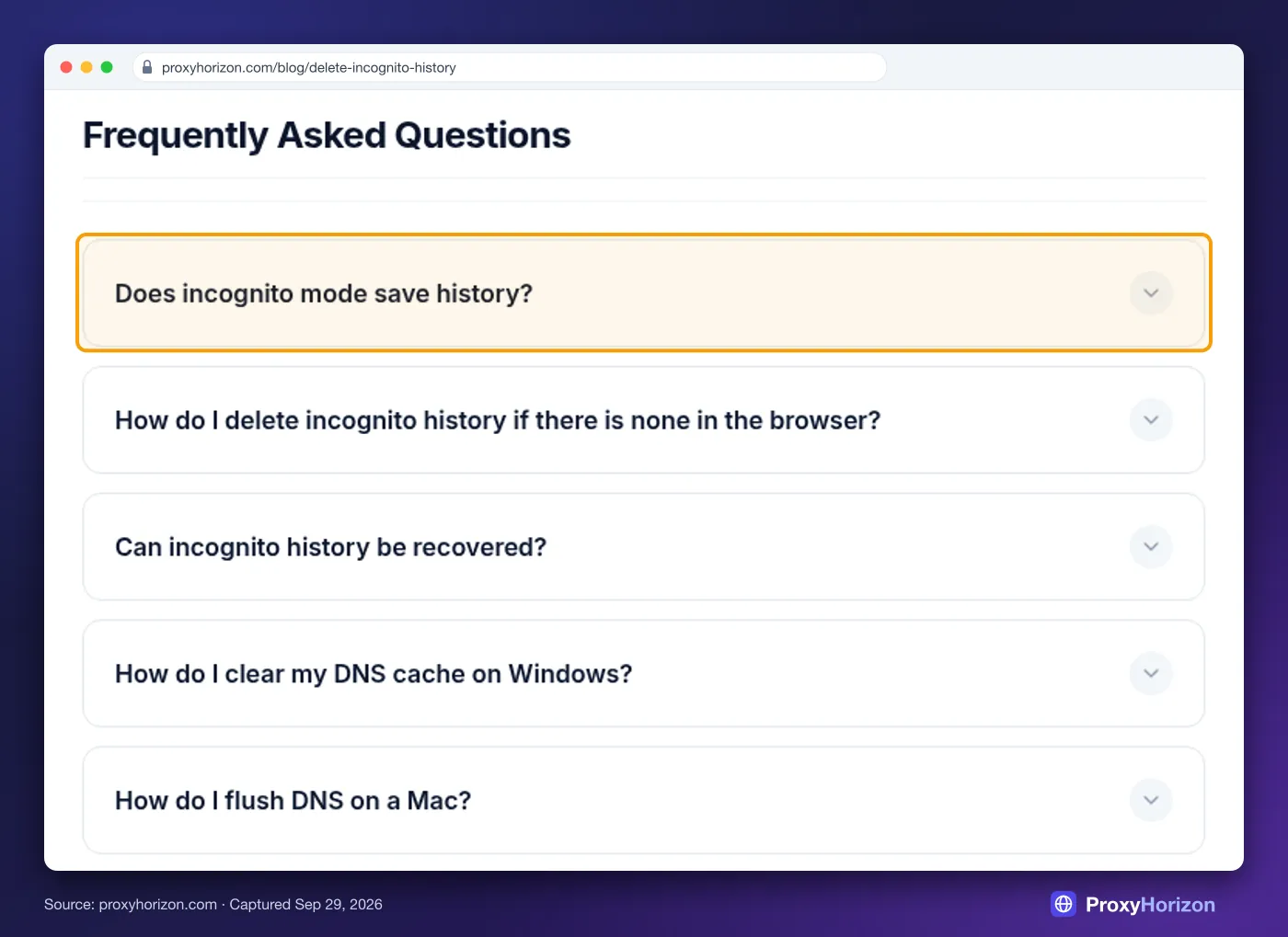
The answers are right there in the HTML, inside collapsed accordion panels whose questions are buttons. Extractors that score blocks for “article-ness” tend to treat widgets like that as page furniture. Firecrawl kept all nine answers, plus some genuine noise: the byline, a related-posts block and a table-of-contents stub.
Our take: a few lines of noise cost you fractions of a cent. A missing third of the page costs you wrong answers, and nothing warns you it happened. Check what your converter dropped, not just how small the output got.
3Docs Sites Need One Extra Setting
Firecrawl’s weakest result came on the Python docs. Its main-content filter kept both navigation bars, the language and version switchers, and ten “Copy” button labels, which made its output the biggest of the four Markdown methods.
The fix took one look at the page source. Sphinx, the tool behind Python’s docs, wraps the real content in div.body, so we told Firecrawl to keep only that:
doc = firecrawl.scrape(
    "https://docs.python.org/3/library/html.parser.html",
    formats=["markdown"],
    include_tags=["div.body"],                               # the docs' content wrapper
    exclude_tags=["button", ".copybutton", "a.headerlink"],  # copy buttons and ¶ links
)
Output fell from 4,688 to 3,119 tokens, a third smaller, with all eleven code examples intact. Most docs generators use a similar wrapper, so find it once per site and reuse it.
The Options That Clean Up Your Markdown
You’ll rarely need more than two or three of these, but it pays to know they exist. Defaults come from Firecrawl’s API reference, and the Python SDK uses the same names in snake_case.
| Option | Default | Use it when |
|---|---|---|
formats | Markdown | You also want HTML, links or a screenshot |
onlyMainContent | true | Set it to false only if you want menus and footers |
includeTags | None | The page has a clear content wrapper, like main, article or div.body |
excludeTags | None | Widgets slip through, like related posts, share bars or author boxes |
waitFor | 0 ms, on top of smart waiting | Content shows up a second or two after the page loads |
actions | None | You need to scroll, click “Load more” or type before scraping |
maxAge | Up to 2 days | Prices, stock or news: set 0 to force a fresh fetch |
parsers | PDF parsing on | You’re converting PDFs |
blockAds | true | Leave it on. It blocks cookie pop-ups too |
location, mobile | US, desktop | The page changes by country or device |
Both tag filters take CSS selectors and run against the original page, so anything you can target in your browser’s DevTools works.
How to Handle Infinite Scroll, Logins, PDFs and Bot Walls
“Any website” includes the awkward ones. We didn’t test these features ourselves, so this section leans on Firecrawl’s docs and the SDK’s own type definitions, which we checked every sample against.
Infinite scroll and “Load more” buttons. Browser actions run before the scrape. You can chain up to 50 of them, as long as the waits add up to 60 seconds or less:
doc = firecrawl.scrape(
    "https://quotes.toscrape.com/scroll",
    formats=["markdown"],
    actions=[
        {"type": "scroll", "direction": "down"},
        {"type": "wait", "milliseconds": 1500},
        {"type": "scroll", "direction": "down"},
        {"type": "wait", "milliseconds": 1500},
        # a "Load more" button works too:
        # {"type": "click", "selector": "button.load-more"},
    ],
)
PDFs. Pass a PDF’s URL like any other page. PDF parsing is on by default and billed per PDF page, so a long report costs more than a single web page.
Logins. For pages you’re allowed to see, like your own dashboard, pass your session cookie in headers. Firecrawl doesn’t cache requests that carry custom headers, so the private page isn’t stored for anyone else. Read the site’s terms before you automate a logged-in area.
Bot walls. The proxy option defaults to auto, which switches to enhanced proxies when a basic request fails, at no extra credit cost. If you run your own scrapers instead, you’ll need residential proxies and a plan for getting past Cloudflare.
Turn a Whole Website into Markdown Files
For a whole docs site or blog, don’t scrape URL by URL. Map the site to see what’s there, then crawl only the part you need. Firecrawl’s docs price a map call at one credit however many URLs it returns, and a crawl costs one credit per page.
from pathlib import Path
from urllib.parse import urlparse
from firecrawl import Firecrawl

firecrawl = Firecrawl(api_key="fc-YOUR-API-KEY")

# 1) See what's there first: one map call costs one credit
site = firecrawl.map("https://docs.firecrawl.dev", limit=500)
print(len(site.links), "URLs found")

# 2) Crawl only the section you need, with a hard page cap
job = firecrawl.crawl(
    "https://docs.firecrawl.dev",
    include_paths=["^/features/.*"],
    limit=50,
    formats=["markdown"],
    only_main_content=True,
)
print(job.status, job.completed, "pages,", job.credits_used, "credits")

# 3) Save every page as its own .md file
out = Path("markdown")
out.mkdir(exist_ok=True)
for page in job.data:
    url = page.metadata.source_url or page.metadata.url or ""
    name = urlparse(url).path.strip("/").replace("/", "_") or "index"
    (out / f"{name}.md").write_text(page.markdown or "", encoding="utf-8")
Two settings protect your credits. include_paths takes regular expressions matched against each URL’s path, and limit caps the page count. Leave the limit out and a crawl can run to 10,000 pages, which is ten months of the free plan.
The crawler also respects robots.txt unless you set ignore_robots_txt=True, which you shouldn’t. For queues, webhooks and bigger jobs, see our guide to scraping large websites with Firecrawl.
Chunk Your Markdown for RAG Without Breaking Code
If the Markdown feeds a RAG system, split it at headings rather than at a fixed character count. Heading-based chunks keep each idea together, and the heading path makes a handy label for search results.
The trap is code. A Python comment starts with #, exactly like a Markdown heading, so naive splitters slice code blocks in half. This function tracks code fences to avoid that:
import re

HEADING = re.compile(r"^(#{1,3}) +(.+)")
LINK = re.compile(r"\[([^\]]+)\]\([^)]*\)")


def chunk_markdown(markdown, url, max_chars=2000):
    """Split Markdown into heading-aware chunks. Never cuts a code block in half."""
    chunks, path, block, in_code = [], [], [], False

    def flush():
        text = "\n".join(block).strip()
        if text:
            section = " > ".join(title for _, title in path)
            chunks.append({"url": url, "section": section, "text": text})
        block.clear()

    for line in markdown.splitlines():
        if line.startswith("```"):
            in_code = not in_code
        heading = None if in_code else HEADING.match(line)
        if heading:
            flush()
            level = len(heading.group(1))
            while path and path[-1][0] >= level:
                path.pop()
            path.append((level, LINK.sub(r"\1", heading.group(2)).strip()))
        elif not in_code and not line.strip() and sum(map(len, block)) > max_chars:
            flush()
        block.append(line)
    flush()
    return chunks


# Usage with the crawl results from the previous section
for page in job.data:
    for chunk in chunk_markdown(page.markdown or "", page.metadata.source_url):
        print(chunk["section"], len(chunk["text"]))
We ran it over our test outputs. Our incognito article became 29 chunks and the Python docs page became 7, with no broken code blocks and no headings pulled from inside code. Store the url and section with each chunk so answers can cite their source. The full pipeline is in our guide to using Firecrawl for RAG.
What It Costs, and What You Save
Firecrawl bills in credits: one per basic page scraped, crawled or mapped. The free plan’s 1,000 credits refresh every month and don’t need a card. These prices took effect on September 4, 2026.
| Plan | Monthly | Billed yearly | Credits a month | Concurrent requests |
|---|---|---|---|---|
| Free | $0 | – | 1,000 | 2 |
| Hobby | $19 | $16/mo | 5,000 | 5 |
| Standard | $99 | $83/mo | 100,000 | 25 |
| Growth | $399 | $333/mo | 500,000 | 50 |
| Scale | $749 | $599/mo | 1,000,000 | 100 |
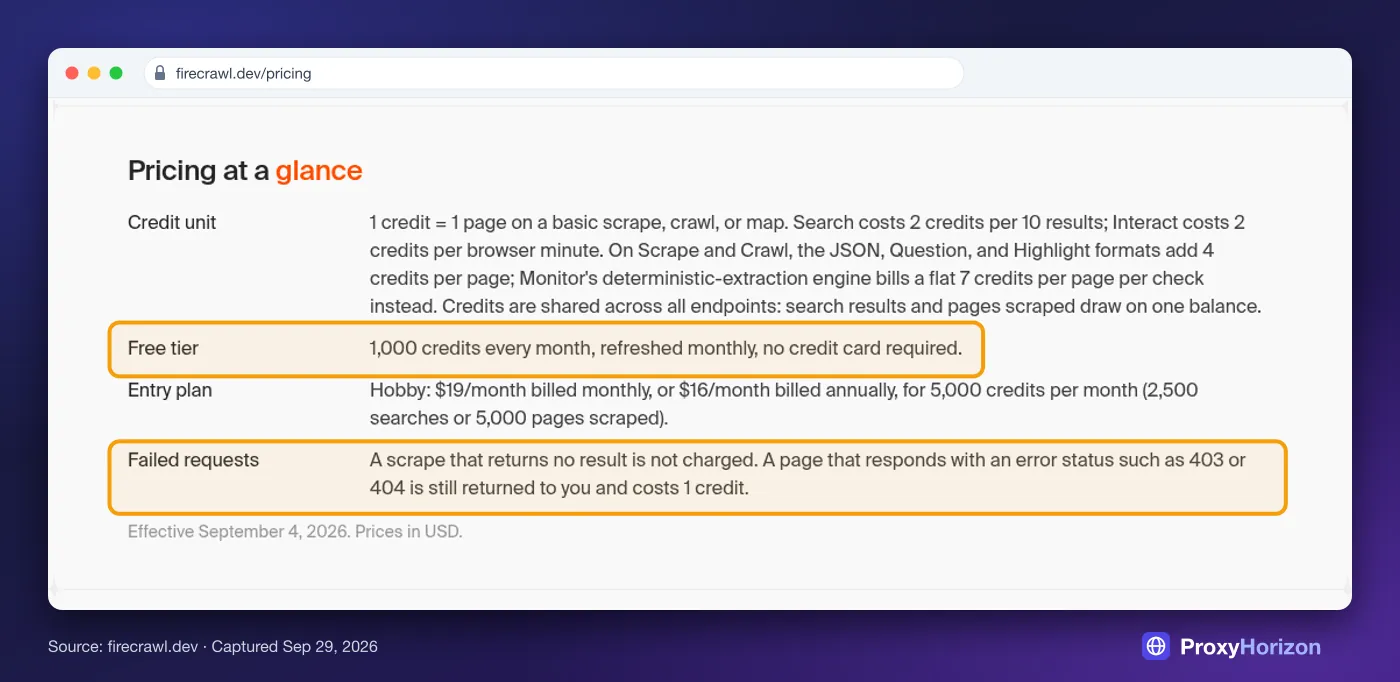
Mind the fine print highlighted there. A page that answers with a 403 or 404 still costs a credit, so clean your URL list before a big run.
A worked example. Say you convert 10,000 pages a month. Hobby includes 5,000 credits, and pay-as-you-go adds 1,000 more per $5, so those 10,000 pages cost about $44. Past roughly 20,000 pages a month, Standard at $99 works out cheaper.
Now the other side of the ledger. If your pages weigh as much as our Next.js article, Markdown saves about 87,500 tokens each, or 875 million across those 10,000 pages. At $1 per million input tokens, a round number for the math rather than a real quote, that’s $875 you don’t spend on the model.
Our take: on heavy modern pages, the conversion pays for itself many times over. On light static pages like our product page, the same math saves about $17 per 10,000 pages, and a free DIY script may be all you need. Every plan detail is in our Firecrawl pricing breakdown.
Picking Between Firecrawl, Jina Reader and DIY Scripts
Here’s how the main options compare. We tested four of them, and the Crawl4AI and MarkItDown rows come from their official docs.
| Method | JavaScript | Best for | Watch out for |
|---|---|---|---|
| Firecrawl | Yes | Any page or whole site; 1,000 free credits a month | Some widgets slip through; docs sites need includeTags |
| Jina Reader | Yes | One-off articles; 20 free requests a minute | Dropped our FAQ and a quote’s author |
| Crawl4AI | Yes | Self-hosted, open-source crawls | You run the browsers and proxies |
| MarkItDown | No | PDFs, Word and other files | Keeps menus and footers on web pages |
| markdownify (DIY) | No | Static HTML you already have | Kept menus and footers; blind to JavaScript |
| trafilatura (DIY) | No | Static articles and blogs | Dropped our FAQ; blind to JavaScript |
| Native Markdown | Site does it | Sites with llms.txt, .md pages or the Accept header | Still rare |
Firecrawl for Markdown: The Short Version
- Rendered every JavaScript page we tested
- Keeps links absolute, so citations still work
- Scrape, map and crawl from one API
- 1,000 free credits a month, no card
- Python and Node SDKs, plus a CLI and MCP server
- Some widgets survive the main-content filter
- Docs sites need includeTags for clean output
- 403 and 404 pages still cost a credit
- The self-hosted version lacks the anti-bot engine
Verdict
The best default for turning real pages into complete Markdown. Add includeTags where a site needs it and it’s hard to beat.
Our take: Firecrawl is the best default. It was the only method that returned all four test pages complete, from the JavaScript quotes to the collapsed FAQ.
Jina Reader is a fine free choice for one-off articles. Crawl4AI suits teams who want open source and can run their own browsers and proxies. For the wider field, see our Firecrawl alternatives roundup.
Mistakes That Waste Tokens, Credits or Content
1Treating Scraped Text as Trusted Input
Scraped Markdown goes straight into a model’s context, so anything on the page can talk to your model. Pages increasingly carry text aimed at AI agents. Several Firecrawl pages we pulled for this article included notes addressed to AI agents, and so did the API’s error message.
Those notes were harmless. The same channel carries prompt injection. Wrap scraped content in clear delimiters, tell the model it’s data rather than instructions, and never let it trigger tools on its own.
2Letting the Cache Serve Stale Data
Firecrawl can answer from its cache to save time. On the raw API, the default accepts a copy up to two days old, and cached results still cost a credit. That’s fine for docs. For prices, stock levels or news, pass max_age=0 to force a fresh fetch.
3Throwing Away the Source URL
Merging a whole crawl into one big file is tempting. Do that and you lose what your RAG answers need most: where each fact came from. Keep one file per page, or at least store the URL and fetch date with every chunk, so you can cite sources and refresh stale pages later.
4Forgetting Whose Content It Is
Converting a page doesn’t change who owns it. Respect robots.txt and the site’s terms, keep request rates polite, and be careful with personal data, which laws like the GDPR protect however you collected it. Summarizing public pages for your own use is one thing. Republishing them wholesale is another.
Frequently Asked Questions
The Bottom Line
Turning a website into Markdown is easy. Getting Markdown that’s both small and complete takes a little care, and that’s the part most guides skip.
Check for a native Markdown version first. When there isn’t one, Firecrawl is the default we’d reach for. It rendered every page we tested, kept content the tidier tools dropped, and scales from one URL to a whole site.
Add include_tags on docs sites, and read what your converter left out before you trust its token count.
Start on the free plan with the three messiest pages you actually care about. You’ll know within ten minutes whether it fits.
Keep Reading
More articles you might enjoy